Aqara G410 Smart Home Camera Review
The Aqara G410 Smart Home Camera is aimed at users who want more than a basic indoor camera. It is designed to work as part of a connected home, combining live video monitoring, motion intelligence, app based control, automation triggers, and ecosystem compatibility. In this review, the focus is not only on image quality, but also on reliability, privacy, setup, and whether the G410 makes sense as a long term smart home device.
TLDR: The Aqara G410 is a capable and serious smart home camera that is best suited to users already invested in, or planning to build, an Aqara centered smart home. Its strengths are clean app integration, useful automation options, dependable indoor monitoring, and a privacy conscious feature set. It is not the cheapest camera in its category, and buyers who only need simple live viewing may find it more advanced than necessary. For smart home users who value automation and ecosystem support, it is a strong and practical option.
Overall Impression
The Aqara G410 feels like a product built for people who want their home camera to do more than record movement. Many inexpensive cameras can send an alert when something passes in front of the lens, but the G410 is more interesting because it works as part of a broader home monitoring and automation system. That distinction matters. A smart home camera should be judged not only by how clear the footage looks, but also by how accurately it detects events, how quickly it responds, how securely it stores data, and how well it works with other devices.
In daily use, the G410 presents itself as a polished and mature device. The hardware is compact and understated, the app experience is straightforward, and the camera’s functions are generally easy to understand. Aqara has also built a reputation around compatibility with major smart home platforms, and that ecosystem value remains one of the key reasons to consider this model.
Design and Build Quality
The design is clean, modern, and deliberately discreet. This is important for an indoor camera because it will usually sit in visible spaces such as a hallway, living room, nursery, office, or entry area. The G410 does not look overly industrial or aggressive, which helps it blend into a home environment more easily than many traditional security cameras.
The build quality feels appropriate for its class. The camera body appears solid, the base is stable enough for shelf or table placement, and the overall finish gives the impression of a product intended for regular household use rather than occasional monitoring. Cable management and placement will still matter, especially if you want a tidy setup, but the camera itself is not difficult to position.
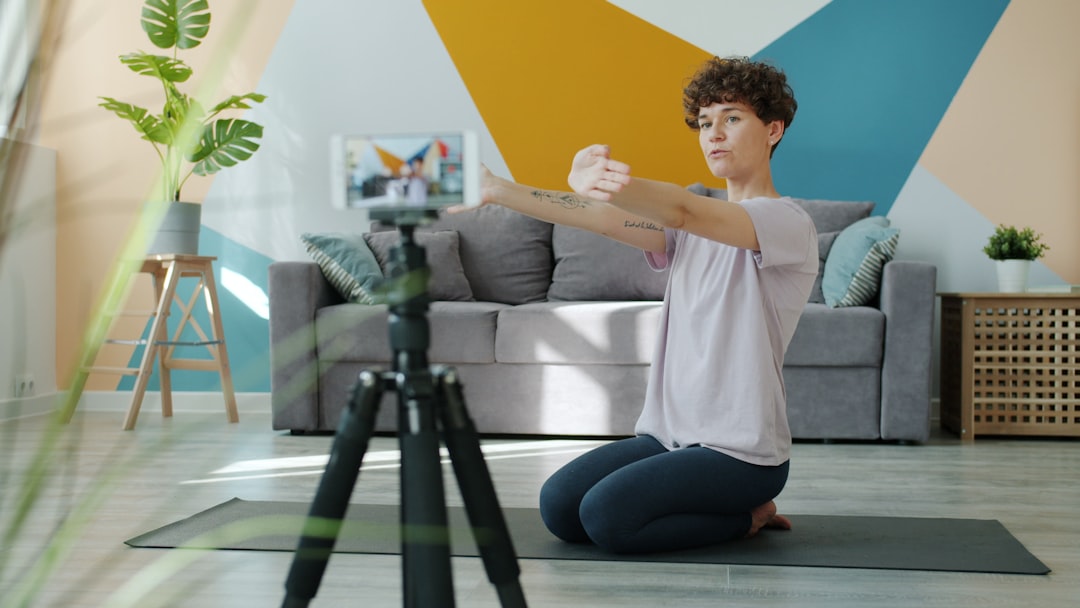
Best placement options include:
- Entryways for monitoring arrivals, deliveries, and movement near the front door.
- Living rooms where broad coverage is useful for general awareness.
- Nurseries or children’s rooms if you want smart alerts and two way audio.
- Home offices where you may want security monitoring when away.
- Pet areas for checking activity during the day.
As with any indoor camera, privacy should influence placement. It is better to avoid installing it where people reasonably expect full privacy, such as bedrooms or bathrooms. A camera like this is most useful in shared or transitional spaces.
Setup and App Experience
Setup is one of the G410’s stronger areas. Aqara’s app is generally clear, with a guided process that helps users connect the device, configure settings, and create automations. For most people, the initial setup should be manageable without technical knowledge. The process typically involves powering the camera, pairing it through the app, connecting it to the home network, and then adjusting preferences such as alerts, recording behavior, detection sensitivity, and privacy settings.
The app layout is practical. Live view is easy to access, settings are arranged logically, and automation controls are available without feeling hidden. This is important because a camera that requires too much adjustment usually ends up being ignored. The G410 gives users enough control without making the experience feel overly technical.
That said, smart home cameras always depend heavily on network quality. A weak Wi Fi signal, congested router, or poor placement can affect live view loading times and notification speed. For the best experience, the camera should be placed where wireless signal strength is reliable.
Image Quality and Video Performance
For everyday indoor monitoring, the G410 delivers the level of clarity most users will expect from a modern smart home camera. Faces, movement, furniture, pets, and general room activity are easy to identify under normal lighting. The image is sharp enough for practical monitoring, though performance will naturally depend on lighting conditions and distance from the camera.
Daytime performance is the easiest area to judge positively. In a well lit room, the camera produces a clean and usable image. Colors appear natural enough for identification, and contrast is generally controlled well. Bright windows can still create exposure challenges, as they do with most indoor cameras, so positioning the camera away from direct backlight is recommended.
Night performance is also important. A camera used for security or household monitoring needs to remain useful after dark. The G410 handles low light reasonably well and is suitable for checking a room at night, monitoring pets, or receiving motion alerts while the house is quiet. As always, infrared or low light footage is less detailed than daylight footage, but it is still functional for awareness and basic identification.

Motion Detection and Smart Alerts
Motion detection is one of the most important areas in any smart camera review. A camera that sends too many false alerts quickly becomes annoying, while one that misses important events cannot be trusted. The G410 performs best when the detection settings are carefully adjusted after installation.
Users should take time to configure detection sensitivity, activity zones, and notification preferences. This is especially important if the camera faces a busy room, a window, moving curtains, pets, or a television screen. With sensible configuration, alerts become more useful and less intrusive.
Useful alert related features may include:
- Motion notifications for general activity in the camera’s field of view.
- Person detection to reduce alerts caused by irrelevant movement.
- Sound based alerts depending on configuration and supported features.
- Custom activity areas so the camera focuses on important parts of the room.
- Automation triggers that can interact with lights, sensors, alarms, or other devices.
The automation side is where the G410 becomes more than a camera. For example, movement in a hallway could turn on smart lights, a detected event could trigger a siren, or a camera alert could be combined with door and motion sensors for a more complete home security routine. This kind of interaction is Aqara’s biggest advantage over many basic camera brands.
Audio and Two Way Communication
Two way audio is useful for quick conversations, checking in on family members, speaking to children, or interrupting a pet that is doing something it should not. The G410’s audio experience is suitable for these everyday uses. It should not be expected to replace a dedicated intercom or high quality speaker, but it is practical for short communication.
Microphone performance depends on room acoustics. Large rooms with hard floors can introduce echo, while background noise from appliances or televisions can reduce clarity. Still, for a smart home camera, the audio function is a meaningful feature rather than a gimmick.
Privacy and Security Considerations
No indoor camera should be purchased without thinking seriously about privacy. The Aqara G410 is likely to appeal to privacy conscious users because Aqara generally emphasizes smart home integration, user controls, and configurable recording options. However, buyers should still review settings carefully rather than relying on default choices.
Recommended privacy steps include:
- Use a strong, unique password for the Aqara account.
- Enable two factor authentication if available.
- Review cloud recording and local recording options before use.
- Disable alerts or recording schedules when monitoring is not needed.
- Keep camera firmware updated.
- Place the camera only in appropriate shared areas.
This is not just about preventing hacking. It is also about household trust. Everyone in the home should know where the camera is located, when it records, and why it is being used. A serious smart home setup should improve safety without creating unnecessary discomfort.
Smart Home Compatibility
The G410’s value increases significantly if you use other Aqara devices. Aqara’s ecosystem includes sensors, switches, lights, door locks, buttons, curtain controllers, and alarm accessories. A camera that can participate in those routines becomes more versatile than a standalone device.
Compatibility with broader smart home platforms is also an important selling point. Many buyers want a camera that can fit into Apple Home, Google Home, Amazon Alexa, or Matter based environments, depending on what the specific model and region support. Before buying, it is wise to confirm the exact platform compatibility listed for your market, because supported features can vary by firmware, country, and ecosystem rules.

When it works well within an ecosystem, the G410 can serve as both a monitoring point and a trigger for other actions. That makes it especially useful in apartments, small homes, and houses where a full professional security system is unnecessary but basic awareness is still desired.
Everyday Reliability
Reliability is more important than novelty. The G410 is at its best when it simply does its job quietly: live view loads when needed, alerts arrive in a reasonable time, and automations trigger consistently. In a stable network environment, it should be dependable enough for daily indoor monitoring.
However, it is important to be realistic. Consumer smart cameras are not the same as professionally installed security systems with backup power, monitored response, and dedicated wiring. If your needs involve high risk security, business surveillance, or evidence grade recording, the G410 should be considered a helpful monitoring device rather than a complete security solution.
Strengths and Weaknesses
Main strengths:
- Clean and discreet design suitable for indoor spaces.
- Strong smart home integration, especially for Aqara users.
- Practical video quality for everyday monitoring.
- Useful motion alerts and automation potential.
- Good app experience with accessible controls.
- Privacy options that reward careful configuration.
Potential drawbacks:
- May be more advanced than necessary for users who only need simple live viewing.
- Best value is achieved when used with other smart home devices.
- Performance depends on Wi Fi quality and proper placement.
- Exact platform features may vary by region and firmware.
- Cloud storage costs or subscription details should be checked before purchase.
Who Should Buy the Aqara G410?
The Aqara G410 is a good choice for homeowners and renters who want an indoor camera that can become part of a larger smart home system. It is especially suitable for users who already own Aqara sensors or plan to build routines involving lights, alarms, doors, and motion detection.
It is also a reasonable option for families who want to monitor shared spaces, pet owners who want daytime visibility, and users who prefer a refined app experience over a very cheap no name camera. The G410 is less ideal for buyers who want the absolute lowest price, outdoor weather resistance, or a professional grade surveillance setup.
Final Verdict
The Aqara G410 Smart Home Camera is a serious and well rounded indoor camera with a clear purpose. Its biggest advantage is not just video capture, but how well it can fit into a connected home. Image quality is suitable for everyday monitoring, alerts are useful when configured properly, and the camera’s automation potential makes it more valuable than many basic alternatives.
For users invested in smart home control, the G410 is easy to recommend. It is practical, polished, and capable of becoming an important part of a home awareness system. It is not the right product for every buyer, especially those who only want the cheapest possible camera, but for people who value reliability, integration, and thoughtful features, the Aqara G410 is a strong contender.