Surface Book 2 Backlit Keyboard vs Other Surface Models Explained
The Surface Book 2 remains one of Microsoft’s most distinctive Surface devices because it combines a detachable tablet, a rigid laptop-style keyboard base, and optional discrete graphics in a single machine. One of the practical features users often ask about is the backlit keyboard: how it works, how it compares with other Surface keyboards, and whether it is better than the keyboard experience on Surface Pro, Surface Laptop, Surface Go, or Surface Laptop Studio models.
TLDR: The Surface Book 2 has a backlit keyboard built into its detachable keyboard base, and it offers a more traditional laptop typing experience than Surface Pro Type Covers. Compared with Surface Laptop models, it feels similarly premium, but the detachable design makes it more flexible and slightly more complex. Most modern Surface models offer keyboard backlighting, but the typing feel, stability, brightness controls, and portability differ significantly by device type.
Understanding the Surface Book 2 Keyboard Design
The Surface Book 2 keyboard is not simply an accessory. It is a core part of the device’s engineering. Unlike the Surface Pro line, where the keyboard is a thin magnetic cover sold separately in many cases, the Surface Book 2 uses a full keyboard base with a rigid chassis, a trackpad, additional battery capacity, and, on certain configurations, a dedicated NVIDIA GPU.
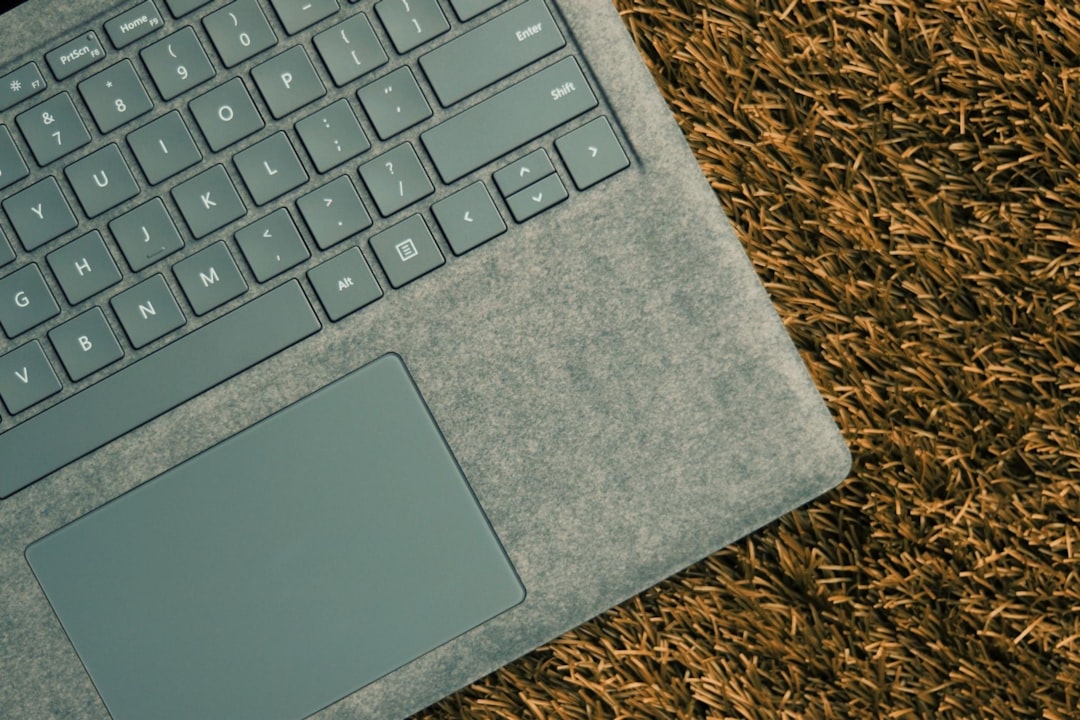
This design gives the Surface Book 2 a more conventional laptop feel. When the screen is attached, the device sits firmly on a desk or lap, and the keyboard does not flex noticeably under normal typing. The backlit keys are integrated into this base, meaning the lighting is controlled through the keyboard hardware and Windows keyboard settings.
For users who write documents, code, emails, reports, or work in low-light environments, this is a meaningful advantage. The Surface Book 2 keyboard is generally regarded as one of Microsoft’s stronger laptop keyboards, with good key travel, clear spacing, and a stable deck.
How the Surface Book 2 Backlit Keyboard Works
On the Surface Book 2, the keyboard backlight can typically be adjusted using the keyboard brightness function key. Depending on the keyboard layout, this is commonly controlled with the key marked by a keyboard illumination icon. Pressing it cycles through brightness levels such as off, low, medium, and high.
The exact behavior may vary slightly depending on firmware, regional keyboard layout, and Windows version, but the principle is simple: the backlight is designed to support visibility in dim rooms without being overly bright or distracting.
Important characteristics include:
- Adjustable brightness: Users can cycle through multiple levels rather than being limited to only on or off.
- Automatic timeout behavior: The backlight may dim or turn off after inactivity to conserve power.
- Function key control: Lighting is handled directly from the keyboard, not usually through a dedicated Windows settings page.
- Base dependent: The backlit keyboard only works when the screen is connected to the keyboard base.
This last point matters. The Surface Book 2 can detach into tablet mode, but once detached, there is no physical keyboard attached and therefore no keyboard backlight available. That is different from a convertible laptop where the keyboard remains physically attached even when folded back.
Surface Book 2 vs Surface Pro Keyboards
The most common comparison is between the Surface Book 2 and the Surface Pro series. Surface Pro devices use detachable keyboard covers, such as the Surface Pro Type Cover or Surface Pro Signature Keyboard. Many modern Surface Pro keyboards include backlit keys, but the overall experience is different.
The Surface Pro keyboard is thinner, lighter, and more portable. It attaches magnetically and doubles as a protective cover. However, because it is slim and flexible, it may feel less stable on a lap or uneven surface. The key travel is usually good for such a thin accessory, but it does not have the same firm base as the Surface Book 2.
In practical terms:
- Surface Book 2: Better for long typing sessions, desk-based work, and users who want a traditional laptop feel.
- Surface Pro: Better for maximum portability, tablet-first usage, and users who frequently remove the keyboard.
The Surface Pro keyboard backlight is useful and often effective, but the typing foundation is not as substantial. If keyboard quality is a top priority, the Surface Book 2 generally feels more serious and stable.
Surface Book 2 vs Surface Laptop Models
The Surface Laptop line offers the closest direct comparison to the Surface Book 2 in terms of typing experience. Surface Laptop models have integrated keyboards, slim aluminum bodies, and backlit keys. Since the keyboard is built into the laptop chassis, it feels stable and polished.
Compared with Surface Laptop models, the Surface Book 2 has a few differences. First, the Surface Book 2 keyboard base is detachable, which adds flexibility but also adds mechanical complexity. Second, the Surface Book 2 has a unique hinge and a heavier rear display section, which can make the weight distribution feel different from a regular clamshell laptop. Third, the Surface Book 2 keyboard base may include additional battery and graphics hardware, making it more than just a keyboard.
For pure typing, the difference is often a matter of preference. The Surface Laptop keyboard is excellent for users who want a clean, lightweight, traditional notebook. The Surface Book 2 is better for users who value a detachable screen, pen use, creative workflows, or configurations with more graphical capability.
Surface Book 2 vs Surface Go Keyboards
The Surface Go family is smaller, lighter, and more affordable than the Surface Book 2. Surface Go Type Covers are compact and often include backlit keys, especially on modern official versions. However, because the device is much smaller, the keyboard is also more compressed.
For short notes, travel, meetings, and casual productivity, the Surface Go keyboard can be very convenient. But for long writing sessions, the Surface Book 2 has a clear advantage. Its larger keyboard deck, wider key spacing, and stronger base make it more comfortable for sustained work.
Users with larger hands may find the Surface Go keyboard cramped. The backlight helps visibility, but it does not change the physical limitations of the smaller form factor. In contrast, the Surface Book 2 feels closer to a professional laptop, especially in the 15-inch version.
Surface Book 2 vs Surface Laptop Studio
The Surface Laptop Studio is a newer and more modern Surface design aimed at creators, developers, and professionals. It includes a backlit keyboard and a flexible display mechanism that can move between laptop, stage, and studio modes. Unlike the Surface Book 2, the screen does not detach completely.
In keyboard terms, the Surface Laptop Studio offers a refined, integrated experience. It is stable, quiet, and modern. The backlight is effective, and the device benefits from newer hardware and improved overall system design.
However, the Surface Book 2 still has one unique advantage: the screen can fully detach. If a user specifically wants a true tablet mode without the keyboard attached, the Surface Book 2 provides that option. The tradeoff is that the Surface Book 2 is older, and its hinge and docking mechanism may require more care over time.
Backlit Keyboard Quality: What Actually Matters?
When comparing Surface keyboards, it is not enough to ask whether the keyboard is backlit. Most modern Surface keyboards offer some kind of illumination. The more important questions are about typing comfort, layout, stability, visibility, reliability, and control.
Key factors include:
- Key travel: Deeper, more responsive keys usually feel better for extended typing.
- Deck stability: A rigid keyboard base reduces flex and improves confidence.
- Backlight consistency: Even lighting across the keyboard is better than patchy illumination.
- Brightness control: Multiple brightness levels allow better use in different environments.
- Layout size: Larger devices usually provide more comfortable spacing.
- Power behavior: Efficient backlighting should not noticeably harm battery life during normal use.
On these points, the Surface Book 2 performs well, especially because its keyboard base is solid and laptop-like. Its age should be considered, but the physical typing experience remains competitive.
Does the Backlit Keyboard Affect Battery Life?
Yes, keyboard backlighting uses power, but in most cases the impact is modest. The Surface Book 2 has battery capacity in the display and keyboard base, so normal keyboard illumination is unlikely to be the main cause of battery drain. Screen brightness, processor load, background apps, video calls, and GPU usage usually matter much more.
That said, users who want to maximize battery life can keep the keyboard backlight on a lower setting or turn it off in bright environments. This is especially sensible when working unplugged for long periods.
Troubleshooting Surface Book 2 Keyboard Backlight Issues
If the Surface Book 2 keyboard backlight does not work, the issue is not always hardware failure. Because the keyboard base connects through Microsoft’s docking mechanism, connection and firmware issues can occur.
Common steps include:
- Check the brightness key: Press the keyboard backlight key several times to cycle through all levels.
- Confirm the screen is attached properly: Detach and reattach the display securely.
- Restart Windows: A simple restart can restore keyboard control behavior.
- Install updates: Use Windows Update to install Surface firmware and driver updates.
- Clean the connector: Dust or debris around the attachment points can interfere with communication.
- Test in a dark room: In bright lighting, low keyboard illumination may be difficult to notice.
If these steps do not help, the keyboard base, connector, or internal lighting hardware may need professional inspection. Because the Surface Book 2 is a complex detachable device, repairs should be approached carefully.
Which Surface Has the Best Backlit Keyboard?
There is no single answer for every user. The best choice depends on how the device will be used.
- Best for traditional typing: Surface Laptop models and Surface Book 2 are strong choices.
- Best for tablet flexibility: Surface Pro with a backlit Type Cover or Signature Keyboard is more portable.
- Best compact option: Surface Go is useful for travel, but less ideal for heavy typing.
- Best modern creative option: Surface Laptop Studio offers a newer design with a strong integrated keyboard.
- Best detachable laptop feel: Surface Book 2 remains distinctive because its keyboard base feels like a real laptop base, not a thin cover.
Final Verdict
The Surface Book 2 backlit keyboard is one of the device’s strongest practical features. It combines adjustable illumination with a sturdy, comfortable keyboard base that feels more like a premium laptop than a tablet accessory. Compared with Surface Pro and Surface Go keyboards, it offers better stability and more comfortable long-form typing. Compared with Surface Laptop models, it is more flexible because of the detachable screen, though also older and mechanically more complex.
For users who value serious typing, low-light productivity, and a firm keyboard deck, the Surface Book 2 still holds up well. For users who prioritize the newest hardware, lighter weight, or a simpler laptop design, newer Surface Laptop or Surface Laptop Studio models may be better choices. The key point is that backlighting alone does not define keyboard quality; the Surface Book 2 stands out because it pairs backlit keys with a robust, professional typing experience.