How to Create a Meme Online: Canva vs. Adobe Express for Shareable Social Content
Canva is usually the better choice for fast meme creation, while Adobe Express is stronger for brand-safe social content that needs polish. A creator who wants a funny image captioned in five minutes will likely move faster in Canva. A small business that needs memes, reels covers, and branded campaign graphics may prefer Adobe Express. Social content is worth taking seriously, since DataReportal reported 5.24 billion social media user identities worldwide in early 2025 [source: DataReportal].
TLDR: Canva wins for speed, templates, and simple meme formats. Adobe Express wins when a team needs brand controls, Adobe-style editing, and cleaner cross-format posts. For example, a café posting three memes per week could build a reusable Canva template and cut each post to about 8 minutes, while a retail team making 20 campaign assets may save more time with Adobe Express brand kits. If the goal is a quick share, Canva feels easier; if the goal is a polished branded post, Adobe Express has the edge.
How Online Meme Creation Works
A meme usually starts with one clear joke, one strong visual, and text that lands fast. The best ones are readable on a phone in under two seconds. That means large type, simple contrast, and no clutter.
Most online meme makers follow the same flow:
- Pick a format: square post, story, reel cover, banner, or classic image macro.
- Add an image: upload a photo, use a stock image, or choose a template.
- Write the caption: keep it short, bold, and easy to scan.
- Adjust branding: add logo, colors, or a recurring visual style.
- Export: download as PNG, JPG, MP4, or GIF if supported.
Canva and Adobe Express both handle this well. The difference is in how much friction appears between the idea and the finished post.
Canva: Best for Quick, Funny, Shareable Memes
Canva feels built for speed. A user can search “meme,” choose a template, swap the image, edit the caption, and export. The template library is huge, and that matters when the creator has no patience left after thinking of the joke.
Its biggest strength is speed. Canva’s drag-and-drop editor is simple. Text boxes resize easily. Images crop without much thought. A non-designer can create something decent without reading a guide.
It also helps that Canva offers many social media sizes. A creator can make a square Instagram post, then resize it into a story or Facebook post. Some resizing features sit behind paid plans, but the workflow is still friendly.
Canva is especially useful for:
- Creators making trend-based memes.
- Small businesses posting casual jokes.
- Social media managers who need volume.
- Teachers, clubs, and community pages.
- Anyone who wants templates without design stress.
The catch is that Canva designs can start to look familiar. Many posts use the same fonts, sticker styles, and layouts. A brand may need to customize colors, type, and spacing to avoid the “template look.”
Adobe Express: Better for Branded Social Content
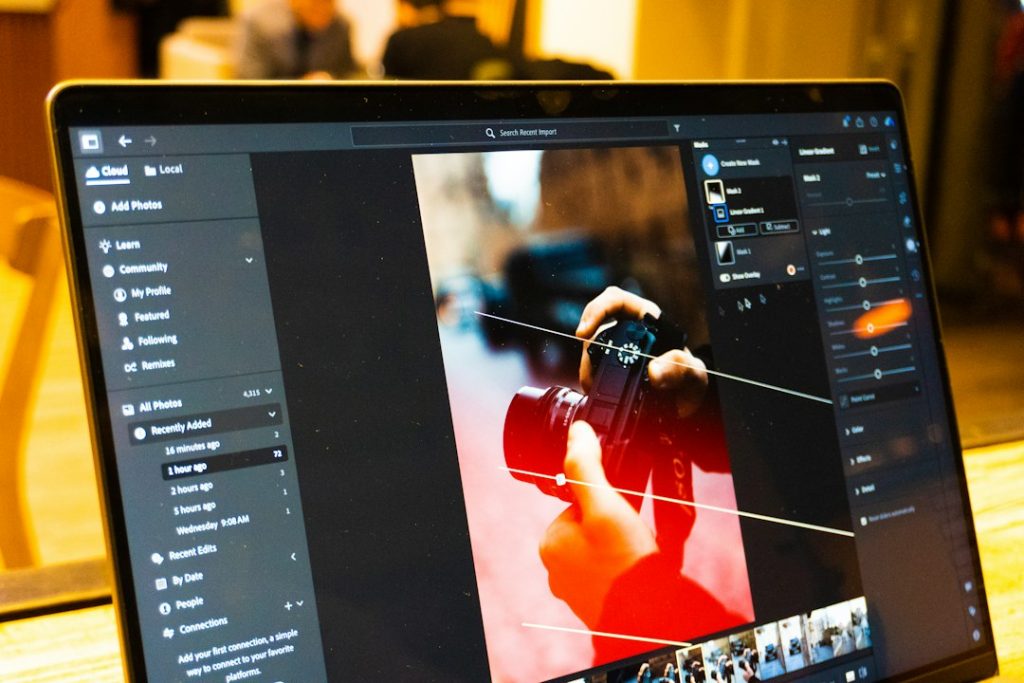
Adobe Express feels more like a lightweight design suite. It still has templates, but its main appeal is the connection to the Adobe ecosystem. Teams already using Photoshop, Illustrator, Lightroom, or Adobe fonts may find it easier to keep assets aligned.
Adobe Express is strong for brand consistency. Brand kits, locked styles, background removal, quick resize tools, and content scheduling can support a more organized social workflow. It suits campaigns where the meme still needs to look like it came from the same company account.
It also handles short-form social assets well. A creator can build a meme-style reel cover, an animated text post, or a promotional graphic with a funny caption. That makes it useful for posts that sit between humor and marketing.
Honestly, it feels like Adobe Express can take a few extra clicks for jobs that should be instant. Simple meme edits may feel slower than Canva, especially when a creator only wants top text, bottom text, and an export button. Still, the extra control pays off for brands that care about polish.
Image not found in postmetaCanva vs. Adobe Express: Side-by-Side
- Ease of use: Canva is easier for first-time users. Adobe Express is still simple, but less instant.
- Templates: Canva has more casual meme templates. Adobe Express has cleaner campaign-style layouts.
- Branding: Adobe Express is stronger for controlled brand systems. Canva is good, especially on paid plans.
- Text editing: Canva is faster for playful captions. Adobe Express is better for refined type choices.
- Image editing: Adobe Express has strong quick-edit tools. Canva keeps edits simple and approachable.
- Team use: Both support teams, but Adobe Express fits companies already using Adobe tools.
- Best use case: Canva for quick memes. Adobe Express for branded social posts with meme energy.
How to Create a Meme in Canva
- Choose a format. A square 1080 by 1080 post works well for Instagram and Facebook.
- Search for a meme template. Canva’s template search is fast and forgiving.
- Replace the image. Upload a product photo, team photo, pet image, or reaction image.
- Add the joke. Use large text. Keep the punchline short.
- Adjust contrast. White text with a black outline remains a classic for a reason.
- Export as PNG or JPG. PNG works well for crisp text.
A creator should save the layout as a reusable template. That makes the next post faster and keeps the account visually consistent.
How to Create a Meme in Adobe Express
- Start with a social template. Pick a post, story, flyer, or reel cover format.
- Upload brand assets. Add logo, fonts, and colors if the meme is for a business.
- Add a strong image. Product photos, staff reactions, or stock images all work.
- Use short text blocks. Adobe Express layouts look best when the design has room to breathe.
- Apply a brand style. Match colors and fonts to other social posts.
- Export or schedule. Download the file or use built-in social planning if available.
Adobe Express suits memes that need to be funny without looking careless. That matters for banks, agencies, schools, retail brands, and professional services.

Which Tool Should a Creator Pick?
Canva is the safer pick for most casual meme makers. It is faster, easier, and packed with ready-made ideas. If a creator posts memes based on trends, office jokes, pop culture, or community humor, Canva removes most of the setup work.
Adobe Express is better for businesses that treat memes as content marketing. It offers stronger brand control and a more polished finish. If a post has to pass through a manager, match a campaign, or sit beside paid ads, Adobe Express may be the better fit.
The best choice depends on the goal. If speed matters most, Canva wins. If brand quality matters most, Adobe Express wins. If both matter, a team may use Canva for quick social reactions and Adobe Express for campaign assets.
Best Practices for Shareable Meme Content
- Keep text short. A meme should not read like a press release.
- Use readable fonts. Tiny decorative text kills the joke.
- Match the platform. Square posts, vertical stories, and reel covers need different spacing.
- Avoid forced humor. Not every product update needs a meme.
- Check rights. Avoid copyrighted images that could create problems.
- Test timing. Trend-based memes fade quickly.
- Track results. Engagement rate, shares, saves, and comments show what worked.
It drives many social managers a little mad when a meme looks perfect on desktop but gets cropped badly on mobile. Safe margins help. So does previewing the post before publishing.
FAQ
Is Canva better than Adobe Express for memes?
For quick memes, yes. Canva is usually faster and has more casual templates. Adobe Express is better when the meme must match a brand style.
Can Adobe Express make funny social posts?
Yes. Adobe Express can create meme-style posts, animated captions, reel covers, and branded joke graphics. It works best when the content needs a polished look.
What file type is best for posting memes?
PNG is best for crisp text and clean graphics. JPG is fine for photo-heavy memes. Video memes should usually export as MP4.
Should businesses use memes?
Yes, if the humor fits the audience. A playful café, gym, school, or retail shop can benefit. A serious brand should use memes carefully and avoid awkward trend-chasing.
What makes a meme more shareable?
A shareable meme is clear, relatable, and fast to understand. Strong contrast, short wording, and a familiar emotion help. The joke should land before the viewer scrolls away.