Spotify MP3 Downloader: Best Legal Alternatives Compared
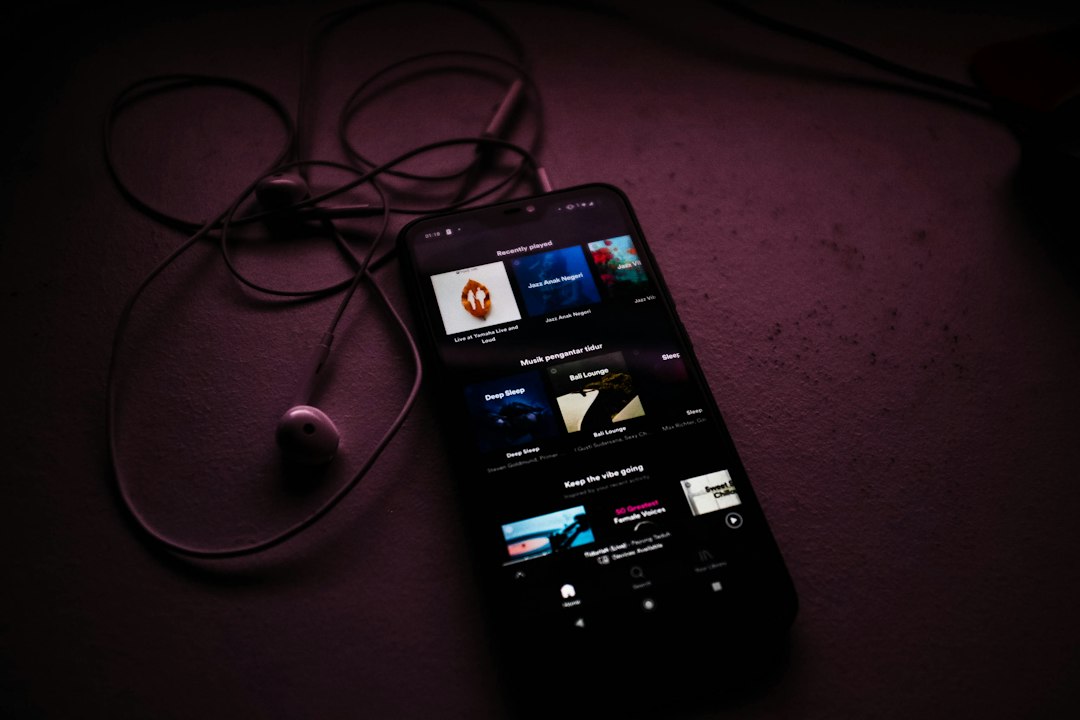
The safest answer is simple: a legal Spotify MP3 downloader does not really exist. Spotify Premium allows offline listening inside the Spotify app, not MP3 extraction, and Spotify lists offline downloads as limited to 10,000 tracks per device on up to 5 devices [source: Spotify]. Anyone who needs portable MP3 files should use licensed download stores or artist stores instead.
TLDR: A “Spotify MP3 downloader” usually means ripping or converting Spotify streams, which can break copyright rules and Spotify’s terms. The best legal path is either Spotify Premium for offline app playback or services that sell real downloads, such as Bandcamp, Qobuz, Amazon Music, or 7digital. For example, a DJ preparing a 90-minute private set may be better off buying 20 tracks from Bandcamp or Qobuz than wasting an hour on shady converter sites that produce low-quality files. If the goal is offline listening on a phone, Spotify Premium is still the easiest legal option.
Why Spotify MP3 downloaders are a risky bet
Most tools labeled as Spotify MP3 downloaders do not download official MP3s from Spotify. They usually record audio, strip streaming protection, or pull tracks from other sources. That creates two problems: legal risk and poor reliability.
The catch is that many of these tools make bold claims, then bury users in popups, broken buttons, fake “HD” labels, and bundles that nobody asked for. Some also take 30 to 60 seconds longer per track than expected because they are recording in real time or matching songs from unofficial databases.
There is also a quality issue. Spotify streams are not the same as purchased MP3, FLAC, or WAV files. Even if a converter creates an MP3, that file may be a lossy copy of a lossy stream. For listeners with good headphones, the result can sound flat or harsh.
Best legal alternatives compared
| Option | Best for | File ownership | Main drawback |
|---|---|---|---|
| Spotify Premium | Offline listening in the Spotify app | No | No MP3 export |
| Bandcamp | Supporting artists and buying downloads | Yes | Catalog varies by artist |
| Qobuz | Hi-res purchases and serious listening | Yes | Not every region has the same catalog |
| Amazon Music Digital Store | Mainstream track purchases | Yes, where available | Store access depends on location |
| 7digital | MP3 and FLAC downloads | Yes | Interface can feel dated |
| Apple Music | Offline listening in Apple’s app | No, unless tracks are bought via iTunes Store | Subscription downloads are locked to the app |
1. Spotify Premium: best for simple offline listening
Spotify Premium is the cleanest choice for people who only want music without a signal. It supports offline playlists, albums, and podcasts inside the app. It works well on commutes, flights, gyms, and low-signal areas.
Still, it is not an MP3 solution. The downloaded tracks stay inside Spotify. They cannot be moved to a USB stick, edited in audio software, loaded into most DJ apps, or burned to a CD. Honestly, it feels like a small detail until someone needs a real file at 11 p.m. before an event.
Best use case: a commuter saves 30 albums before a long train trip and listens without mobile data.
2. Bandcamp: best for artist-friendly downloads
Bandcamp is one of the strongest legal alternatives because purchases often include multiple formats. Buyers may get MP3, FLAC, ALAC, AAC, Ogg Vorbis, or WAV, depending on the release. Many artists also sell bonus tracks, liner notes, and merch.
It is especially good for indie music, electronic releases, metal, jazz, experimental work, and small labels. The downside is simple: not every song from Spotify exists there. Major-label pop tracks may be missing.
Best use case: a fan wants to support a favorite producer and download a FLAC copy for a home library.

3. Qobuz: best for high-quality paid downloads
Qobuz suits listeners who care about sound quality. It sells downloads in CD quality and, for many albums, hi-res formats. That makes it a strong pick for hi-fi systems, archival collections, and anyone who dislikes compressed audio.
Qobuz also offers streaming, but its download store is the key point here. Purchased files can be stored locally and played in compatible apps. The weak spot is availability. Some albums, labels, and regions are not covered.
Best use case: a listener buys a 24-bit jazz album to play through a home DAC and speakers.
4. Amazon Music Digital Store: best for familiar purchases
Amazon’s digital music store can be a practical choice where it is still available. It often carries popular albums and singles. Purchases are usually simple for people who already use an Amazon account.
The downside is regional confusion. Some users see streaming plans first and have to search harder for MP3 purchases. It drives many people mad when the same brand sells streaming, smart speakers, and downloads under similar names.
Best use case: a parent buys a few clean-version pop songs for a child’s offline MP3 player.
5. 7digital: best for straightforward MP3 and FLAC files
7digital is less flashy, but it does one job well: selling downloadable music files. It offers MP3 and, for some releases, FLAC. The catalog includes both mainstream and niche music, though availability changes by country.
The site can feel older than modern streaming apps. Search may take a few extra clicks. Still, buyers who want licensed files often prefer boring and functional over suspicious “free downloader” sites.
Best use case: a hobbyist builds a local music library for a media server.
6. Apple Music and iTunes Store: know the difference
Apple Music works like Spotify in one key way: subscription downloads are for offline playback inside the app. They are not regular MP3 files. The iTunes Store, where available, is different because it sells music downloads.
This split confuses people. A track saved from Apple Music is not the same as a track bought from the iTunes Store. One is rental-style access tied to a subscription. The other is a purchased download.
Quick buying guide
- For offline listening only: Spotify Premium or Apple Music is enough.
- For real MP3 files: try Amazon Music Digital Store, 7digital, or artist shops.
- For lossless audio: Qobuz or Bandcamp is usually better.
- For supporting artists: Bandcamp often gives the clearest value.
- For DJ sets or editing: buy licensed downloads in WAV, AIFF, FLAC, or MP3.
What to avoid
Listeners should be cautious with free converter sites, browser extensions, and desktop tools that claim to “unlock” Spotify. Red flags include forced installer downloads, captcha loops, fake progress bars, and requests for Spotify login details. A real store does not need a Spotify password to sell an MP3.
There is also the malware risk. Free music tools are common bait for adware and password theft. A cheap legal download often costs less than fixing a compromised laptop.
Final verdict
The best legal alternative depends on the goal. Spotify Premium wins for easy offline listening. Bandcamp wins for artist support. Qobuz wins for high-quality albums. 7digital and Amazon are practical for standard MP3 purchases where available.
A Spotify MP3 downloader may sound convenient, but legal download stores are cleaner, safer, and more reliable. They also give listeners something Spotify offline mode cannot: actual files they can back up, organize, and play outside a subscription app.
FAQ
- Is there a legal Spotify MP3 downloader?
No. Spotify does not provide legal MP3 exports from its streaming catalog. Premium downloads work only inside the Spotify app. - Can Spotify Premium songs be converted to MP3?
Not legally through Spotify’s own features. Converters usually bypass restrictions or record streams, which can break terms and copyright rules. - What is the best legal way to get MP3 music?
Buying tracks from Bandcamp, 7digital, Amazon Music Digital Store, Qobuz, or the iTunes Store is the safer route. - Which legal option is best for sound quality?
Qobuz and Bandcamp are strong choices because many releases are available in FLAC, WAV, or other high-quality formats. - Is Spotify Premium still worth it?
Yes, for app-based offline listening and discovery. It is not ideal for people who need portable files. - Can purchased MP3s be used in DJ software?
Usually yes, if the license and event use allow it. DJs should buy from trusted stores and keep receipts for their music library.