HitmanPro Review: Malware Removal Features, Pricing & Best Antivirus Alternatives

HitmanPro is often described as a second-opinion malware scanner rather than a full traditional antivirus suite. It is designed for users who suspect that their main antivirus missed something, especially spyware, Trojans, rootkits, browser hijackers, and other stubborn threats. This review looks at HitmanPro’s malware removal tools, pricing, strengths, limitations, and the best antivirus alternatives for users who need broader protection.
TLDR: HitmanPro is a lightweight and effective malware removal tool best used alongside a primary antivirus, not necessarily as a complete replacement. In a typical home-user scenario, someone with a slow laptop, unwanted pop-ups, and suspicious browser redirects could run HitmanPro and identify threats in under 10 minutes, depending on the system. Its biggest advantage is fast cloud-assisted scanning, while its biggest limitation is that full real-time protection is more associated with HitmanPro.Alert than the standard HitmanPro scanner. Users who want all-in-one protection may be better served by alternatives like Bitdefender, Norton, Malwarebytes, or ESET.
What Is HitmanPro?
HitmanPro is a security utility developed by Sophos and built to detect and remove malware that may already be present on a device. It is especially popular as a portable, on-demand scanner, meaning it can be installed quickly or run when a user wants a second opinion about a potentially infected computer.
Unlike many full antivirus suites, HitmanPro does not focus on providing a large collection of extras such as VPNs, password managers, parental controls, firewall modules, or identity monitoring. Instead, it focuses on one core job: finding and removing malware efficiently.
This makes it appealing to users who already have an antivirus installed but want another layer of assurance. For example, if a primary antivirus says a device is clean but the user still sees strange pop-ups, sudden slowdowns, or unknown startup programs, HitmanPro can be used to check for hidden threats.

Malware Removal Features
HitmanPro’s main strength is its malware detection and remediation process. It uses a combination of local behavioral checks and cloud-based scanning to identify suspicious files. Instead of relying only on one detection engine, it checks files against cloud intelligence, which can improve the chances of spotting known and emerging threats.
- Cloud-assisted scanning: Suspicious files are checked using online threat intelligence, helping improve detection without requiring a large local signature database.
- Second-opinion scanning: It is designed to work alongside existing antivirus software, making it useful when a user wants confirmation that a system is clean.
- Rootkit and Trojan detection: HitmanPro can detect deeper infections that may try to hide from standard security tools.
- Browser threat cleanup: It can help identify unwanted browser-related malware, including hijackers and adware components.
- Fast scanning: Many scans are completed quickly compared with heavier antivirus suites, though scan time depends on system size and performance.
One practical benefit is that HitmanPro is relatively lightweight. It does not usually slow a device in the same way that some full security suites can during large scans. This makes it useful for older laptops or workstations where performance is already limited.
However, users should understand that the standard HitmanPro product is primarily focused on detection and removal. Those looking for stronger ongoing protection may need HitmanPro.Alert, which adds exploit mitigation, ransomware protection, and real-time behavioral defense features.
Ease of Use
HitmanPro is very simple to use. The interface is clean, minimal, and focused on scanning. The user generally launches the program, starts a scan, reviews the results, and chooses what to remove or quarantine.
This simplicity is a major advantage for non-technical users. There are fewer confusing menus than in larger security suites, and the scan results are usually presented in a clear way. At the same time, advanced users may find the lack of deeper customization limiting.
In practical terms, HitmanPro is best suited for users who want a quick answer to the question: “Is this computer infected?” It is less suitable for users who want a dashboard full of privacy, network, and identity protection tools.
Pricing and Plans
HitmanPro’s pricing can vary depending on region, promotions, and whether the user chooses HitmanPro or HitmanPro.Alert. Typically, HitmanPro is sold as a paid license for malware scanning and removal, while HitmanPro.Alert costs more because it includes additional real-time protection features.
- HitmanPro: Usually positioned as the more affordable malware removal scanner.
- HitmanPro.Alert: Usually priced higher and designed for users who want active protection against exploits, ransomware, and suspicious behavior.
- Free trial: HitmanPro has often offered a trial option that allows users to scan and test removal features for a limited period.
For users who only need to clean one suspicious PC, the trial may be enough to evaluate whether HitmanPro finds anything useful. For users who regularly troubleshoot family computers or want a permanent second-opinion scanner, a paid license makes more sense.
That said, buyers should compare the annual price against full antivirus suites. If HitmanPro.Alert is close in price to a complete antivirus package, some users may get better value from a broader suite that includes web protection, phishing defense, firewall controls, and privacy tools.
Security Performance and Reliability
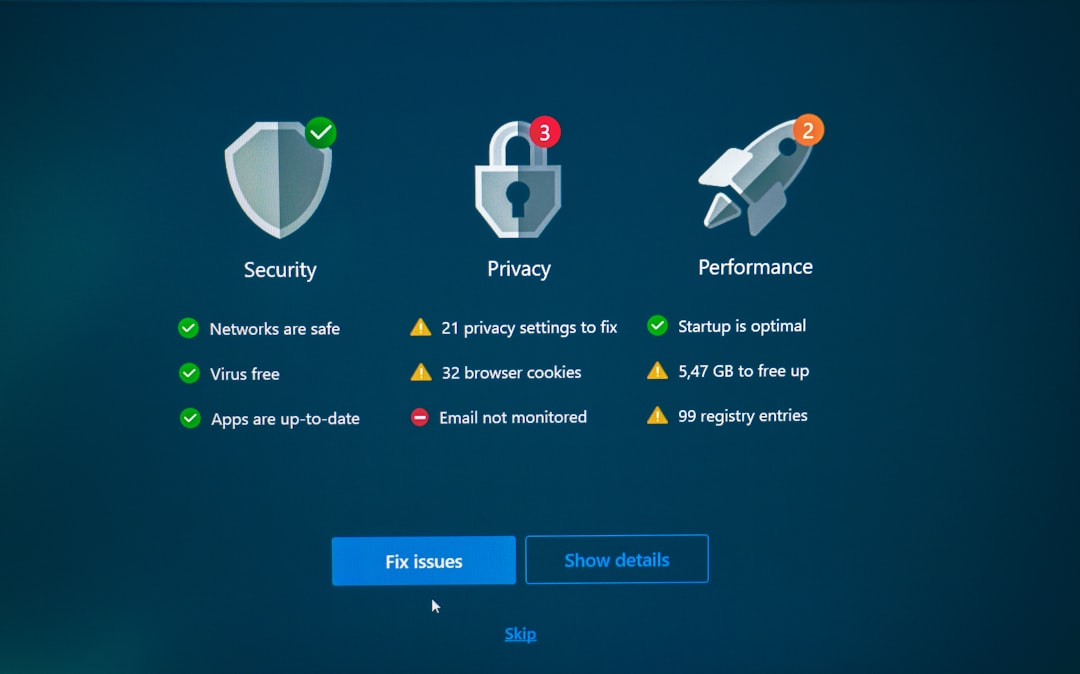
HitmanPro has a strong reputation among technicians and security-conscious users because it often detects threats that traditional antivirus tools may overlook. Its cloud-based approach is useful because it does not depend solely on local definitions.
However, no malware scanner is perfect. A clean HitmanPro result does not guarantee that a system is completely safe, especially if the device is affected by advanced threats, compromised credentials, malicious browser extensions, or network-level attacks. It should be seen as one important diagnostic tool, not a complete security strategy.
For the best results, users should combine HitmanPro with safe browsing habits, regular software updates, strong passwords, multi-factor authentication, and a reputable primary antivirus.
Pros and Cons
Pros
- Fast and lightweight compared with many full antivirus suites.
- Excellent as a second-opinion scanner for suspicious systems.
- Cloud-based detection helps identify many known and emerging threats.
- Simple interface makes it easy for non-technical users.
- Useful removal capabilities for Trojans, spyware, adware, and rootkits.
Cons
- Not a full antivirus suite in its standard form.
- Limited extra features such as VPN, parental controls, or identity protection.
- Real-time protection requires HitmanPro.Alert rather than the basic scanner.
- Pricing may feel high if compared with feature-rich antivirus competitors.
Best Antivirus Alternatives to HitmanPro
HitmanPro is useful, but it is not the only option. Many users may prefer a full antivirus suite or a security product with stronger real-time protection. The best alternative depends on the user’s needs.
- Bitdefender: A strong choice for users who want excellent malware detection, phishing protection, ransomware defense, and minimal system impact. It is one of the best all-around antivirus suites.
- Norton 360: Best for users who want a large security bundle, including antivirus, VPN, dark web monitoring in some regions, cloud backup, and identity-related features.
- Malwarebytes: A close competitor for malware cleanup and real-time protection. It is especially popular for removing adware, potentially unwanted programs, and suspicious browser components.
- ESET: A good option for advanced users who want strong detection, detailed settings, and lightweight performance.
- Microsoft Defender: Built into Windows and much better than it used to be. It is a reasonable free baseline, especially when paired with safe browsing and occasional second-opinion scans.

Who Should Use HitmanPro?
HitmanPro is best for users who already have antivirus protection but want a fast and trusted second layer of malware scanning. It is also useful for IT helpers, repair technicians, or family members who regularly check infected computers.
It may not be ideal for someone who wants a single product to manage every part of digital security. In that case, a more complete antivirus suite will likely be a better fit. Still, for malware removal specifically, HitmanPro remains a practical and respected tool.
Verdict
HitmanPro is a strong malware removal utility with fast scans, a simple interface, and effective cloud-based detection. Its biggest value is as a second-opinion scanner for users who suspect an infection or want to confirm that their main antivirus has not missed anything.
However, it should not be confused with a complete security suite. Users who want always-on antivirus protection, phishing defense, privacy tools, and identity protection should compare it with products like Bitdefender, Norton, Malwarebytes, and ESET. For targeted malware cleanup, HitmanPro is still a very capable choice.
FAQ
Is HitmanPro a full antivirus?
No. HitmanPro is mainly a malware scanner and removal tool. Users who want real-time protection should consider HitmanPro.Alert or a full antivirus suite.
Can HitmanPro remove malware for free?
HitmanPro has often offered a free trial that allows scanning and limited-time removal. After the trial, a paid license is usually required for continued removal features.
Is HitmanPro safe to use with another antivirus?
Yes. HitmanPro is designed as a second-opinion scanner and can usually be used alongside another antivirus without major conflicts.
What is the difference between HitmanPro and HitmanPro.Alert?
HitmanPro focuses on malware scanning and removal. HitmanPro.Alert adds more active protection features, including exploit mitigation, ransomware defense, and behavioral monitoring.
What is the best alternative to HitmanPro?
Bitdefender is one of the best all-around alternatives for full antivirus protection. Malwarebytes is a strong alternative for users mainly interested in malware cleanup and real-time anti-malware defense.