Google Search – “Google or Type a URL”: Chrome vs Edge and Other Browsers for Everyday Web Search

For everyday web search, Chrome is still the simplest choice if you rely on Google, but Edge is close enough that many people will not feel a major difference. The phrase “Google or type a URL” is more than placeholder text in Chrome’s address bar. It points to how most people use the web now: one box for search, websites, questions, calculations, and quick checks.
TLDR: If you mostly search with Google, Chrome offers the cleanest and most direct experience. Edge is a strong alternative, especially on Windows, but it pushes Microsoft services and Bing more often than some users want. For example, a user doing 25 searches per workday may save only a few seconds per search in Chrome, but that can add up to 10–15 minutes a week when fewer prompts, redirects, and settings changes get in the way. Firefox, Safari, Brave, and Opera can all handle daily search well, but each has tradeoffs.
What “Google or Type a URL” Really Means
In Chrome, the address bar is called the Omnibox. It lets you type a full web address, a search phrase, a question, or even a simple calculation. Type weather in Boston, and Chrome sends it to your default search engine. Type cnn.com, and it opens the website.
This sounds basic, but it shaped modern browsing. Most users no longer visit google.com first. They search straight from the top bar. That is faster, cleaner, and easier to explain to less technical users.
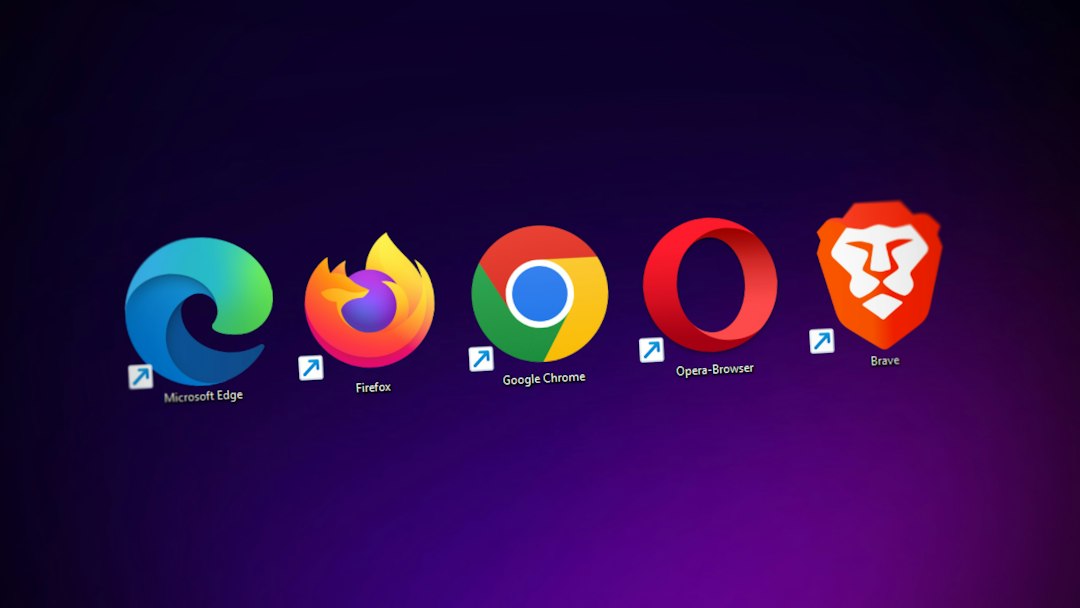
The same idea exists in Microsoft Edge, Firefox, Safari, Brave, Opera, and most other browsers. The difference is not the box itself. The difference is what happens after you type.
Chrome: Best If Google Search Is Your Default Habit
Chrome feels built around Google Search. That is not shocking. It is made by Google. The address bar gives quick suggestions, search predictions, site history, bookmarks, and direct answers. If you are signed into a Google account, it also syncs passwords, tabs, history, and settings across devices.
For users who live in Gmail, Google Docs, Google Drive, YouTube, and Android, Chrome is the path of least resistance. It rarely asks you to change your search engine. It does not try to make Bing your habit. It keeps Google search front and center.
- Best for: Google users, Android users, students, office workers, and people who want minimal setup.
- Strength: Fast Google searches with strong account sync.
- Annoyance: Memory use can still feel heavy, especially with many tabs open.
Honestly, it feels like Chrome gets blamed for RAM use so often because many people keep 30 tabs open and expect magic. Still, the complaint is fair. On older laptops, Chrome can feel heavier than Firefox or Safari.
Edge: Very Good, but Microsoft Keeps Nudging
Microsoft Edge is based on Chromium, the same core technology behind Chrome. That means pages load in a similar way, extensions often work, and web compatibility is strong. On Windows 11, Edge also feels tightly connected to the system.
Edge is fast. It has useful features too, including vertical tabs, sleeping tabs, collections, built-in PDF tools, and strong security settings. Search from the address bar works well.
The catch is that Edge often prefers Bing. You can change the default search engine to Google, but Microsoft has a habit of placing prompts, banners, and suggestions in your path. It drives me crazy that a simple browser setup can turn into three or four “Are you sure?” moments before it respects your choice.
- Best for: Windows users, Microsoft 365 users, and people who like built-in tools.
- Strength: Good performance and smart tab management.
- Annoyance: Repeated pushes toward Bing and Microsoft services.
If you are fine with Bing, Edge is excellent. If you want Google and nothing else, Chrome feels calmer.
Firefox: Better Control, Less Corporate Pressure
Firefox is not based on Chromium. That matters. It gives the web more competition, and it gives users a different kind of browser. Search in Firefox is flexible. You can set Google, Bing, DuckDuckGo, Startpage, Wikipedia, or another engine as default.
Firefox also makes it easy to search specific sites from the address bar. Privacy controls are clear. Tracking protection is strong. For many users, Firefox feels less pushy than Chrome or Edge.
The tradeoff is compatibility. Most sites work fine, but a few web apps are tested more heavily on Chrome. If you use niche business software, banking portals, or old internal tools, you may hit the odd glitch.
- Best for: Privacy-minded users and people who want more control.
- Strength: Clear settings and strong tracking protection.
- Annoyance: Some websites still favor Chromium browsers.
Safari: The Practical Choice on Apple Devices
Safari is the default browser on Mac, iPhone, and iPad. For Apple users, it is hard to ignore. It is efficient, smooth, and gentle on battery life. Search from the address bar is simple, and Google can be the default search engine.
Safari is especially strong on laptops. A MacBook often lasts longer on battery with Safari than with Chrome. That matters if you work away from a charger.
Still, Safari is more limited outside Apple hardware. It also has a smaller extension library than Chrome. If your workflow depends on many browser add-ons, Chrome or Edge may fit better.
- Best for: Mac, iPhone, and iPad users.
- Strength: Battery life and Apple ecosystem support.
- Annoyance: Fewer extensions and less flexibility.
Brave, Opera, and Other Browsers
Brave is built for users who care about privacy and ad blocking. It blocks many trackers by default. It can use Google Search, but it also promotes Brave Search. The browser is fast and clean, though some users may dislike its crypto-related features.
Opera offers extras like a sidebar, messaging shortcuts, a free built-in VPN-style proxy, and battery-saving tools. Some people love the convenience. Others see too many features they did not ask for.
Vivaldi is another option for power users. It allows deep customization, tab stacks, panels, keyboard shortcuts, and search engine controls. It is not the simplest choice for casual users, but it is strong for people who like to tune every detail.
Which Browser Is Best for Google Search?
If the main question is simple web search, the answer is also simple:
- Choose Chrome if you want the smoothest Google Search experience.
- Choose Edge if you use Windows heavily and do not mind Microsoft features.
- Choose Firefox if you want more privacy control and less platform pressure.
- Choose Safari if you use Apple devices and care about battery life.
- Choose Brave if blocking trackers matters more than brand familiarity.
For a regular user, search speed differences are usually small. The bigger issue is friction. Does the browser respect your default search engine? Does it sync well? Does it interrupt you with prompts? Does it slow down your laptop when tabs pile up?
How to Make the Address Bar Work Better
Whatever browser you use, spend two minutes setting it up. That small step prevents daily annoyance.
- Set your default search engine to Google, Bing, DuckDuckGo, or your preferred choice.
- Turn off unwanted suggestions if the address bar feels crowded.
- Sign in only if you need sync across devices.
- Review extensions and remove anything you no longer use.
- Clear bad defaults after installing free software, since some apps change search settings.
Expect to waste time on this if you use Edge and want Google everywhere. It is not hard, but it can feel oddly stubborn. Chrome is more direct for Google users. Firefox is cleaner if you want fewer nudges. Safari is best when Apple battery life matters.
Final Recommendation
Use Chrome if Google Search is your daily search tool and you want the fewest surprises. Use Edge if you like Windows integration and can tolerate Microsoft’s push toward Bing. Use Firefox or Brave if privacy matters more than tight Google services. Use Safari on Apple devices if battery life and smooth system support are your main concerns.
The phrase “Google or type a URL” may look like a tiny detail, but it defines how most people use the internet. The best browser is the one that turns that small box into a fast, reliable tool without getting in your way.