Design System Generator: Figma vs Tokens Studio for Building Design Systems
Figma is the safer starting point for most design system generators, while Tokens Studio becomes the stronger choice when tokens must scale across brands, products, and codebases. A product team can build a clean system in Figma with variables, components, styles, and libraries. It can also hand off specs through Dev Mode. But when the same system needs strict token naming, theme switching, JSON exports, and Git-based sync, Tokens Studio often saves painful manual work.
TLDR: Figma is best for teams that need a visual design system quickly, especially when designers own most of the work. Tokens Studio is better when design tokens must feed engineering, support dark mode, or serve multiple brands. For example, a SaaS team with 3 brands and 240 color, spacing, and typography tokens may cut update time by around 35% when token changes sync from one source instead of being edited by hand in several files. The ideal setup is often Figma for components and Tokens Studio for token control.
What a Design System Generator Really Needs to Do
A design system generator should do more than create pretty buttons. It should help a team define repeatable rules. Those rules cover color, typography, spacing, radius, shadows, grids, icons, and component behavior.
In practice, the generator must answer three questions:
- Can designers create and reuse components fast?
- Can developers turn design rules into code without guessing?
- Can the system change without breaking ten different files?
Figma and Tokens Studio answer those questions in different ways. Figma is visual and direct. Tokens Studio is structured and token-first. Both can support a design system, but they are not the same tool.
Figma as a Design System Generator
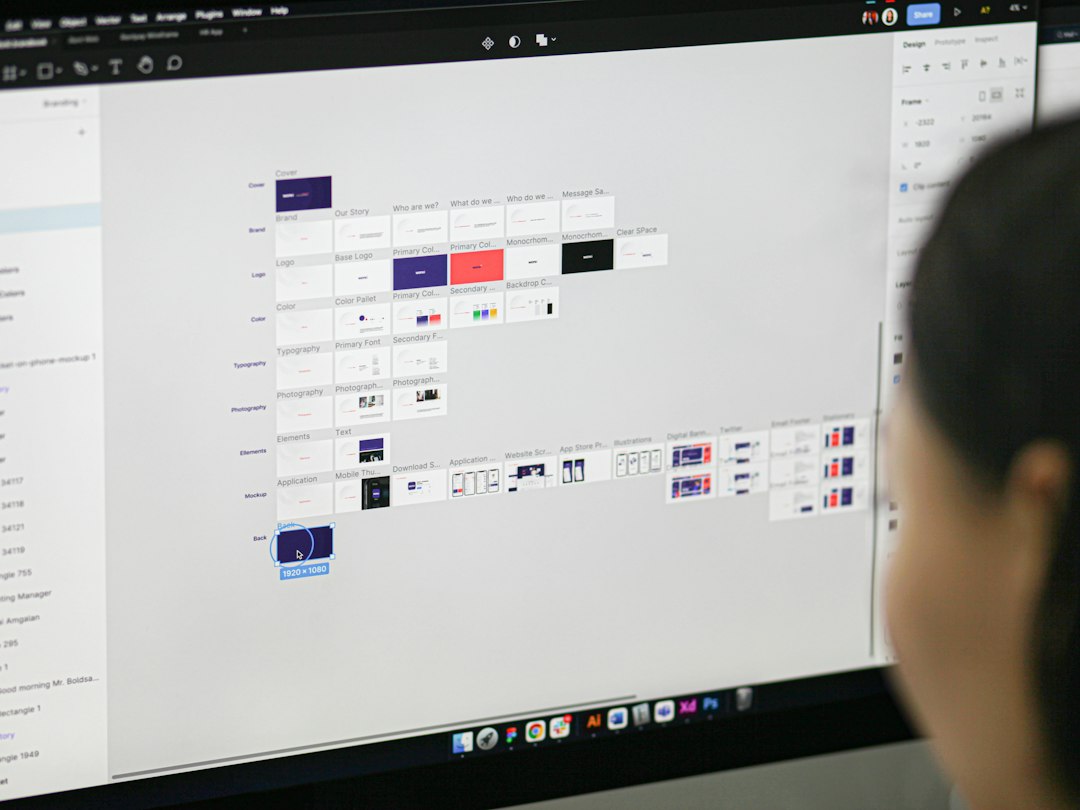
Figma works well because it sits where designers already work. Teams can build component libraries, publish shared files, add variables, define styles, and document usage inside the same workspace. That keeps the system easy to see and easy to edit.
Figma Variables are especially useful. They allow teams to define values for color, numbers, strings, and booleans. Modes can support themes such as light and dark. A team can bind variables to fills, strokes, gaps, corner radius, and other properties.
The main strength is speed. A designer can create a button, attach variables, publish it to a library, and let other designers use it in minutes. For smaller teams, that is often enough.
Figma also helps with adoption. Designers do not need to learn a separate token structure before making progress. They can build the system visually, test patterns on real screens, and improve the library over time.
Where Figma Feels Strong
- Component creation: Variants, properties, auto layout, and nested components are mature and easy to inspect.
- Design adoption: Shared libraries make approved patterns available across files.
- Visual QA: Teams can spot broken spacing, color misuse, and component drift quickly.
- Prototyping: Interaction patterns can live close to the design system.
Where Figma Gets Annoying
The catch is that Figma can feel too visual once the system grows. Token names, modes, and library structure need discipline. If each team invents its own naming style, chaos arrives fast.
Bulk changes can also be irritating. Renaming many variables or restructuring token groups may take longer than expected. A five-minute color update can turn into a 40-minute cleanup if values were duplicated instead of linked properly.
Engineering handoff can still require translation. Developers may see design values in Dev Mode, but that does not always mean the values map cleanly to production tokens. Someone still has to decide whether Blue 500, Primary, or Button Background Default is the source of truth.
Tokens Studio as a Design System Generator
Tokens Studio, formerly known as Figma Tokens, approaches the problem from the opposite side. It starts with tokens. These tokens can represent colors, typography, spacing, sizing, shadows, borders, opacity, and more.
Instead of treating tokens as a side feature, Tokens Studio makes them the center of the workflow. Teams can create token sets, define themes, apply aliases, and sync values with external sources. That makes it useful for design systems that must connect to code.
Tokens Studio shines when design and engineering need the same source of truth. It can store tokens in JSON and support workflows that include Git providers. That matters when developers want tokens in a format they can transform into CSS variables, mobile values, or platform-specific files.
Image not found in postmetaWhere Tokens Studio Feels Strong
- Token structure: Teams can create clear hierarchies such as global, semantic, and component tokens.
- Theme support: Multiple themes can share base values while changing brand or mode rules.
- Code alignment: JSON exports make it easier to connect design tokens to build pipelines.
- Multi-brand systems: One system can serve several brands without duplicating every value.
Where Tokens Studio Can Frustrate Teams
Honestly, it feels like Tokens Studio asks teams to grow up quickly. That is not always fun. A small team that only needs a basic Figma library may find the setup too heavy.
There is also a learning curve. Designers must understand token types, aliases, inheritance, and theme mapping. If they do not, mistakes spread fast. A single wrong alias can make a whole theme look broken.
Performance can also become a sore spot in large files. Applying many token changes to a heavy Figma file may take noticeably longer than changing a local style. Some teams report pauses of several seconds during sync or apply actions, which is enough to break focus.
Figma vs Tokens Studio: Best Use Cases
| Need | Better Fit | Reason |
|---|---|---|
| Fast visual library | Figma | Components, variants, and libraries are native and quick. |
| Dark mode and light mode | Both | Figma modes work well, while Tokens Studio adds stricter token control. |
| Multi-brand product suite | Tokens Studio | Token sets and themes reduce duplicate work. |
| Designer-only workflow | Figma | Less setup is required. |
| Code-ready token pipeline | Tokens Studio | JSON-based tokens are easier to process for engineering. |
The Best Setup Is Often Both
The strongest workflow usually combines the two. Figma should handle visual design, components, layout rules, prototypes, and library distribution. Tokens Studio should control token architecture, theme logic, and design-to-code consistency.
A practical structure might look like this:
- Global tokens: Raw values such as blue, gray, spacing scale, and font families.
- Semantic tokens: Purpose-based values such as text primary, background surface, and border muted.
- Component tokens: Button background, card radius, input border, and tooltip shadow.
- Figma components: Built from those tokens and published through shared libraries.
This structure keeps decisions clean. Designers do not have to remember every hex value. Developers do not have to guess what a design style means. Product teams can update a theme without rebuilding every component from scratch.
Final Recommendation
For a small product team, Figma alone is usually enough. It offers speed, clarity, and fewer moving parts. A team can still build a polished design system with variables, styles, and shared components.
For a growing product organization, Tokens Studio becomes harder to ignore. It adds structure where Figma can become messy. It is especially useful when several brands, platforms, or engineering teams depend on the same design rules.
The smart choice depends on system maturity. Early teams should start simple in Figma. Teams with strict token needs should add Tokens Studio before manual updates become a weekly headache.
FAQ
Is Figma a design system generator?
Yes. Figma can generate and manage a design system through components, variables, styles, and shared libraries. It is strongest for visual design and team adoption.
Is Tokens Studio better than Figma?
Not by default. Tokens Studio is better for structured token management, theme control, and code alignment. Figma is better for creating and using visual components.
Can Figma variables replace Tokens Studio?
They can replace it for simpler systems. For complex multi-brand systems or token pipelines, Tokens Studio still offers deeper control and export options.
Should developers use Tokens Studio?
Developers do not always need to work inside it, but they benefit from its token output. JSON tokens can support CSS variables, mobile tokens, and other production formats.
What is the best choice for a startup?
A startup should usually begin with Figma. Once themes, brands, or engineering handoff become harder to manage, Tokens Studio can be added without rebuilding the whole system.