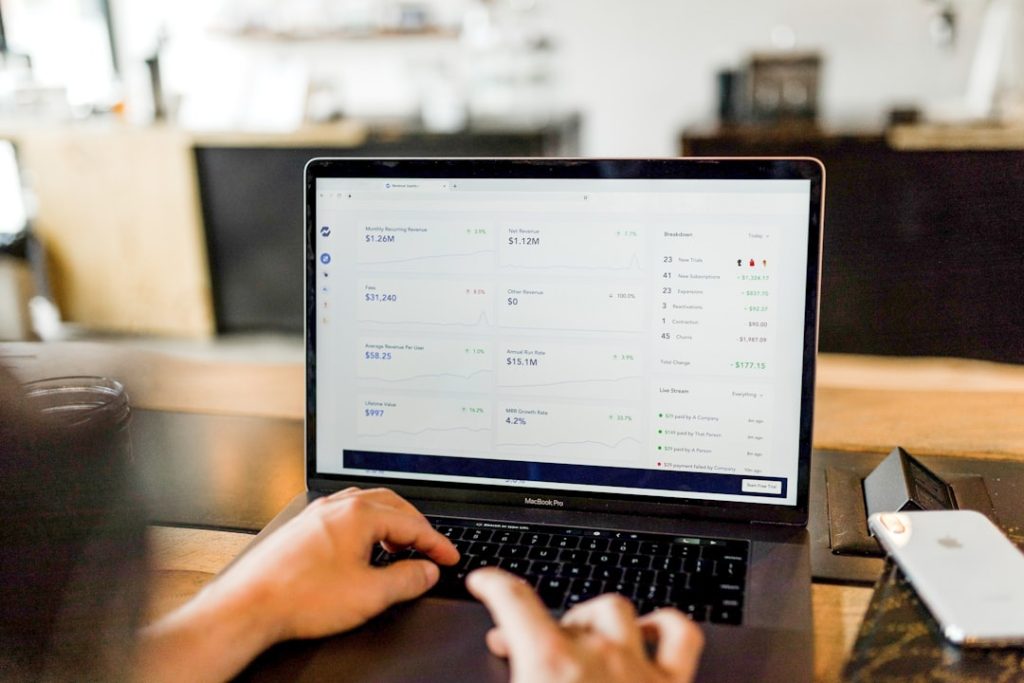
Category: Tech

  • How Do You Use the EA App on a Mac for Gaming?

    How Do You Use the EA App on a Mac for Gaming?

    For Mac players who want access to Electronic Arts games, the EA app is the main launcher used to install, update, organize, and play supported EA titles. It works as a central gaming hub, connecting a player’s EA account, game library, friends list, subscriptions, and downloads in one place. On macOS, the experience is straightforward, but it depends heavily on game compatibility, system requirements, and whether the title has a Mac version.

    TLDR: The EA app on a Mac is used by downloading the Mac version of the launcher, signing in with an EA account, and installing compatible games from the library or store. Not every EA game works on macOS, so players need to check platform support before installing. Once set up, the app handles updates, cloud saves for supported games, friend features, and game management. Mac users should also pay attention to storage space, macOS version, and Apple silicon compatibility.

    What Is the EA App on Mac?

    The EA app is Electronic Arts’ modern desktop launcher and has replaced Origin for many users. On Mac, it serves as the access point for EA games that support macOS. A player can use it to browse available games, redeem product codes, download purchased titles, manage subscriptions such as EA Play where available, and launch installed games.

    Unlike a traditional standalone game installer, the EA app stays connected to the player’s EA account. This means a game license is usually tied to the account rather than only to one machine. If a compatible game is owned on the account, it should appear in the library after signing in, provided the game supports Mac and is available through the current launcher.

    Checking Mac Compatibility First

    Before installing the EA app or buying a game, a player should confirm that the desired title works on Mac. This is one of the most important steps because many EA games are designed for Windows only. Popular franchises may have different levels of support depending on the release year, the engine used, and whether the developer made a macOS version.

    Compatibility depends on several factors:

    • macOS version: The EA app and games may require a recent version of macOS.
    • Processor type: Some older games were built for Intel Macs, while newer Macs use Apple silicon chips such as M1, M2, and M3.
    • 32 bit versus 64 bit support: Modern macOS versions no longer support 32 bit apps, so older games may not run.
    • Graphics requirements: Games may need certain GPUs or graphics capabilities.
    • Available storage: Large games can require tens of gigabytes of free space.

    For Apple silicon Macs, some Intel based applications can run through Rosetta 2, Apple’s translation technology. However, Rosetta does not guarantee that every older game will work perfectly. Performance, startup behavior, controller support, and stability can vary by title.

    Downloading and Installing the EA App

    To use the EA app on a Mac, the player first needs to download the official Mac installer from EA’s website. It is important to use EA’s official download source rather than third party mirrors, since launchers require account credentials and should only be installed from trusted locations.

    The general installation process is simple:

    1. The player visits the official EA app download page.
    2. The Mac version of the installer is selected.
    3. The downloaded installer file is opened.
    4. The app is moved or installed into the Applications folder when prompted.
    5. macOS may ask for permission to open an app downloaded from the internet.
    6. The EA app is launched and allowed to update if required.

    During the first launch, the app may request permissions related to downloads, network access, notifications, or game installation folders. The player should review these prompts carefully and allow what is necessary for the launcher and games to function.

    Signing In and Setting Up an EA Account

    After installation, the EA app requires an EA account. A player can sign in with an existing account or create a new one. The account stores purchases, friends, subscription status, cloud save data for supported titles, and other profile information.

    For better account protection, EA offers security features such as login verification. This form of two step security can help protect the account from unauthorized access, especially if the player owns multiple games or uses payment methods in the store.

    Once signed in, the player may see the game library immediately. If previously owned games do not appear, the account may be different from the one used for the original purchase, or the game may not be available for Mac through the EA app. In some cases, older titles may have special compatibility notes or may no longer be supported on modern macOS versions.

    Finding and Installing Games

    The EA app includes a library where owned titles are shown. A player can select a game, review its details, and start the download if a Mac compatible version is available. The app usually handles installation automatically, including required game files, updates, and repair options.

    When installing a game, the player should pay attention to the installation location. Macs with smaller internal drives can fill up quickly, especially with modern games. If the EA app allows a custom install path, an external SSD may be considered, although performance is usually better on fast storage. The drive should be formatted in a macOS friendly format and connected reliably.

    After installation, the game can be launched from the EA app. Some games may also place shortcuts or entries in the Applications folder. The launcher may need to stay open in the background for account verification, updates, cloud features, and online services.

    Using the EA App Library

    The library is the main control center for installed and owned games. From there, the player can usually launch games, view add ons, check download progress, repair installations, uninstall titles, and manage updates. The app may also show whether a game is ready to play, needs an update, or requires additional content.

    For downloadable content, the EA app can display expansions, packs, or bonus items tied to the account. This is especially useful for games with many add ons, such as life simulation or sports titles. If content appears missing, the player may need to check account ownership, game edition, platform availability, or purchase history.

    Managing Updates and Repairs

    One of the most useful parts of the EA app is automatic updating. Games often receive patches for bug fixes, online compatibility, balance changes, and security improvements. The launcher can download these updates before the game starts, helping ensure that the installed version matches current server requirements.

    If a game does not launch correctly, the app may offer a repair option. Repairing checks local files and replaces damaged or missing data. This can solve issues caused by interrupted downloads, corrupted files, or accidental file changes. If repair does not work, reinstalling the game may be the next step.

    Adjusting Settings for Better Mac Gaming

    Mac gaming performance can vary depending on the machine. A lightweight game may run easily on a MacBook Air, while a demanding 3D title may need a MacBook Pro, iMac, Mac Studio, or another system with stronger graphics performance. Game settings such as resolution, shadows, texture quality, anti aliasing, and frame rate caps can make a major difference.

    For smoother gameplay, a player may consider these adjustments:

    • Lower the resolution if the frame rate is unstable.
    • Reduce shadow and reflection quality, as these settings are often demanding.
    • Close background apps before launching a game.
    • Keep macOS updated, while also checking whether a specific game has known issues with the latest version.
    • Use a stable internet connection for online games and large downloads.
    • Monitor free storage, since low disk space can affect updates and performance.

    Laptops may also perform differently on battery power. For the best results, a MacBook is often used while connected to power, with appropriate energy settings and adequate ventilation.

    Friends, Online Play, and Cloud Saves

    The EA app includes social and account features that support multiplayer and connected experiences. A player can add friends, view online status, and join supported games. Online features depend on the game, region, server status, and account settings.

    Some EA games support cloud saves, allowing progress to sync through the account. This can be helpful when moving between machines or reinstalling a game. However, not all games support cloud saving on Mac, and local backups may still be wise for important save files.

    Using EA Play on a Mac

    EA Play, EA’s subscription service, may be available through the EA app depending on region, platform, and current EA policies. It can provide access to a library of selected titles, member rewards, and limited trials for some newer games. On Mac, the practical value of EA Play depends on how many included titles support macOS.

    Before subscribing, a player should review the available Mac compatible games in the catalog. A subscription that offers many Windows only titles may be less useful for a Mac focused setup. The subscription should be evaluated based on the actual games the player intends to install and play.

    Troubleshooting Common EA App Problems on Mac

    If the EA app does not open, download games, or recognize installed content, several basic troubleshooting steps may help. The player can restart the Mac, check the internet connection, update macOS, relaunch the app, or sign out and back in. If downloads are stuck, clearing the app cache or changing the download location may help.

    When a game fails to launch, the issue may involve incompatible macOS versions, missing permissions, corrupted files, or unsupported hardware. Checking the game’s official system requirements is essential. For older games, the problem may be that modern macOS cannot run the required components.

    If the player uses antivirus, firewall tools, VPNs, or network filters, those tools may interfere with the EA app’s connection. Temporarily changing network settings or allowing the EA app through the firewall can sometimes resolve login and download issues.

    Can Windows Only EA Games Be Played on a Mac?

    Some players look for ways to run Windows only EA games on Mac. The available options depend strongly on the Mac model. Intel based Macs may support Boot Camp, which allows Windows installation on a separate partition. Apple silicon Macs do not support Boot Camp.

    Virtualization tools, compatibility layers, and cloud gaming services may work for some games, but results vary greatly. These methods are not always officially supported by EA, and online games with anti cheat systems may fail to run. For the most reliable experience, the player should choose games with official Mac support.

    Best Practices for Using the EA App on Mac

    For a smooth experience, a Mac player should keep the EA app updated, maintain enough free storage, use strong account security, and confirm compatibility before buying games. It is also helpful to read recent user reports for specific titles, since macOS updates and hardware changes can affect older games.

    The EA app can be a convenient way to manage EA games on Mac, but it is not a guarantee that every EA title is playable. Its usefulness depends on the player’s library, the Mac’s hardware, and the availability of native or compatible macOS versions. With the right expectations and setup, it can serve as an effective hub for supported EA gaming.

    FAQ

    • Does the EA app work on Mac?
      The EA app is available for Mac, but the player must use the Mac version and meet the launcher’s system requirements. Individual games also need Mac compatibility.

    • Can every EA game be played on a Mac through the EA app?
      No. Many EA games are Windows only. The player should check each game’s supported platforms before buying or installing.

    • What happened to Origin on Mac?
      EA has moved many users from Origin to the EA app. Some older references to Origin may still appear for legacy games or support articles, but the EA app is the current launcher for many players.

    • Does the EA app support Apple silicon Macs?
      Some parts of the experience may work on Apple silicon, often with help from macOS translation technology for Intel based software. Game support varies by title, so compatibility should be checked individually.

    • Why is a purchased game missing from the EA app library?
      The player may be signed into the wrong EA account, the game may not support Mac, or the title may have legacy availability issues. Checking purchase history and platform support can help identify the cause.

    • Can EA games be installed on an external drive?
      Some installations may allow a custom location. A fast external SSD is preferable, and the drive should remain connected whenever the game is played.

    • Is EA Play worth using on a Mac?
      It depends on the Mac compatible games included in the subscription. The player should review the catalog before subscribing.

    • What should a player do if the EA app will not download games?
      Basic steps include restarting the Mac, checking storage space, testing the internet connection, updating the app, clearing cache if available, and reviewing firewall or VPN settings.

  • What Does “An Unexpected Error Occurred, Try Logging In Again” Mean on Instagram?

    What Does “An Unexpected Error Occurred, Try Logging In Again” Mean on Instagram?

    When an Instagram user sees the message “An unexpected error occurred, try logging in again,” it usually means the app or website was unable to complete a login request. The error can appear suddenly, even when the username and password are correct, which makes it confusing and frustrating. In most cases, it is connected to temporary server problems, app glitches, network issues, outdated software, corrupted cache files, or account security checks.

    TLDR: The message “An unexpected error occurred, try logging in again” on Instagram means the platform could not successfully process a login attempt. It does not always mean the account has been hacked, banned, or permanently blocked. Most users can fix it by checking Instagram’s status, updating the app, clearing cache, changing networks, or waiting for a temporary issue to pass. If the problem continues, account security settings or Instagram support may need to be reviewed.

    What the Instagram Error Message Means

    The phrase “An unexpected error occurred, try logging in again” is a general login failure message. Instagram shows it when something interrupts the normal sign-in process, but the app cannot provide a more specific explanation. Instead of saying exactly whether the issue is with the user’s device, connection, account, or Instagram’s servers, the platform displays a broad warning.

    This message may appear on the Instagram mobile app, desktop website, or during login through another linked service. It can happen after entering login details, switching accounts, completing two-factor authentication, or returning to the app after being logged out. Sometimes the error disappears after a few minutes. Other times, it may remain until the user takes action.

    Because the wording is vague, many users assume the worst. However, an unexpected error does not automatically mean an account is disabled, deleted, hacked, or permanently restricted. It simply means Instagram could not complete the login at that moment.

    Image not found in postmeta

    Common Reasons This Error Appears

    Several factors can trigger this Instagram login error. Some are completely outside the user’s control, while others are related to the device or account settings.

    • Instagram server problems: If Instagram is experiencing an outage or maintenance issue, login requests may fail for many users at once.
    • Poor internet connection: Weak Wi-Fi, unstable mobile data, or network restrictions can prevent the app from connecting properly.
    • Outdated app version: Older versions of Instagram may contain bugs that interfere with login.
    • Corrupted cache data: Stored temporary files can sometimes conflict with new login sessions.
    • Suspicious login activity: Instagram may pause or block login attempts if it detects unusual behavior.
    • VPN or proxy use: Changing locations through a VPN can trigger security checks or connection errors.
    • Device compatibility issues: Older phones or operating systems may not fully support the latest Instagram features.
    • Account-related restrictions: In rare cases, the error may appear when an account is temporarily limited or under review.

    Server Issues and Temporary Outages

    One of the most common causes is a temporary problem on Instagram’s side. Instagram is a large platform, but outages still happen. During a server issue, users may be unable to log in, refresh their feeds, send messages, post stories, or switch between accounts.

    If many users report the same problem at the same time, the issue is likely not related to a single account. In that case, repeatedly trying to log in may not help. The best option is usually to wait and check whether Instagram services return to normal. Third-party outage monitoring sites, social media updates, and reports from other users can help confirm whether the problem is widespread.

    When the error is caused by an outage, it may resolve without any action from the user. The account and login details may still be valid, but Instagram’s system is temporarily unable to process the request.

    Connection Problems Can Trigger the Error

    A weak or unstable internet connection can also cause this message. Instagram requires a steady connection to verify login credentials, load account data, and confirm security checks. If the connection drops during that process, the app may respond with an unexpected error.

    A user may notice this problem when switching between Wi-Fi and mobile data, using public Wi-Fi, or connecting from a network that blocks certain app traffic. Some workplaces, schools, hotels, and public networks restrict social media access, which can interfere with Instagram login.

    Simple connection changes often help. A user can try moving closer to the router, switching from Wi-Fi to mobile data, restarting the router, or testing another network. If Instagram works on one connection but not another, the issue is likely network-related rather than account-related.

    App Bugs, Cache, and Outdated Software

    Instagram frequently updates its app to fix bugs, improve security, and add features. If a user is running an old version, the app may not communicate correctly with Instagram’s current systems. This can lead to login failures and other unexpected behavior.

    Cache files can also cause problems. The app stores temporary data to load faster, but that data can become outdated or corrupted. When this happens, Instagram may struggle to open sessions, verify login tokens, or load account information properly.

    Updating the Instagram app is often one of the first fixes to try. If the issue continues, clearing the app cache may help. On Android, this can usually be done through the device’s app settings. On iPhone, users often need to uninstall and reinstall the app to remove stored app data.

    Image not found in postmeta

    Security Checks and Suspicious Login Attempts

    Instagram uses automated security systems to protect accounts. If the platform notices unusual login behavior, it may interrupt the login process. This can happen when an account is accessed from a new country, a new device, a VPN, or after several failed password attempts.

    In these cases, the error may be connected to Instagram’s attempt to verify the user’s identity. The platform may request a code by email or SMS, ask for two-factor authentication, or temporarily limit login attempts. If the user keeps trying too many times, the system may delay access further.

    For this reason, it is usually better to avoid repeated rapid login attempts. Waiting for a short period, turning off a VPN, using a familiar device, and checking email or SMS verification messages can help. If the user suspects unauthorized access, the password should be changed as soon as account access is restored.

    How Users Can Try to Fix the Error

    There is no single fix that works for every case, because the cause can vary. However, a careful step-by-step approach can help identify the problem and reduce the chance of making it worse.

    1. Check whether Instagram is down: If there is a widespread outage, waiting is usually the best solution.
    2. Restart the app: Closing and reopening Instagram can reset a temporary glitch.
    3. Restart the device: A full restart can clear minor system problems.
    4. Switch networks: Trying mobile data, another Wi-Fi network, or a trusted connection can confirm whether the network is the issue.
    5. Update Instagram: Installing the latest version may fix known bugs.
    6. Clear cache or reinstall the app: Removing damaged app data can restore normal login behavior.
    7. Turn off VPN or proxy services: A normal local connection may reduce security flags.
    8. Try logging in from a browser: If the app fails but the website works, the issue may be app-specific.
    9. Reset the password: If credentials may be outdated or compromised, a password reset can help.
    10. Wait before trying again: If Instagram temporarily limits attempts, waiting several hours may be necessary.

    When the Error May Be Account Related

    Although the message is often caused by technical issues, sometimes the account itself may be involved. Instagram may limit access if it detects spam-like activity, suspicious automation, repeated login attempts, or possible rule violations. The user may not always see a clear explanation immediately.

    Signs of a possible account issue include receiving security emails from Instagram, being asked to verify identity, seeing warnings about unusual activity, or being unable to access the account from multiple devices and networks. If the login problem continues across app, browser, Wi-Fi, and mobile data, it becomes more likely that the issue is tied to the account rather than one device.

    In that situation, the user should check the email address connected to the account for messages from Instagram. Any security notifications, password reset messages, or account review instructions should be read carefully. It is also important to make sure the emails are legitimate and not phishing attempts.

    What Not to Do

    When this error appears, panic can lead to risky choices. Some users may search for quick fixes and end up using unsafe third-party tools or sharing login information with suspicious services. That can create a bigger problem than the original error.

    • Do not share the password with any third-party service claiming to unlock the account.
    • Do not repeatedly attempt logins every few seconds, as this may trigger more security limits.
    • Do not ignore official security emails from Instagram, especially if they mention unfamiliar login attempts.
    • Do not install unofficial Instagram apps that promise special access or account recovery.
    • Do not assume the account is permanently lost without checking basic technical causes first.
    Image not found in postmeta

    How to Reduce the Chances of Seeing It Again

    While no user can prevent every Instagram error, good account and device habits can reduce the likelihood. Keeping the app updated, using a stable internet connection, and avoiding suspicious automation tools can help keep login sessions reliable.

    It is also wise to enable two-factor authentication, maintain access to the account’s email address and phone number, and use a strong unique password. If Instagram needs to verify the account, having current recovery information makes the process much easier.

    Users who travel often or use multiple devices should be aware that frequent location changes can trigger security checks. Logging in from familiar devices and avoiding unnecessary VPN changes may prevent some login interruptions.

    FAQ

    Does “An unexpected error occurred, try logging in again” mean an Instagram account is banned?

    No. The message does not automatically mean the account is banned. It usually means Instagram could not complete the login request due to a technical, network, server, or security issue.

    Can the error happen even with the correct password?

    Yes. A correct password does not guarantee a successful login if Instagram is down, the app is outdated, the connection is unstable, or security checks interrupt the process.

    How long does the Instagram unexpected error last?

    It may last only a few minutes if it is a temporary glitch. If it is related to an outage, it may last until Instagram fixes the problem. If it is account-related, additional verification or recovery steps may be needed.

    Should the user reset the Instagram password?

    A password reset can help if the user suspects incorrect credentials, unauthorized access, or a security issue. However, if Instagram is experiencing a widespread outage, resetting the password may not be necessary.

    Can a VPN cause this Instagram login error?

    Yes. A VPN can make a login appear unusual, especially if the account normally logs in from another location. Turning off the VPN and using a familiar network may help.

    Why does Instagram work on one device but not another?

    If Instagram works on one device but not another, the problem may be related to the app version, cached data, device settings, or operating system on the affected device.

    What is the safest first step?

    The safest first step is to check whether Instagram is having a widespread issue, then restart the app and test the connection. If the problem continues, updating or reinstalling the app is often helpful.

    When should Instagram support be contacted?

    Instagram support should be considered if the error continues for an extended period, appears across multiple devices and networks, or is accompanied by security warnings, account restriction notices, or recovery problems.

  • How Do You Access Reddit Wrapped Stats and Personalized Insights?

    How Do You Access Reddit Wrapped Stats and Personalized Insights?

    Every year, Reddit users look forward to the platform’s annual recap: a personalized snapshot of the communities they visited, the posts they loved, the comments they made, and the strange corners of the internet that somehow became part of their routine. Many people call it Reddit Wrapped, borrowing the phrase from music recaps, but Reddit often refers to it as Reddit Recap. Whatever you call it, it is a fun way to see your year on Reddit turned into shareable stats, surprising insights, and sometimes a few deeply accurate reminders of your online habits.

    TLDR: To access Reddit Wrapped stats, open Reddit near the end of the year and look for the Recap or Wrapped prompt in the app, on your profile, or at a dedicated recap page if Reddit makes one available. You will usually need to be logged into an eligible account with enough activity during the year. Your recap may show top communities, karma highlights, favorite topics, scrolling habits, and personalized achievements. If you cannot see it, update the app, check your account eligibility, or wait for the feature to roll out to your region.

    What Is Reddit Wrapped or Reddit Recap?

    Reddit Wrapped is the informal name many users use for Reddit’s annual personalized statistics experience. Officially, Reddit has often branded this feature as Reddit Recap. It works like a year-in-review report, summarizing your activity across the platform in a visual and easy-to-share format.

    Instead of simply listing numbers, Reddit Recap usually presents your data as a story. It may show which subreddits you spent the most time in, what topics captured your attention, which posts or comments received engagement, and how much karma you gained. Some versions have also included playful details, such as your “Reddit ability,” personalized categories, or collectible-style cards based on how you used the site.

    The appeal is simple: Reddit is not just one social feed. It is a massive collection of niche communities, from practical advice forums to hobby groups, sports discussions, breaking news threads, memes, art, science, finance, gaming, and oddly specific subreddits you may have forgotten you joined. A recap turns that chaotic browsing history into a surprisingly recognizable portrait of your year.

    When Does Reddit Wrapped Become Available?

    Reddit typically releases its annual recap feature toward the end of the year, often around late November or December. However, the exact timing can vary. Some users receive access earlier than others because rollout often happens gradually across regions, account types, devices, or app versions.

    If you hear people talking about their Reddit Wrapped but do not see yours yet, it does not always mean something is wrong. It may simply not have reached your account. Reddit may also limit some recap features to users who meet certain activity requirements, such as having enough logged-in browsing, commenting, voting, or community participation during the year.

    Image not found in postmeta

    How to Access Reddit Wrapped on the Mobile App

    The easiest way to access Reddit Wrapped is usually through the Reddit mobile app. Reddit often promotes Recap prominently inside the app when it becomes available.

    Try these steps:

    1. Open the Reddit app on your iPhone or Android device.
    2. Log in to the account whose recap you want to see.
    3. Look for a Recap, Wrapped, or year in review banner on the home screen.
    4. Tap your profile avatar in the top corner and check for a Recap option.
    5. If Reddit uses a special icon or card for the event, tap it to launch your personalized recap.
    6. Swipe or tap through the recap slides to view your stats and insights.

    If the option is not visible, update the app through the App Store or Google Play Store. Many annual recap features require the latest version of the app because they rely on updated design elements, animations, or account-data displays.

    How to Access Reddit Wrapped on Desktop

    Although Reddit often emphasizes the mobile experience, desktop users may still be able to access their recap through the website. When available, Reddit may display a banner on the homepage or provide a dedicated recap link.

    To check on desktop:

    • Go to Reddit.com and sign in.
    • Look for a Recap announcement near the top of the homepage.
    • Click your profile menu and check for a recap-related option.
    • Search Reddit’s official announcements if you suspect there is a direct recap page.
    • Try switching between the redesign and app if the feature does not load properly on desktop.

    In some years, the full recap experience has worked better in the app than on the website. If desktop access feels limited, your best option is usually to open the mobile app and check there.

    What Stats and Personalized Insights Can You See?

    The exact contents of Reddit Wrapped can change from year to year, but it usually focuses on your activity, communities, and engagement. Reddit may show a mix of personal statistics and community-level highlights.

    Common Reddit Wrapped insights may include:

    • Your top communities: The subreddits where you spent the most time or interacted most often.
    • Top interests: Broad topic categories based on the communities you browsed or joined.
    • Karma earned: A look at how much post karma or comment karma you gained during the year.
    • Most successful posts or comments: Content that received notable upvotes or engagement.
    • Time spent scrolling: A playful estimate of how much time you spent exploring Reddit.
    • Communities joined: New subreddits you became part of during the year.
    • Voting behavior: The number of upvotes or downvotes you gave, if Reddit chooses to include it.
    • Personalized labels: Fun identity-style summaries, badges, or cards based on your Reddit activity.

    Part of the fun is that Reddit Recap does not always feel like a plain analytics dashboard. It is designed to feel more like a digital scrapbook, complete with humor, colorful graphics, and little moments that make you think, “Yes, that is unfortunately very me.”

    Why Your Reddit Wrapped Might Not Appear

    If you cannot access Reddit Wrapped, there are several possible reasons. The most common is simple: the feature may not be available yet for your account. Annual recaps often roll out in waves, so some users see theirs before others.

    Other common causes include:

    • Your app is outdated: Update Reddit before checking again.
    • You are using the wrong account: If you have multiple Reddit accounts, make sure you are logged into the active one.
    • Not enough activity: Accounts with very little activity may not generate a detailed recap.
    • New account: If your account was created late in the year, there may not be enough data.
    • Regional rollout: Reddit may release the feature to some regions before others.
    • Privacy or data limits: Certain types of activity may be excluded from recap calculations.
    • Temporary bugs: Heavy traffic during launch can cause loading errors or missing prompts.

    If your recap fails to load, close the app, reopen it, and check again. You can also log out and back in, clear your app cache on Android, or reinstall the app if nothing else works.

    Image not found in postmeta

    Does Reddit Wrapped Include Private or Sensitive Activity?

    Reddit’s recap generally aims to be shareable, so it may exclude or reduce visibility for certain sensitive activity. For example, some private, quarantined, deleted, or adult-oriented content may not appear in the same way public community activity does. The exact handling can vary depending on Reddit’s policies and the version of Recap released that year.

    Still, it is smart to review your recap before sharing it. Even if the format looks harmless, it can reveal communities you visit, interests you follow, or patterns of activity you may not want to broadcast widely. Reddit is famous for pseudonymous participation, and not every user wants their browsing personality turned into a public card.

    Before posting your recap on another social platform, check for details such as:

    • Subreddits you would rather keep private
    • Usernames or profile information visible in screenshots
    • Karma or activity numbers you do not want public
    • Communities that could reveal personal interests, location, health topics, or identity-related information

    How to Share Your Reddit Wrapped

    Reddit usually makes Recap easy to share because the feature is designed around visual cards or slides. You may see built-in sharing buttons that let you post directly to Reddit, save images, or share them through messaging and social apps.

    To share safely:

    1. Go through your entire recap first.
    2. Choose the card or slide you want to share.
    3. Use Reddit’s built-in Share or Save option if available.
    4. Crop or edit screenshots if they reveal unnecessary personal details.
    5. Add context if posting to a subreddit, since some communities may have rules about recap posts.

    Some subreddits enjoy recap posts; others may consider them repetitive or off-topic. If you plan to share inside a community, check the rules first. A good caption can also make your post more engaging, especially if your recap reveals something funny, unexpected, or niche.

    How Reddit Turns Your Activity Into Insights

    Reddit Wrapped is based on the activity connected to your logged-in account. That can include browsing, joining communities, voting, posting, commenting, and engaging with content over the course of the year. Reddit then packages those signals into readable categories and rankings.

    The important thing to understand is that a recap is not a complete archive of everything you did. It is a curated summary. Reddit may prioritize activity that is easier to present visually, more relevant to your public-facing identity, or more entertaining for a year-end experience. This is why your recap may not perfectly match what you personally remember as your main Reddit activity.

    For example, you may feel that you spent the entire year reading one subreddit, but your recap highlights another because you commented there more often. Or it may emphasize a broad topic like technology, sports, or gaming rather than a single specific community.

    Tips for Getting a Better Reddit Wrapped Next Year

    If you enjoy personalized recaps, you can make next year’s more interesting by using Reddit more intentionally. That does not mean changing your habits just for stats, but it can be fun to participate in communities in ways that reflect your real interests.

    • Join communities you genuinely care about: Your recap becomes more meaningful when your subreddit list reflects your hobbies and passions.
    • Comment thoughtfully: Engaging in discussions can lead to memorable highlights and karma gains.
    • Post original content: Helpful guides, photos, questions, and stories can become standout moments.
    • Use one main account: If your activity is split across several accounts, each recap may feel incomplete.
    • Explore new topics: Reddit is built for discovery, and new communities can make your yearly recap more varied.
    Image not found in postmeta

    What Makes Reddit Wrapped So Popular?

    Reddit Recap is popular because it combines data with identity. People like seeing themselves reflected through their habits, especially when the result is funny, oddly specific, or unexpectedly accurate. A music recap might tell you what you listened to, but Reddit Wrapped can reveal what you wondered about at midnight, which communities became daily rituals, and what topics pulled you into long comment threads.

    It also works because Reddit is community-driven. Your recap is not just about you; it is about the groups you spent time with. Whether you were learning a language, following a sports season, comparing mechanical keyboards, reading relationship advice, watching stock discussions, or laughing at absurd memes, your recap can feel like a map of your digital year.

    Final Thoughts

    Accessing Reddit Wrapped stats and personalized insights is usually straightforward: open Reddit near the end of the year, look for the Recap prompt, and make sure you are using an updated app and the correct account. If it is available, you can browse through your year in communities, karma, interests, and engagement highlights in just a few taps.

    Even if your recap is not perfect, it can still be a fun reminder of how you spent time online. Reddit is a place where curiosity leads people down countless paths, and Reddit Wrapped captures a small but entertaining version of that journey. Review it, enjoy it, share it if you want, and maybe use it as inspiration to make next year’s Reddit experience even more interesting.

  • Why Does macOS Show Error 640 During Archive Extraction?

    Why Does macOS Show Error 640 During Archive Extraction?

    Few things are more anticlimactic than double-clicking a ZIP file on your Mac and watching Archive Utility fail with the vague message that it cannot expand the file because of Error 640. The archive is right there, the progress bar may even start moving, and then macOS gives up without explaining much. Fortunately, Error 640 is usually not mysterious once you understand what macOS is trying to do behind the scenes.

    TLDR: macOS Error 640 during archive extraction usually means Archive Utility could not read, verify, or write part of the archive successfully. The most common causes are a corrupted download, an unsupported archive format, permission problems, unusual filenames, or trouble writing to the destination disk. Try downloading the file again, moving it to a simple local folder like Downloads, checking available disk space, and using a dedicated extraction app or Terminal command if Archive Utility keeps failing.

    What Error 640 Actually Means

    Error 640 is not a friendly, human-readable diagnosis. It is a broad failure code that appears when macOS Archive Utility encounters a problem during extraction but does not surface the deeper reason in the dialog box. In plain English, your Mac is saying: “I tried to unpack this archive, but something about the file, the destination, or the contents stopped me.”

    That makes the error frustrating because it does not point to a single cause. It can happen with a ZIP archive from a website, a compressed folder sent by email, a backup downloaded from a cloud service, or a software package created on Windows or Linux. Sometimes the archive itself is damaged. Other times, the archive is perfectly fine, but macOS cannot place one of the extracted files where it needs to go.

    Image not found in postmeta

    Cause 1: The Archive Is Corrupted or Incomplete

    The most common explanation is also the simplest: the archive did not download or transfer correctly. Compressed files are sensitive to missing data. A normal document may still open if a small piece is damaged, but an archive often depends on internal indexes, checksums, and file tables. If those are incomplete, extraction can fail immediately or near the end.

    This often happens when:

    • The internet connection dropped during the download.
    • The browser reported the download as complete when it was not.
    • The file was copied from a USB drive with read errors.
    • The archive was attached to an email and modified by a mail server.
    • A cloud storage service did not fully sync the file before you opened it.

    A quick way to test this is to compare the file size with the original source, if available. If a website says the ZIP is 800 MB and your file is only 623 MB, the mystery is solved. Re-download the file, preferably using a stable connection, and avoid opening it until the download is fully complete.

    Cause 2: Archive Utility Does Not Support the Compression Method

    macOS includes a built-in tool called Archive Utility, and it works well for ordinary ZIP files. However, not every file ending in .zip is created the same way. ZIP is a container format, and archives can use different compression methods, encryption styles, file permissions, metadata structures, or multi-part layouts.

    Archive Utility may struggle with:

    • Password-protected archives using newer encryption methods.
    • Split archives, such as files ending in .z01, .z02, and .zip.
    • RAR or 7z files renamed incorrectly as ZIP files.
    • Archives created on Linux with symbolic links, special permissions, or unusual metadata.
    • Very large archives with many thousands of small files.

    In this case, the archive may not be broken at all. It may simply be using features that Apple’s basic extractor does not handle gracefully. A more capable extraction tool, such as The Unarchiver, Keka, BetterZip, or command-line utilities like unzip, ditto, or 7zz, may unpack it without complaint.

    Cause 3: macOS Cannot Write the Extracted Files

    Error 640 can also appear when Archive Utility can read the archive but cannot save one or more extracted files. Extraction is not just “opening” a compressed file; macOS must create folders, write files, apply dates, restore permissions, and sometimes preserve metadata. If any of those steps fails, the whole operation may stop.

    Common destination-related problems include:

    • You are extracting into a folder where your user account lacks permission.
    • The destination is inside a protected system location.
    • The external drive is mounted as read-only.
    • The disk is nearly full.
    • The archive contains files with names that conflict with existing files.

    A simple test is to move the archive to your Downloads folder or Desktop and try extracting it there. These locations are normally writable by your user account. If extraction works there but fails on an external disk, network share, or protected folder, the archive was probably not the problem.

    Image not found in postmeta

    Cause 4: Strange Filenames and Path Problems

    Archives often travel between operating systems, and filenames that are harmless on one system can be troublesome on another. macOS is flexible, but it still has limits. Very long file paths, odd Unicode characters, invisible control characters, or names that differ only by capitalization can cause extraction problems.

    For example, a ZIP created on a case-sensitive Linux system might contain two files named Report.txt and report.txt. On a typical Mac volume, those names may conflict because the file system is usually case-insensitive. Similarly, an archive containing deeply nested folders may produce a path so long that the extractor fails while trying to create it.

    This is one reason Error 640 may appear after extraction has already started. Archive Utility might successfully unpack hundreds of files and then stop when it reaches a filename it cannot create. A third-party extractor may show a clearer message, skip the problematic item, or let you rename files during extraction.

    Cause 5: Cloud, Network, or External Drive Issues

    Modern Macs often work with files that are not truly local. Your archive may appear in Finder inside iCloud Drive, Dropbox, OneDrive, Google Drive, a network share, or an external disk. These locations introduce extra variables. A cloud file may be visible but not fully downloaded. A network connection may pause. An external drive may use a format with limitations.

    For example, a FAT32-formatted USB drive cannot store individual files larger than 4 GB. If the archive contains a 6 GB video file, extraction may fail when macOS tries to write it. Network folders can also cause permission mismatches, especially if the archive contains Unix-style ownership or symbolic links.

    If you suspect this, copy the archive to your Mac’s internal storage first. Then extract it in a local folder. After extraction succeeds, move the resulting files to the external or network location.

    Cause 6: Security and Quarantine Flags

    When you download files from the internet, macOS may attach a quarantine attribute. This is part of Apple’s security system and usually helps protect you from unsafe software. In most cases it does not prevent extraction, but it can complicate workflows involving scripts, app bundles, installers, or archives created by automated systems.

    Security tools can also interfere. Antivirus scanners, endpoint management software, or corporate device policies may block certain files as they are being extracted. This is especially common with archives containing executable files, scripts, old installer packages, or items that resemble malware even if they are legitimate.

    If you are using a work Mac, your organization’s security settings may be involved. In that case, it is better to ask IT before disabling protection or forcing extraction.

    How to Fix macOS Error 640

    Because Error 640 has several possible causes, the best approach is to troubleshoot from simplest to most specific. The following steps solve most cases:

    1. Download the archive again. A fresh copy fixes incomplete or corrupted downloads.
    2. Move the file to a local folder. Try extracting from Downloads or Desktop, not directly from iCloud, a network share, or an external drive.
    3. Check free space. Make sure you have more space available than the size of the archive. Extraction can temporarily require extra room.
    4. Shorten the path. Place the archive in a simple folder such as ~/Downloads/Test and try again.
    5. Use another extractor. If Archive Utility fails, try a dedicated archive app that supports more formats.
    6. Test with Terminal. The command line may reveal a more useful error message.

    For ZIP files, you can open Terminal and run:

    cd ~/Downloads
    unzip archive-name.zip

    If the archive is damaged, Terminal may say something like “End-of-central-directory signature not found” or identify a specific file that cannot be created. That message is often more informative than the graphical Error 640 dialog.

    Image not found in postmeta

    When the Archive Itself Needs to Be Recreated

    Sometimes the only real fix is to ask the sender to create the archive again. This is especially true if multiple extraction tools fail or if the file size does not match the expected size. Ask the sender to compress the folder using a standard ZIP method, avoid extremely long folder nesting, and remove unusual characters from filenames.

    If the archive is large, it may help to split it using a reliable tool and provide all parts together. If it contains software, the sender should consider distributing it as a disk image or installer package instead of a plain compressed folder.

    How to Avoid Error 640 in the Future

    You cannot prevent every archive problem, but you can reduce the odds. Download large files over stable connections, avoid interrupting cloud sync, keep archives on local storage while extracting, and use trustworthy compression tools. If you regularly receive archives from Windows or Linux users, keep a more capable extractor installed so you are not limited to Archive Utility.

    It also helps to keep filenames simple. Avoid excessive nesting, decorative symbols, trailing spaces, and names that differ only by case. These details may seem minor, but they matter when files move between file systems and operating systems.

    The Bottom Line

    macOS Error 640 is annoying primarily because it is vague, not because it is rare or catastrophic. In most cases, it points to a practical issue: a broken archive, an unsupported compression feature, a permissions problem, a destination disk issue, or a filename macOS cannot safely create. Start with the easy fixes: re-download the file, move it to a local folder, verify disk space, and try another extraction tool. If those steps fail, Terminal output or a recreated archive will usually reveal the real cause.

    The good news is that Error 640 rarely means something is wrong with your Mac. More often, it means the archive and macOS simply disagree about how the files should be unpacked. Once you identify where that disagreement is happening, extraction usually becomes straightforward again.

  • What Causes Reddit Outages and How Often Do They Happen?

    What Causes Reddit Outages and How Often Do They Happen?

    When Reddit goes down, it does not just feel like a website outage. For millions of people, it can feel as if a giant, messy, constantly updating town square has suddenly gone quiet. Communities stop refreshing, comments fail to post, memes disappear mid-scroll, and users quickly migrate to other platforms to ask the same question: “Is Reddit down for everyone, or just me?”

    TLDR: Reddit outages are usually caused by a mix of infrastructure failures, software bugs, database problems, traffic spikes, third-party service issues, and planned maintenance that does not go perfectly. Minor disruptions happen more often than major sitewide outages, and many problems are resolved within minutes to a few hours. While Reddit has become more reliable over time, its massive scale and constantly changing platform mean occasional downtime is practically unavoidable.

    Why Reddit Outages Get So Much Attention

    Reddit is one of the most visited websites in the world, and its unusual structure makes downtime highly visible. Unlike a simple news site or a single-purpose app, Reddit contains thousands of active communities, each with its own moderators, conversations, rules, bots, and posting patterns. A partial outage can therefore show up in many different ways: one user may be unable to load comments, another may see broken images, and someone else may be able to browse but not vote or post.

    Because Reddit is often where people go to discuss breaking news, gaming launches, sports events, celebrity drama, stock market chaos, political developments, and internet outages elsewhere, any disruption feels amplified. If Reddit itself becomes unavailable, users lose both the service and one of their favorite places to complain about the service being unavailable.

    Image not found in postmeta

    The Most Common Causes of Reddit Outages

    Most Reddit outages are not caused by one dramatic event. More often, they result from many complex systems interacting in unexpected ways. Reddit runs on a huge technical stack involving web servers, mobile apps, APIs, databases, caching layers, search systems, media hosting, moderation tools, recommendation engines, advertising systems, and third-party infrastructure providers. When one important part struggles, the effects can spread quickly.

    1. Server and Infrastructure Problems

    At a basic level, Reddit needs servers to receive requests, process them, and send data back to users. If those servers become overloaded, misconfigured, or unable to communicate properly with each other, Reddit may slow down or fail entirely. Infrastructure issues can include problems with load balancers, networking equipment, storage systems, container orchestration, cloud resources, or internal routing.

    Modern platforms like Reddit do not usually run from a single server in a basement. They rely on distributed systems across multiple data centers and cloud environments. This improves reliability, but it also increases complexity. A small networking bug, a failed deployment, or a capacity planning mistake can cause a chain reaction that affects large numbers of users.

    2. Database Failures and Slowdowns

    Reddit is heavily dependent on databases. Every subreddit, post, comment, vote, saved item, moderation action, message, and user preference has to be stored, retrieved, and updated. When databases become slow or unavailable, the user experience can break in strange ways.

    For example, the front page might load while comment threads fail. Posts may appear but voting may not work. A user might submit a comment, see an error, and then discover later that the comment posted three times. These symptoms often happen when the system receiving user actions is working, but the database layer is delayed, overloaded, or struggling to remain consistent.

    Database problems can be especially difficult because Reddit’s content changes constantly. Popular threads can receive thousands of comments in a short period. Community pages must update rapidly. Vote totals change all the time. Keeping that data fast, accurate, and available at Reddit scale is a major engineering challenge.

    3. Traffic Spikes During Major Events

    Reddit usage surges during major world events, entertainment releases, disasters, elections, sports championships, financial news, and viral internet moments. A single breaking story can send millions of users to the same subreddit or thread. If demand rises faster than systems can scale, users may experience errors or slow loading times.

    Some traffic spikes are predictable. Reddit can anticipate events like the Super Bowl, Apple product launches, major game releases, or election nights. Other surges are spontaneous. A celebrity scandal, sudden geopolitical crisis, or viral post can create enormous traffic with little warning. Even with automated scaling, the platform may need time to allocate resources and stabilize.

    Image not found in postmeta

    4. Software Bugs and Bad Deployments

    Reddit is constantly changing. Engineers release updates to improve performance, add features, fix security issues, adjust ranking algorithms, change moderation tools, and support new app versions. Every change carries risk. A bug that seems minor in testing can behave very differently once exposed to millions of users and countless edge cases.

    A bad deployment might break login sessions, prevent posts from loading, interfere with comment sorting, or cause errors in the mobile app. Sometimes the fix is simple: roll back the change and restore the previous version. Other times, the problem interacts with cached data, database migrations, or dependent services, making recovery more complicated.

    This is why many tech companies use staged rollouts, feature flags, automated testing, and monitoring systems. Even so, no testing environment perfectly reproduces the chaos of a live global platform.

    5. Caching and Content Delivery Issues

    To make Reddit faster, the platform relies heavily on caching. A cache stores frequently requested data so servers do not have to recompute or retrieve everything from scratch. Posts, thumbnails, subreddit pages, media files, and API responses may all benefit from caching.

    The problem is that caching adds another layer that can fail. If cached data becomes stale, corrupted, unavailable, or inconsistent across regions, users may see missing content, outdated pages, repeated errors, or strange differences between desktop and mobile. Content delivery networks, often called CDNs, can also experience regional issues that make Reddit unavailable in some places but not others.

    This is why outage reports can be confusing. One person in New York may have no problem, while another in London cannot load the site at all. The issue may not be “Reddit is completely down,” but rather “one part of the delivery path is failing for a subset of users.”

    6. Third-Party Dependency Failures

    Large websites depend on many outside services. These can include cloud providers, DNS services, analytics systems, payment processors, anti-abuse tools, email providers, media processing services, and advertising infrastructure. If a critical third-party service has an outage, Reddit can be affected even if its own core systems are healthy.

    DNS issues are particularly noticeable because DNS acts like the internet’s address book. If users cannot resolve Reddit’s domain name properly, their browsers may never reach Reddit’s servers. Cloud provider outages can also have broad consequences, especially if multiple services rely on the same infrastructure provider.

    7. Moderation, Spam, and Abuse Systems

    Reddit is an enormous target for spam, bots, scams, harassment, vote manipulation, and coordinated abuse. To fight this, the platform uses automated systems that detect suspicious behavior, filter content, rate-limit actions, and protect communities. These systems are essential, but they can also contribute to disruptions.

    If an anti-spam system becomes too aggressive or malfunctions, legitimate users may be prevented from posting or commenting. If rate limits are misapplied, users may see errors even when Reddit appears otherwise functional. In extreme cases, defensive systems designed to protect the platform during attacks can make the site feel partially broken.

    Are Reddit Outages Always Sitewide?

    No. One of the most important things to understand is that not all outages are equal. Reddit disruptions can be sitewide, regional, feature-specific, or platform-specific.

    • Sitewide outages affect most or all users across desktop, mobile web, and apps.
    • Regional outages affect users in certain countries or networks because of routing, CDN, or DNS issues.
    • Feature-specific outages may only affect comments, posting, voting, chat, search, image uploads, or moderation tools.
    • Platform-specific outages may affect the iOS app, Android app, old Reddit, new Reddit, or the API differently.

    This explains why user reports often conflict. Someone may say Reddit is working fine because they can browse the homepage, while another insists it is down because they cannot open comments or submit a post. Both can be correct.

    How Often Do Reddit Outages Happen?

    Reddit does not have a perfectly predictable outage schedule, but disruptions are not rare. Minor issues may happen several times a month, especially if you count brief API errors, temporary slowdowns, media upload problems, or isolated feature failures. Larger outages are less frequent, but they do occur periodically throughout the year.

    Public outage tracking sites often show spikes in user reports when Reddit has trouble. These spikes may last only 10 or 20 minutes, or they may continue for several hours. Major incidents are usually acknowledged through Reddit’s official status page or support channels, where users can see whether the company is investigating, monitoring, or resolving an issue.

    In practical terms, the average Reddit user might notice a few disruptions per year, depending on how often they use the platform and which features they rely on. Heavy users, moderators, bot operators, and developers using the Reddit API are more likely to notice smaller incidents because they interact with the platform more frequently and more deeply.

    Image not found in postmeta

    How Long Do Reddit Outages Usually Last?

    Many Reddit outages are short. A temporary slowdown or failed service may be fixed within minutes once engineers identify the problem. Other incidents take longer, especially when they involve database recovery, cloud provider issues, complex software rollbacks, or cascading failures across multiple systems.

    A common outage pattern looks like this: first, users notice errors and begin reporting them. Next, monitoring systems confirm abnormal behavior. Engineers investigate which services are failing. The team may apply a fix, roll back a deployment, add capacity, restart services, or reroute traffic. Finally, Reddit monitors the platform to make sure the problem does not return.

    Even after the site appears to recover, some aftereffects can remain. Delayed comments might appear later. Vote counts may take time to normalize. Search indexing may lag. Notifications or messages may arrive late. Recovery is not always instant from the user’s perspective.

    How Reddit Communicates During Outages

    Reddit typically uses a status page to communicate platform health. This is where users can check whether major systems are operational, degraded, or experiencing an incident. Status pages are useful because they reduce uncertainty, but they may not update the moment users first notice a problem. Engineers often need time to verify the issue before posting a formal notice.

    Users also rely on third-party outage trackers, social media, and community discussions. Ironically, when Reddit is unavailable, people often turn to other platforms to confirm the outage. Search queries for phrases like “Reddit down” or “Reddit not loading” tend to spike quickly during incidents.

    What Users Can Do When Reddit Is Down

    There is not much an individual user can do to fix a true Reddit outage, but a few steps can help determine whether the issue is local or widespread.

    • Check Reddit’s status page to see if an incident has been reported.
    • Try another device or network, such as switching from Wi-Fi to mobile data.
    • Clear app cache or refresh the browser if only one device is affected.
    • Check other websites to rule out a broader internet connection problem.
    • Wait before reposting, because failed submissions may still process later.

    If Reddit is experiencing a confirmed outage, patience is usually the best strategy. Repeatedly refreshing, reposting, or resubmitting comments can sometimes create duplicates or add unnecessary load during recovery.

    Why Outages Are Hard to Eliminate Completely

    It is tempting to imagine that a company as large as Reddit should be able to prevent all downtime. In reality, reliability at this scale is a constant balancing act. Engineers must support rapid product development, massive traffic, security threats, changing user behavior, old and new interfaces, mobile apps, APIs, and millions of communities with different needs.

    Every improvement can introduce new complexity. More servers can mean more coordination. More features can mean more dependencies. More automation can mean faster recovery, but also new ways for automated systems to fail. The goal is not to make outages impossible, because that is unrealistic. The goal is to make them less frequent, shorter, less severe, and easier to recover from.

    The Bottom Line

    Reddit outages happen because Reddit is not a single simple website; it is a vast, constantly moving ecosystem of users, communities, databases, servers, apps, algorithms, and external services. The most common causes include infrastructure trouble, database slowdowns, traffic surges, software bugs, caching problems, third-party failures, and protective systems reacting to abuse or attacks.

    Minor disruptions happen relatively often, while major outages are less common but memorable. Most are resolved quickly, though complex incidents can last longer and leave temporary glitches behind. For users, the best approach is to check whether the issue is widespread, avoid repeated submissions, and remember that behind the familiar alien logo is one of the internet’s most complicated real-time conversation machines.

  • What Is Amazon Prime Day? A Complete Guide

    What Is Amazon Prime Day? A Complete Guide

    Every summer, Amazon turns online shopping into a major retail event with a limited-time sale known as Amazon Prime Day. For shoppers, it can feel like a digital treasure hunt: thousands of deals, fast-changing discounts, lightning offers, and major price drops across tech, home goods, fashion, beauty, toys, groceries, and more.

    TLDR: Amazon Prime Day is an exclusive sales event for Amazon Prime members, offering limited-time discounts across a wide range of categories. It usually lasts 48 hours, though early deals often appear before the official sale begins. The best way to shop Prime Day is to plan ahead, compare prices, watch for Lightning Deals, and focus on items you actually need.

    What Is Amazon Prime Day?

    Amazon Prime Day is Amazon’s annual shopping event created specifically for members of its Prime subscription service. It is often compared to Black Friday or Cyber Monday, but unlike those holiday sales, Prime Day is hosted by Amazon and is centered around Prime membership benefits.

    The event first launched in 2015 to celebrate Amazon’s 20th anniversary. What began as a one-day sale has grown into a global shopping event that typically runs for around 48 hours. In many countries, Amazon uses Prime Day to offer deep discounts on its own devices, such as Echo speakers, Fire tablets, Kindle e-readers, Ring doorbells, Blink cameras, and Fire TV products. However, it is not limited to Amazon-branded items. Many third-party sellers and major brands also participate.

    For Amazon, Prime Day is more than just a sale. It is a way to reward Prime members, attract new subscribers, promote Amazon devices, and boost marketplace activity. For shoppers, it is an opportunity to save money, especially on products that rarely see major price cuts.

    Image not found in postmeta

    When Does Amazon Prime Day Happen?

    Amazon Prime Day usually takes place in July, although the exact dates can vary from year to year. Amazon typically announces the official dates a few weeks before the event. In recent years, the sale has often lasted two full days, with deals beginning at midnight in certain regions and rolling out throughout the event.

    It is also common for Amazon to release early Prime Day deals before the main event starts. These early offers may include discounts on Amazon devices, streaming services, groceries, subscriptions, and select products from popular categories. Some deals appear days or even weeks ahead of Prime Day, giving shoppers a chance to buy before the rush.

    In addition to the main summer event, Amazon has sometimes hosted a second major sale later in the year, often in the fall. While the name and timing may change, these events also target Prime members and tend to focus on holiday shopping preparation.

    Who Can Shop Amazon Prime Day?

    Prime Day deals are primarily available to Amazon Prime members. If you do not have a Prime membership, you may still see some regular discounts on Amazon, but the biggest and most exclusive deals are usually locked behind the Prime membership requirement.

    Amazon Prime includes benefits such as:

    • Fast shipping on eligible items, including same-day, one-day, and two-day delivery in many areas
    • Prime Video access for movies, series, and Amazon Originals
    • Prime Music and other entertainment perks
    • Prime Reading for selected books and magazines
    • Exclusive deals, including Prime Day discounts and member-only offers
    • Amazon Photos storage benefits

    If you are not a Prime member, Amazon often offers a free trial for eligible customers. Many shoppers sign up for the trial before Prime Day to access the deals, then decide whether to keep the membership afterward. However, it is important to read the terms and remember when the trial ends if you do not want to be charged.

    What Kinds of Deals Can You Expect?

    Prime Day covers a large number of product categories, but some areas tend to offer stronger discounts than others. Amazon’s own devices are usually among the most heavily discounted items. You can also find solid savings on smart home products, headphones, laptops, kitchen appliances, robot vacuums, personal care devices, clothing, shoes, pet supplies, and toys.

    Common Prime Day deal categories include:

    1. Amazon devices: Echo, Kindle, Fire TV, Ring, Blink, and Eero products
    2. Electronics: TVs, tablets, headphones, speakers, cameras, and laptops
    3. Home and kitchen: air fryers, coffee makers, vacuums, cookware, and bedding
    4. Beauty and personal care: skincare, hair tools, electric toothbrushes, and grooming products
    5. Fashion: clothing, shoes, watches, sunglasses, and accessories
    6. Toys and games: popular children’s toys, board games, puzzles, and gaming accessories
    7. Everyday essentials: cleaning supplies, household goods, pet food, and pantry items

    Some discounts are straightforward price drops, while others appear as coupons, bundle offers, limited-time promotions, or “buy more, save more” deals. Because prices can change quickly, shoppers need to pay attention to deal timing and availability.

    Understanding Lightning Deals and Limited-Time Offers

    One of the most exciting parts of Prime Day is the Lightning Deal. These are time-sensitive offers that last for a limited period or until the available stock sells out. A Lightning Deal may be available for only a few hours, and popular products can disappear quickly.

    Amazon usually shows a progress bar for Lightning Deals, indicating how much of the deal has been claimed. If a deal is fully claimed, shoppers may be able to join a waitlist. If another customer does not complete the purchase in time, the deal may become available again.

    There are also Deal of the Day promotions, which generally last longer than Lightning Deals. These can include big discounts on major brands or product lines. For shoppers who do not want to constantly refresh pages, Deal of the Day offers are often easier to evaluate and compare.

    Image not found in postmeta

    How to Prepare Before Prime Day

    The best Prime Day shoppers do not simply log in and buy whatever appears on the homepage. They prepare in advance. Because the event is designed to create urgency, planning helps you avoid impulse purchases and focus on real savings.

    Before Prime Day begins, consider these steps:

    • Make a shopping list: Write down the items you actually need or have been planning to buy.
    • Check current prices: Look at prices before the sale so you can recognize a genuine discount.
    • Set a budget: Decide how much you are willing to spend in total.
    • Add items to your cart or wish list: This makes it easier to track price changes.
    • Enable deal alerts: Amazon can notify you when watched items go on sale.
    • Review return policies: Make sure you understand whether an item can be returned and within what timeframe.

    It is also smart to install the Amazon app if you prefer mobile shopping. The app can send notifications about watched products and upcoming deals, helping you act quickly when a discount goes live.

    How to Know If a Prime Day Deal Is Actually Good

    Not every Prime Day deal is as impressive as it looks. Some products are discounted from inflated list prices, while others may have been cheaper at another point in the year. That does not mean Prime Day is bad; it simply means shoppers should be informed.

    To evaluate a deal, compare the Prime Day price with prices at other retailers. Check the manufacturer’s website, major stores, and price history tools if available. Read recent reviews, not just the overall star rating. A product with thousands of reviews may still have quality issues, especially if the newest reviews mention defects, poor packaging, or disappointing performance.

    Watch out for unfamiliar brands with dramatic discounts. Some can be excellent value, but others may use Prime Day to move low-quality inventory. When considering lesser-known brands, look for detailed product descriptions, warranty information, clear return policies, and authentic reviews with photos or videos.

    Best Strategies for Shopping Prime Day

    Prime Day can be overwhelming because there are so many offers at once. A smart strategy can help you save time and money.

    Start with expensive items you already planned to buy, such as a laptop, TV, mattress, vacuum, or appliance. A small percentage discount on a high-ticket item can mean meaningful savings. Next, check household essentials, especially if you can stock up on products you use regularly. Finally, look at gifts, seasonal items, and entertainment products if they fit your budget.

    Here are a few practical shopping tips:

    • Shop early: Popular deals can sell out quickly.
    • Do not panic buy: Urgency is part of the event, but not every deal is rare.
    • Use filters: Narrow by category, rating, discount level, and brand.
    • Check coupons: Some product pages include extra clickable coupons.
    • Compare bundles: A bundle may look cheaper, but only if you need every item included.
    • Look at shipping dates: High-demand items may have delayed delivery.
    Image not found in postmeta

    Is Prime Day Better Than Black Friday?

    Whether Prime Day is better than Black Friday depends on what you want to buy. Prime Day is often excellent for Amazon devices, smart home products, and everyday household items. Black Friday, meanwhile, tends to feature broader competition among retailers, especially for TVs, gaming consoles, major appliances, and holiday gifts.

    Prime Day may be better if you are already a Prime member and want fast shipping with convenient returns. It can also be a great moment to purchase back-to-school supplies, summer items, or early holiday gifts. Black Friday may be better if you are willing to compare multiple stores and wait for late-year discounts.

    The smartest approach is to treat both events as opportunities rather than guarantees. If you see a strong Prime Day deal on something you genuinely need, it may be worth buying. If the discount is only average, waiting could make sense.

    Common Mistakes to Avoid

    Prime Day is designed to be exciting, but that excitement can lead to overspending. One common mistake is buying products simply because the discount looks large. Another is ignoring product quality. A cheap item is not a good deal if it breaks quickly or does not meet your needs.

    Shoppers should also avoid assuming that every Prime Day price is the lowest possible price. Some items may drop further during other sales events. Additionally, be cautious with third-party sellers. Check seller ratings, shipping details, and return options before purchasing.

    Finally, do not forget about subscriptions. Prime Day often includes deals on subscription services, pantry items, or repeat deliveries. These can be useful, but make sure you understand renewal pricing and cancellation rules.

    Why Prime Day Matters

    Amazon Prime Day has become more than a sale; it has influenced the entire retail industry. Many competing retailers now launch their own summer sales around the same time, giving shoppers even more options. This competition can be beneficial because it pushes stores to offer better prices and promotions.

    For small businesses and independent sellers on Amazon, Prime Day can be a major opportunity to reach new customers. For brands, it is a high-visibility moment to launch products, clear inventory, or build awareness. For consumers, it is a chance to save, but only if they shop carefully.

    Final Thoughts

    Amazon Prime Day is one of the biggest online shopping events of the year, offering Prime members access to thousands of limited-time deals. It can be a great time to buy electronics, home goods, Amazon devices, essentials, and gifts, but the best results come from preparation.

    Make a list, compare prices, set a budget, and focus on value rather than hype. If you approach Prime Day with a plan, it can be both exciting and genuinely rewarding. In the end, the best deal is not the one with the biggest percentage off; it is the one that saves you money on something you truly want or need.

  • OnTrac Phone Number & Customer Support Guide

    OnTrac Phone Number & Customer Support Guide

    When a package is late, marked delivered but nowhere to be found, or stuck in transit, the first thing most people look for is a reliable way to contact the carrier. OnTrac, a regional parcel delivery company serving many parts of the United States, offers several customer support options, including online tracking, help forms, and phone assistance. This guide explains how to use the OnTrac phone number, when to call, what information to have ready, and how to get the fastest answer for common delivery issues.

    TLDR: The commonly listed OnTrac customer service phone number is 1-800-334-5000, but the fastest support option is often the online tracking page or customer support form. Before contacting OnTrac, have your tracking number, delivery address, and shipper details ready. If your package came from a retailer, the retailer may need to handle refunds, replacements, or formal claims.

    Understanding OnTrac Customer Support

    OnTrac specializes in regional package delivery and is frequently used by retailers, e-commerce brands, and logistics partners for last-mile delivery. That means many customers encounter OnTrac only after receiving a tracking number from an online store. Because of this setup, it is important to understand the difference between the carrier and the seller.

    OnTrac is responsible for transporting and delivering the package once it enters its network. However, the retailer or shipper usually controls the order, purchase details, refund options, and replacement policies. If a shipment is missing, damaged, or delayed, OnTrac can often provide delivery information, but the merchant may be the party that must approve refunds, reshipments, or claims.

    Image not found in postmeta

    OnTrac Phone Number: How to Reach Customer Service

    The customer service phone number most commonly associated with OnTrac is 1-800-334-5000. If you call this number, be prepared to navigate an automated menu or provide your tracking number before reaching the right support path. Phone availability can vary by day, time, and service volume, so if you cannot get through right away, try again later or use an online support method.

    When calling OnTrac, keep your message clear and specific. Instead of saying, “Where is my package?” say something like: “My tracking number is X, the shipment shows delivered today at 2:14 p.m., but I checked my porch, mailbox, building lobby, and neighbors, and I cannot find it.” Specific details help customer service narrow the issue faster.

    What to Have Ready Before You Call

    Customer support interactions are much smoother when you have all relevant information in front of you. Before calling or submitting a support request, gather the following:

    • Tracking number: This is the most important piece of information. It connects your inquiry to the shipment record.
    • Delivery address: Confirm the full street address, apartment number, suite, or unit number.
    • Recipient name: Use the name on the order or shipping label.
    • Retailer or shipper name: This helps determine whether the seller needs to be involved.
    • Order number: OnTrac may not always use it, but the retailer will.
    • Delivery status: Note whether the package says shipped, out for delivery, delivered, delayed, or exception.
    • Photos or notes: If the package is damaged or misdelivered, pictures can help support your case.

    When Calling OnTrac Makes Sense

    Calling is useful when you need a quick clarification about a shipment status or when tracking information appears unusual. For example, your tracking may show an attempted delivery even though you were home, or it may say “delivered” while the package is missing. A phone call can sometimes confirm whether there is a location note, delivery photo, or service exception on the package.

    However, phone support may not be the best choice for every situation. If your issue requires documentation, such as a damaged package report or a detailed missing package investigation, an online form may create a clearer written record. For order refunds, returns, or replacements, the retailer is usually the better first contact.

    Using OnTrac Online Tracking

    Before calling customer service, check your tracking number on OnTrac’s official tracking page. Tracking can answer many basic questions, including whether the package has been picked up, reached a facility, gone out for delivery, or been marked delivered. Many delivery concerns come from temporary tracking gaps, especially when a retailer has created a label but the package has not yet physically entered the carrier network.

    A few common tracking statuses include:

    1. Label created: The shipper generated a label, but OnTrac may not have the package yet.
    2. In transit: The shipment is moving through the delivery network.
    3. Out for delivery: The package is expected to arrive that day, though timing can vary.
    4. Delivered: The carrier marked the package as delivered to the destination or a nearby accepted location.
    5. Exception: Something interrupted normal delivery, such as access issues, address problems, or weather delays.
    Image not found in postmeta

    What to Do If Your OnTrac Package Says Delivered but Is Missing

    A “delivered” scan can be frustrating when the package is not where you expected it. Before assuming it was lost, take a few practical steps. Check all entrances, porch areas, side doors, parcel lockers, mailrooms, leasing offices, and anywhere a driver might place a box to keep it hidden. If you live in an apartment or shared building, ask the front desk or neighbors whether they received it by mistake.

    If the package still cannot be found, contact OnTrac with your tracking number and explain that the delivery scan does not match what you found at the address. Ask whether there is a delivery photo, GPS confirmation, or driver note. Then contact the retailer as well, especially if the package remains missing after a short waiting period. Many retailers have specific policies for packages marked delivered but not received.

    What to Do If Your Package Is Delayed

    Delays happen for many reasons: weather, high package volume, transportation issues, incorrect addresses, or missed facility scans. If your package is only one day late, it may still arrive without intervention. But if there has been no tracking movement for several days, it is reasonable to contact support.

    When reporting a delay, include the last tracking update and the expected delivery date. Ask whether the package is still moving or whether an investigation is needed. If your shipment is time-sensitive, such as medication, event supplies, or perishable goods, notify the retailer immediately. The seller may be able to provide a replacement, alternate shipping method, or refund depending on its policy.

    Damaged Packages and Claims

    If your OnTrac package arrives damaged, do not throw away the packaging right away. Take photos of the outside box, shipping label, packing materials, and damaged item. These images may be required by the retailer or shipping partner. While OnTrac may document a delivery problem, the formal claim process often depends on the shipper’s account relationship with the carrier.

    In many cases, the best route is to contact the retailer first and say: “My package delivered through OnTrac arrived damaged. I have photos of the box, label, and item. Please advise whether you can replace it or file a carrier claim.” This gives the seller the information needed to act quickly.

    Tips for Getting Faster Help

    Customer support is easier when your request is concise and complete. Whether you call OnTrac or use an online form, follow these tips:

    • Use the tracking number in every message. Without it, support may not be able to locate the shipment.
    • Be precise about the problem. Say “marked delivered but missing” or “no scan in five days” rather than “shipping issue.”
    • Contact the retailer when money is involved. Refunds and replacements usually come from the seller.
    • Check your address carefully. Missing apartment numbers and incorrect ZIP codes are common causes of delivery problems.
    • Document everything. Save tracking screenshots, support case numbers, emails, and photos.
    • Be polite but persistent. Clear communication often gets better results than angry messages.

    OnTrac Support for Businesses and Shippers

    If you are a business that ships with OnTrac, your support path may differ from a package recipient’s. Business shippers often have account representatives, shipping dashboards, billing tools, and claim procedures that are not available to the general public. If you are handling a customer complaint, review the shipment record, confirm the address, check service commitments, and determine whether a claim should be filed.

    Businesses should also set clear expectations for customers. If OnTrac is the delivery carrier, include tracking links in order emails and explain whom customers should contact for delivery problems. A well-written shipping policy can reduce confusion and help customers understand when to contact the retailer and when to contact the carrier.

    Image not found in postmeta

    Frequently Asked Questions

    Does OnTrac deliver on weekends?

    Delivery days can vary by location, service type, and shipper agreement. Some packages may move or deliver on weekends in certain areas, but availability is not guaranteed for every shipment.

    Can I pick up my package from an OnTrac facility?

    Facility pickup may not always be available and usually requires carrier approval or specific instructions. Contact OnTrac support with your tracking number to ask whether pickup is possible for your shipment.

    Can OnTrac change my delivery address?

    Address changes are often controlled by the shipper. If the address is wrong, contact the retailer or sender immediately. OnTrac may be able to note the issue, but the shipper may need to authorize changes.

    Who handles refunds for an OnTrac delivery problem?

    Refunds are typically handled by the retailer or merchant, not the carrier. OnTrac may help confirm delivery details, but the seller usually decides whether to refund or replace an order.

    Final Thoughts

    The best way to handle an OnTrac delivery issue is to combine good tracking habits with the right support channel. Use the OnTrac phone number, 1-800-334-5000, when you need direct assistance, but do not overlook online tracking and written support forms. For missing, delayed, or damaged packages, keep your tracking number handy, document the issue, and involve the retailer when refunds or replacements are needed. With the right information and a patient, organized approach, you can usually get a clearer answer and move closer to a resolution.

  • New iOS Update 2026 Features Explained

    New iOS Update 2026 Features Explained

    The 2026 iOS update is shaping up to be one of Apple’s most practical upgrades in years, not because it changes everything at once, but because it makes the iPhone feel smarter, more personal, and easier to manage day to day. Instead of focusing only on a flashy redesign, the update appears centered on AI assistance, privacy controls, battery intelligence, communication upgrades, and deeper customization. For everyday users, that means fewer taps, more helpful suggestions, and a phone that better understands context without feeling intrusive.

    TLDR: The new iOS update for 2026 focuses on smarter AI features, better personalization, stronger privacy, and smoother performance. Users can expect improvements to Siri, Messages, notifications, battery management, accessibility, and app organization. The update also brings more on device intelligence, meaning many features work faster and with better privacy. Overall, it is designed to make the iPhone feel more helpful without making it more complicated.

    1. A Smarter, More Context Aware Siri

    One of the biggest highlights of the 2026 iOS update is the continued evolution of Siri. Apple’s voice assistant has often been criticized for lagging behind competitors, but this update places Siri much closer to the center of the iPhone experience. Rather than simply answering simple questions or setting timers, Siri is becoming more context aware.

    That means Siri may understand what is on your screen, connect information between apps, and perform more complex tasks. For example, you could ask Siri to “send this address to Mom,” while viewing a restaurant page, and it would understand what “this address” means. You might also ask it to summarize an email thread, find a file from last week, or create a calendar event based on a message conversation.

    The most important part is that much of this intelligence is expected to happen on device. That makes responses faster and helps protect privacy, because sensitive requests do not always need to be sent to remote servers.

    Image not found in postmeta

    2. Apple Intelligence Gets More Useful

    Apple’s AI system, often referred to as Apple Intelligence, becomes more woven into daily tasks. Instead of existing as a separate feature you have to open, it appears throughout the system where it can save time. Writing tools can help rewrite messages, clean up notes, summarize articles, and adjust tone depending on whether you want something to sound friendly, professional, or brief.

    In Mail, AI summaries help you quickly understand long email chains. In Safari, article summaries can turn a lengthy webpage into a clear set of key points. In Notes, the system can identify action items, organize messy text, and even suggest headings. These might sound like small conveniences, but together they reduce the mental clutter of using a phone all day.

    Useful AI features expected in the update include:

    • Message summaries for long conversations and group chats.
    • Smart writing tools that rewrite, proofread, and shorten text.
    • Priority notifications that highlight what needs attention first.
    • Image tools for quick edits, object removal, and creative generation.
    • Personal context suggestions that can help with reminders, events, and tasks.

    3. A More Personalized Home Screen

    Apple has slowly opened up iPhone customization over the last several updates, and the 2026 release continues that direction. The Home Screen is expected to feel more flexible, with improved widget behavior, smarter app suggestions, and more control over visual layout. Users may be able to create different Home Screen setups for work, travel, evening use, or weekends.

    Widgets are also becoming more interactive. Instead of only displaying information, they can let you complete actions without opening the full app. You might check off a reminder, adjust a smart home light, start a playlist, or track a delivery directly from the Home Screen.

    This matters because the iPhone is no longer just a grid of apps. It is becoming a personalized dashboard. The update gives users more ways to decide what information appears first and which tools are always within reach.

    4. Notification Management Finally Feels Calmer

    Notifications are one of the biggest sources of digital stress, and Apple is using intelligence to make them easier to handle. The 2026 iOS update improves notification sorting by learning which alerts are actually important. Instead of showing every ping with equal urgency, iOS can group less important updates and surface time sensitive messages more clearly.

    For example, a bank alert, delivery update, or message from a close contact might rise to the top, while promotional app notifications can wait. Focus modes also become more adaptive. Rather than manually creating complicated rules, users can receive suggestions based on time, location, calendar activity, or repeated habits.

    The goal is not to silence everything. It is to make the phone feel less noisy while still keeping you informed.

    5. Better Battery Health and Charging Intelligence

    Battery life is always one of the most talked about iPhone topics, and the 2026 iOS update brings more detailed battery management tools. Users can expect clearer explanations of what is draining power, which apps are running heavily in the background, and how charging habits affect long term battery health.

    A key improvement is smarter charging prediction. The iPhone can learn when you usually unplug your device and adjust charging speed accordingly. This helps reduce battery wear by limiting how long the device stays at full charge. Apple may also expand battery health recommendations, giving practical tips instead of vague percentages.

    Possible battery improvements include:

    • More accurate battery health reporting.
    • Improved optimized charging schedules.
    • Warnings for apps using unusual background power.
    • Low power mode suggestions based on your day’s calendar or travel plans.
    • Better heat management during charging and gaming.
    Image not found in postmeta

    6. Messages Becomes More Expressive

    Messages receives several quality of life upgrades aimed at making conversations easier and more expressive. Apple has already invested heavily in stickers, reactions, audio messages, and group chat tools, and the 2026 update builds on that foundation.

    Expect better search inside conversations, cleaner group chat controls, improved message summaries, and richer customization for chats. AI may also help suggest quick replies that sound more natural, not robotic. If you are catching up on a busy group conversation, a summary can explain what happened and highlight decisions, plans, or questions directed at you.

    For people who use Messages for family coordination, school groups, work discussions, or travel planning, these improvements can be genuinely useful. A chat app becomes more than a stream of bubbles; it becomes an organized communication space.

    7. Privacy Controls Become Easier to Understand

    Apple continues to make privacy a major part of iOS, but the 2026 update focuses on making privacy settings more understandable. Instead of burying permissions across multiple menus, the system gives clearer explanations of what apps are accessing and why.

    The Privacy Report is expected to become more visual and easier to act on. If an app frequently uses your location, camera, microphone, contacts, or photos, iOS can show that behavior in plain language. Users can then change permissions quickly without digging through Settings.

    There is also more emphasis on limited access. For example, an app can be allowed to see only selected photos rather than your entire library. Location sharing can be approximate instead of exact. These controls already exist in some form, but the new update makes them more visible and easier for non technical users.

    8. Accessibility Features Get More Powerful

    Apple’s accessibility tools are among the strongest in the tech industry, and the 2026 update adds more ways to make the iPhone usable for different needs. Improvements may include better voice control, enhanced live captions, more natural text to speech voices, and smarter screen recognition for people with visual impairments.

    One particularly interesting direction is personalized accessibility. Instead of asking users to configure dozens of settings manually, iOS can suggest helpful options based on usage patterns. If someone frequently enlarges text, uses zoom, or repeats voice input, the system can recommend a more comfortable setup.

    Accessibility features often benefit everyone. Live captions help in noisy rooms, voice control helps when hands are full, and improved readability settings make the phone easier to use at night or while traveling.

    9. Photos and Camera Tools Feel More Intelligent

    The Photos app is expected to become better at finding, organizing, and editing images. Search has improved over the years, but the 2026 update makes it more natural. You may be able to search for phrases like “photos from the beach with sunglasses” or “receipts from March” and get accurate results.

    Editing tools also become more AI assisted. Object removal, background cleanup, lighting fixes, and automatic cropping can help everyday photos look better without opening a professional editing app. The goal is not to replace creative control, but to make common fixes faster.

    Memories and albums may also become smarter, creating collections around trips, people, events, and themes with better accuracy. For users with thousands of photos, improved organization is one of the most valuable upgrades.

    Image not found in postmeta

    10. Performance Improvements for Older iPhones

    Not every iOS update feels great on older hardware, so performance optimization is an important part of the 2026 release. Apple is expected to focus on smoother animations, faster app launching, and better memory management. While the newest iPhones will get the most advanced AI features, older supported models should still benefit from stability and speed improvements.

    The update may also reduce background activity more intelligently. Apps that are rarely used can be limited more aggressively, while frequently used apps remain ready when needed. This creates a smoother experience without requiring users to manage everything manually.

    11. Health, Fitness, and Wellbeing Updates

    The Health app continues to expand beyond simple activity tracking. The 2026 iOS update brings more meaningful health insights by combining data from iPhone, Apple Watch, and connected apps. Instead of only showing numbers, Health can explain trends in sleep, activity, heart rate, mindfulness, and mobility.

    Digital wellbeing also gets attention. Screen Time may provide more helpful summaries, showing not just how long you used your phone, but which habits changed during the week. Parents can expect better family controls, clearer app limits, and easier approval tools for children’s devices.

    Should You Install the 2026 iOS Update?

    For most users, the answer will be yes, especially if your device is compatible and you want the latest security protections. The update brings meaningful improvements across the system, from smarter communication to better privacy and battery tools. However, as with any major update, it is wise to back up your iPhone first and check whether your most important apps are ready.

    If you rely heavily on your phone for work, you may want to wait a few days after release to see whether early bugs appear. If you enjoy new features and want the best security, updating sooner makes sense.

    Final Thoughts

    The new iOS update for 2026 is less about one dramatic feature and more about making the entire iPhone experience feel smoother, smarter, and more personal. AI is the headline, but the real story is how intelligence appears quietly inside everyday actions: summarizing messages, organizing photos, calming notifications, protecting privacy, and helping the battery last longer.

    That is what makes this update interesting. It does not ask users to learn a completely new way to use the iPhone. Instead, it improves the familiar experience, removing friction in places where people spend the most time. If Apple delivers these features well, the 2026 iOS update could be remembered as the release that made the iPhone feel less like a device full of apps and more like a helpful digital companion.

  • How to Delete OnlyFans Account Permanently

    How to Delete OnlyFans Account Permanently

    So, you want to delete your OnlyFans account permanently. Maybe you are cleaning up your digital life. Maybe you are done subscribing. Maybe you are a creator moving to a new chapter. Whatever the reason, you can do it. And yes, it is easier when you know where to tap.

    TLDR: To delete your OnlyFans account, log in, go to Settings, open Account, and choose Delete Account. Cancel active subscriptions first, save anything you need, and withdraw any creator earnings. Once deletion is finished, your account, profile, and access are gone permanently.

    Before You Delete: Take a Tiny Pause

    Deleting an account sounds simple. Click button. Boom. Gone. But hold your horses for one hot second.

    OnlyFans is tied to subscriptions, payments, messages, content, and creator earnings. So you should check a few things before you hit the big red button.

    Think of it like leaving a hotel room. You do not just run out the door. You check under the bed. You grab your charger. You make sure you did not leave snacks behind. Very important.

    What Happens When You Delete Your OnlyFans Account?

    When you delete your OnlyFans account permanently, your profile is removed. You lose access to your account. You cannot log back in and casually pretend nothing happened.

    Here is what usually happens:

    • Your account is scheduled for deletion.
    • Your profile becomes unavailable.
    • Your messages may no longer be accessible.
    • Your saved payment details are removed.
    • Your subscriptions stop renewing after cancellation.
    • If you are a creator, deletion may wait until active subscriptions end.

    Important: If you are a creator with active subscribers, your account may not vanish instantly. OnlyFans may keep it until the last active subscription expires. During that time, new subscribers should not be able to join. After the final subscription ends, the account can be deleted fully.

    Translation: Fans must get what they already paid for. Then the curtain closes.

    Image not found in postmeta

    Step 1: Log In to Your OnlyFans Account

    Start by going to the OnlyFans website or opening the app if you use it. Enter your email and password. If you use two factor authentication, complete that too.

    If you cannot log in, do not panic. Use the password reset option. Check your email. Follow the reset link. Then come back like a digital ninja.

    If you no longer have access to your email, you may need to contact OnlyFans support. You will likely need to prove the account belongs to you.

    Step 2: Cancel Your Active Subscriptions

    If you are a fan, cancel any active subscriptions before deleting your account. This helps stop future charges.

    To cancel a subscription:

    1. Go to your account.
    2. Open your Subscriptions or Following list.
    3. Choose the creator you are subscribed to.
    4. Turn off Auto Renew.
    5. Repeat this for each active subscription.

    This is a big deal. If auto renew is still on, you may be charged again before deletion is complete. Nobody wants a surprise bill. Surprise cake is good. Surprise billing is not.

    After turning off auto renew, your subscription usually remains active until the paid period ends. You paid for the time. You can use the time. But it should not renew.

    Step 3: Save Anything You Need

    Before deleting your account, save any important information. Once your account is gone, getting it back may not be possible.

    You may want to save:

    • Receipts or payment records.
    • Creator tax documents.
    • Business reports.
    • Your content, if you are a creator.
    • Any important messages.
    • Subscription details.

    Do not save or share content you do not have the right to keep. Respect creators. Respect privacy. Be cool on the internet. The internet needs more cool people.

    Step 4: Withdraw Your Earnings If You Are a Creator

    If you are a creator, check your balance before deleting your account. You may have money waiting for payout.

    Go to your banking or payout area. Look at your available balance. If you can withdraw it, do that first.

    Also check for pending payments. Some earnings may still be processing. If money is pending, you may need to wait before deleting the account.

    This step matters. Deleting too fast can turn into a support ticket adventure. And nobody wakes up hoping for a support ticket adventure.

    Image not found in postmeta

    Step 5: Go to Settings

    Now we reach the main event. Time to find the delete option.

    After logging in:

    1. Click your profile icon or menu.
    2. Choose Settings.
    3. Open Account.
    4. Scroll until you see Delete Account.

    The wording may change a little over time. Platforms love moving buttons around. It is their hobby. If you do not see it right away, look under account settings, privacy settings, or help options.

    Step 6: Choose Delete Account

    Click or tap Delete Account. OnlyFans may ask you to confirm. You may need to enter a verification code or complete a captcha.

    This is normal. The site wants to make sure you are a real person. Not a bot. Not your cat walking across the keyboard. Not your dramatic ex with your old password.

    Follow the instructions on the screen. Read the warning. Then confirm deletion.

    Once you confirm, your account starts the deletion process.

    Step 7: Watch for Confirmation

    After you submit the deletion request, check for a confirmation message. You may also receive an email.

    Keep that email for your records. It may help if there is an issue later.

    If you do not receive confirmation, log out and try logging in again later. If the account is still active after some time, contact OnlyFans support.

    Can You Delete OnlyFans from the App?

    In many cases, account settings are easier to manage from a web browser. So if you cannot find the delete option in the app, open OnlyFans in a browser instead.

    Use your phone browser or desktop browser. Log in. Go to Settings. Then follow the same steps.

    Simple rule: if the app hides the button, the browser may reveal it. Like a tiny treasure hunt. But with fewer pirates.

    How to Delete OnlyFans If You Forgot Your Password

    If you forgot your password, reset it first.

    1. Go to the login page.
    2. Click Forgot Password.
    3. Enter your email address.
    4. Open the reset email.
    5. Create a new password.
    6. Log in and delete your account.

    If the reset email does not arrive, check your spam folder. Also make sure you used the correct email address.

    If you still cannot get in, contact OnlyFans support. Explain the issue. Include the email linked to the account, if you know it.

    How to Delete an OnlyFans Account If You Are a Creator

    Creators should be extra careful. Your account may include subscribers, paid content, messages, payout settings, and tax details.

    Before deleting, do this checklist:

    • Turn off new subscriptions if possible.
    • Tell subscribers if you want to give notice.
    • Download your own content.
    • Withdraw available earnings.
    • Check pending payouts.
    • Save tax documents.
    • Wait for active subscriptions to expire.

    You do not have to make a grand goodbye speech. But a short notice can reduce confusion. Something like, “This account will be closing soon. Thank you for your support.” Done. Classy. No fireworks needed.

    Will Deleting OnlyFans Cancel Payments?

    Deleting your account should stop your use of the platform. But you should still cancel subscriptions first. This is the safest move.

    If you are worried about charges, check your bank or card statement. Look for recent or pending transactions.

    If you see a charge you do not recognize, contact OnlyFans support. You can also contact your bank. But start with the platform if possible.

    Tip: Do not just delete the app from your phone. That does not delete your account. It only removes the app. Your account may still exist. Your subscriptions may still renew. The app is not the account. Sneaky, right?

    Can You Recover a Deleted OnlyFans Account?

    Permanent deletion means permanent. In most cases, once the process is done, you cannot recover the account.

    You may be able to create a new account later using the same or a different email. But your old messages, subscriptions, content, and settings may be gone.

    So before deleting, ask yourself:

    • Do I need any receipts?
    • Do I need content I uploaded?
    • Do I need payout history?
    • Do I have active subscriptions?
    • Am I fully ready to leave?

    If the answer is yes, proceed. If not, wait a little.

    Image not found in postmeta

    What If the Delete Button Does Not Work?

    Sometimes websites get weird. Buttons freeze. Pages fail. Captchas act like tiny gatekeepers with attitude.

    If the delete option does not work, try this:

    • Refresh the page.
    • Log out and log back in.
    • Try a different browser.
    • Clear your browser cache.
    • Use a desktop computer.
    • Turn off browser extensions.
    • Try again later.

    If none of that works, contact support. Keep your message short and clear.

    You can say:

    “Hello, I would like to permanently delete my OnlyFans account. The delete account option is not working for me. Please help me close the account linked to this email address.”

    Nice. Simple. No need to write a tragic novel.

    Does Deleting OnlyFans Remove Your Data?

    Deleting your account removes your profile and access. But some data may be kept for legal, safety, tax, fraud prevention, or business reasons.

    This is common with financial platforms. Payment records may not disappear instantly. Creator tax records may also be kept as required by law.

    If you want more details, read the OnlyFans privacy policy. Yes, privacy policies are boring. But they are useful when you want to know what happens to your data.

    Privacy Tips After Deleting Your Account

    Once your account is gone, do a little digital cleanup.

    • Delete saved OnlyFans bookmarks.
    • Remove saved passwords from your browser.
    • Check your email for old account messages.
    • Cancel related calendar reminders.
    • Review your bank statements.
    • Update your password if you used it elsewhere.

    Also, never reuse passwords across important accounts. If one password leaks, the others can be at risk. Use a password manager if you can. It is like a tiny vault for your brain.

    Common Mistakes to Avoid

    Here are the big oops moments:

    • Deleting the app only: This does not close your account.
    • Forgetting to cancel subscriptions: Auto renew may still cause trouble.
    • Leaving money in your creator balance: Withdraw first.
    • Not saving records: Get receipts and tax info before leaving.
    • Rushing: Check everything before you confirm.

    Slow is smooth. Smooth is smart. Smart means fewer headaches.

    Final Checklist Before You Go

    Here is your quick goodbye checklist:

    1. Log in to OnlyFans.
    2. Cancel all active subscriptions.
    3. Save important records.
    4. Download your own creator content.
    5. Withdraw available earnings.
    6. Go to Settings.
    7. Open Account.
    8. Select Delete Account.
    9. Complete verification.
    10. Confirm deletion.

    That is it. No magic spell required. No secret handshake. Just a few careful clicks.

    Goodbye, OnlyFans

    Deleting your OnlyFans account permanently is not hard. The trick is to prepare first. Cancel subscriptions. Save important records. Withdraw creator earnings. Then delete the account from settings.

    Once it is done, you can move on with a cleaner digital life. Maybe you are simplifying. Maybe you are protecting your privacy. Maybe you just like fewer logins. All valid.

    Take your time. Follow the steps. Click with confidence. Then enjoy one less account on the internet yelling for your attention.