Can a Video Splitter App Help You Post Longer Videos on WhatsApp?
WhatsApp is built for quick sharing, but many users run into the same frustrating problem: a video is ready to post, but it is too long for WhatsApp Status or too large to send smoothly. Whether you are sharing a travel vlog, a birthday message, a tutorial, a product demo, or a funny clip, the platform’s limits can interrupt the experience. This is where a video splitter app becomes useful, turning one long video into smaller parts that are easier to upload, send, and watch.
TLDR: Yes, a video splitter app can help you post longer videos on WhatsApp by cutting them into shorter segments that fit WhatsApp’s posting limits, especially for Status updates. It does not remove WhatsApp’s limits, but it works around them by dividing your video into consecutive clips. For best results, choose an app that preserves quality, keeps clips in the right order, and exports in a WhatsApp friendly format such as MP4.
Why WhatsApp Has Video Limits
WhatsApp is designed to be fast, simple, and data friendly. Because millions of users send photos, videos, voice notes, and documents every day, the platform applies limits to prevent uploads from becoming too heavy or slow. These limits can vary depending on the type of sharing you are doing.
For example, WhatsApp Status is meant for short, temporary updates that disappear after 24 hours. That is why videos posted to Status are limited to short clips, commonly around 30 seconds per segment. If your video is longer than that, WhatsApp may trim it, reject part of it, or require you to manually select sections.
Sending videos in a chat is a little different. WhatsApp allows larger files than it used to, and in many cases you can send longer videos directly, especially if they are compressed or sent as documents. But large videos can still take time to upload, lose quality through compression, or fail if your connection is unstable. So even outside Status, splitting a long video can make sharing smoother.
What a Video Splitter App Actually Does
A video splitter app takes one video file and divides it into smaller clips. Instead of one 5 minute video, for example, you might end up with ten 30 second clips. These clips can then be uploaded one after another to WhatsApp Status, creating the effect of a longer story when viewers watch them in sequence.
The best splitter apps do more than simply cut the video. Many also let you choose the duration of each segment, maintain the original resolution, export clips in order, compress the file size, remove unwanted parts, add captions, or adjust the aspect ratio for mobile viewing.
In simple terms, a video splitter app is not “unlocking” WhatsApp or changing the platform’s rules. Instead, it is helping you package your content in a way that WhatsApp accepts.
Can It Help You Post Longer Videos on WhatsApp Status?
Yes, this is the main situation where a video splitter app is most helpful. WhatsApp Status is ideal for quick updates, but it is not designed for full length videos. If you want to post a 2 minute birthday greeting, a 3 minute event highlight, or a 5 minute tutorial, uploading it as one continuous Status clip will not work the way it would on platforms such as YouTube or Instagram Reels.
With a video splitter, you can divide your long video into multiple Status ready pieces. If WhatsApp allows 30 seconds per Status video, your 3 minute video becomes six parts. When uploaded in the correct order, your contacts can tap through them or watch them automatically as a sequence.
This method is especially useful for:
- Travel clips where you want to share a longer journey or scenic route.
- Event recaps such as weddings, concerts, parties, or sports matches.
- Business promotions that need more than a quick teaser.
- Educational content such as mini lessons, explanations, or how to videos.
- Personal messages where emotion and context matter.
The result is not exactly the same as uploading one uninterrupted video, but it is the closest practical workaround for WhatsApp Status.
Can It Help You Send Longer Videos in Chats?
A splitter app can also help with videos sent in personal or group chats, but the benefit depends on the file. If your video is already within WhatsApp’s allowed size and sends without problems, you may not need to split it. However, if your file is very large, your internet connection is weak, or the upload keeps failing, splitting can be a smart solution.
Smaller clips upload faster and are less likely to fail. They are also easier for recipients to download, especially if they have limited storage or mobile data. In group chats, this can be more considerate, because not everyone wants to download a huge file just to see a short moment near the end.
That said, if preserving the full original quality is important, another option is to send the video as a document instead of a regular video. This can reduce WhatsApp’s compression, although the file may be less convenient to preview. A splitter app and document sending can even be used together if the video is both long and large.
How to Use a Video Splitter App for WhatsApp
The process is usually straightforward, even if you are not experienced with video editing. Most apps are designed for quick mobile use, so you can split a video in minutes.
- Choose your video: Open the splitter app and import the video from your gallery or files.
- Select the split duration: For WhatsApp Status, choose 30 second segments or the current limit supported by your version of WhatsApp.
- Preview the cuts: Make sure important words, transitions, or scenes are not awkwardly cut in the middle.
- Export the clips: Save them in order, preferably as MP4 files for easy WhatsApp compatibility.
- Upload to WhatsApp: Select the clips in sequence and post them to Status or send them in chat.
Tip: If the app names files automatically, check that the numbering is correct. Clips labeled part 1, part 2, part 3, and so on are much easier to upload in the right order.
What Makes a Good Video Splitter App?
Not all video splitter apps are equal. Some are fast but reduce quality too much. Others preserve quality but add watermarks or make the export process confusing. If you plan to use WhatsApp often for longer videos, it is worth choosing an app with the right features.
Look for these qualities:
- Automatic WhatsApp Status splitting: Some apps have a preset that cuts videos into 30 second parts.
- No watermark: A watermark can look distracting, especially for business or professional content.
- Quality control: The app should let you choose resolution or compression level.
- Batch export: Exporting all clips at once saves time.
- Correct ordering: The app should label clips clearly so they do not get mixed up.
- Basic editing tools: Trimming, cropping, captions, and volume adjustment are helpful extras.
- Privacy friendly design: Ideally, the app should process videos on your device rather than uploading private clips to unknown servers.
Quality Matters: Splitting vs Compressing
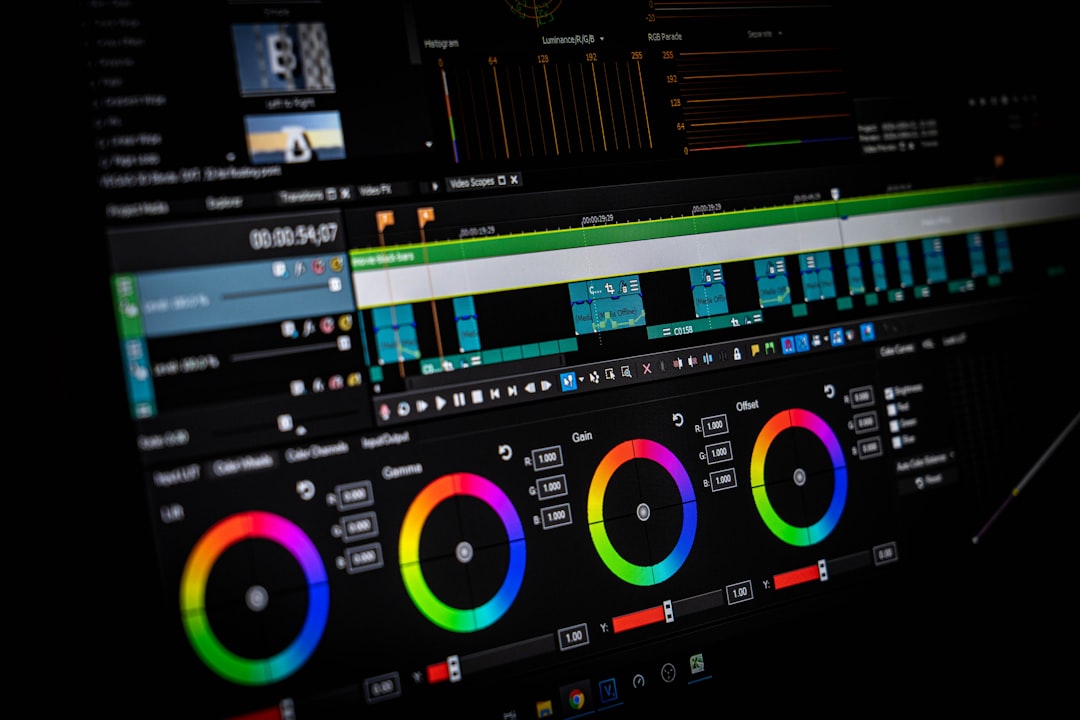
Many people confuse splitting with compressing, but they are not the same. Splitting changes the length of each clip. Compressing reduces the file size, often by lowering bitrate, resolution, or detail. A video splitter may include compression features, but its main job is to divide the video into sections.
If your goal is to post a long video to Status, splitting is more important than compression. Even a small file will not post as a single long Status video if it exceeds the time limit. However, if your clip is high resolution, such as 4K footage, compression may also help because WhatsApp can process and upload it more easily.
For most WhatsApp sharing, 1080p MP4 is a practical balance. It looks good on phones, uploads faster than 4K, and avoids unnecessarily large file sizes. If the video is only being viewed on mobile screens, ultra high resolution may not make a noticeable difference to most viewers.
Best Practices for Posting Split Videos on WhatsApp
Splitting a video is easy, but making it enjoyable to watch takes a little planning. A long sequence of clips can become tiring if it is not organized well. Think of your Status as a short story with a clear beginning, middle, and ending.
- Start with a strong opening: The first clip should immediately show why the video is worth watching.
- Avoid awkward cuts: Try not to split in the middle of a sentence, punchline, or important action.
- Use captions when needed: Many people watch Status updates without sound.
- Keep it concise: Just because you can post many clips does not mean you should post everything.
- Upload in the correct order: A mixed up sequence can confuse viewers.
- Test before posting: Watch the exported clips once to catch errors.
For business users, it is also helpful to add branding subtly rather than overwhelming the video. A small logo, consistent colors, or a short call to action can make your content look more polished without making it feel like an advertisement.
When a Video Splitter Is Not the Best Solution
Although video splitter apps are useful, they are not always the answer. If you want people to watch a 20 minute presentation, WhatsApp Status is probably not the ideal platform. Too many segments can feel cluttered, and viewers may lose interest before reaching the end.
In those cases, consider uploading the full video to a video hosting platform or cloud storage service and sharing the link on WhatsApp. This is better for webinars, lectures, long tutorials, full event recordings, or high quality edited films. WhatsApp can still be used to promote the video with a short preview clip and a link to the full version.

Privacy and Safety Considerations
Before using any video app, think about privacy. Videos often contain personal faces, locations, conversations, documents, or family moments. A trustworthy app should be clear about whether it processes files locally on your phone or uploads them to a server.
If the video is sensitive, avoid unknown apps that require unnecessary permissions. You should not need to give a splitter app access to your contacts, messages, or location just to cut a video. Also be careful with free apps that show excessive ads or ask you to sign in before basic editing.
When sharing on WhatsApp Status, remember that your audience depends on your privacy settings. You can control who sees your Status by adjusting Status privacy. If your longer video is meant only for close friends, family, or selected clients, check those settings before posting.
So, Is a Video Splitter App Worth It?
For anyone who regularly posts videos to WhatsApp Status, a video splitter app is absolutely worth having. It saves time, keeps clips neatly organized, and helps you share longer stories without manually trimming each segment. It is especially useful for creators, small business owners, teachers, event organizers, and anyone who uses WhatsApp as a daily communication tool.
However, it is important to understand what the app can and cannot do. It can help you work within WhatsApp’s limits, but it cannot turn Status into a full length video platform. The best approach is to use splitting for short to medium length content and use links or file sharing for very long videos.
Final Thoughts
A video splitter app can make WhatsApp much more flexible. Instead of abandoning a video because it is too long, you can divide it into clean, watchable parts and share it in a way that feels natural on mobile. For Status updates, it is one of the simplest ways to post longer content while staying within WhatsApp’s rules.
The key is to choose a reliable app, export in a compatible format, maintain good quality, and upload the clips in order. Do that, and your longer videos can become smooth, engaging WhatsApp stories instead of frustrating upload failures.