Product Map: Definition, Examples & How to Create One
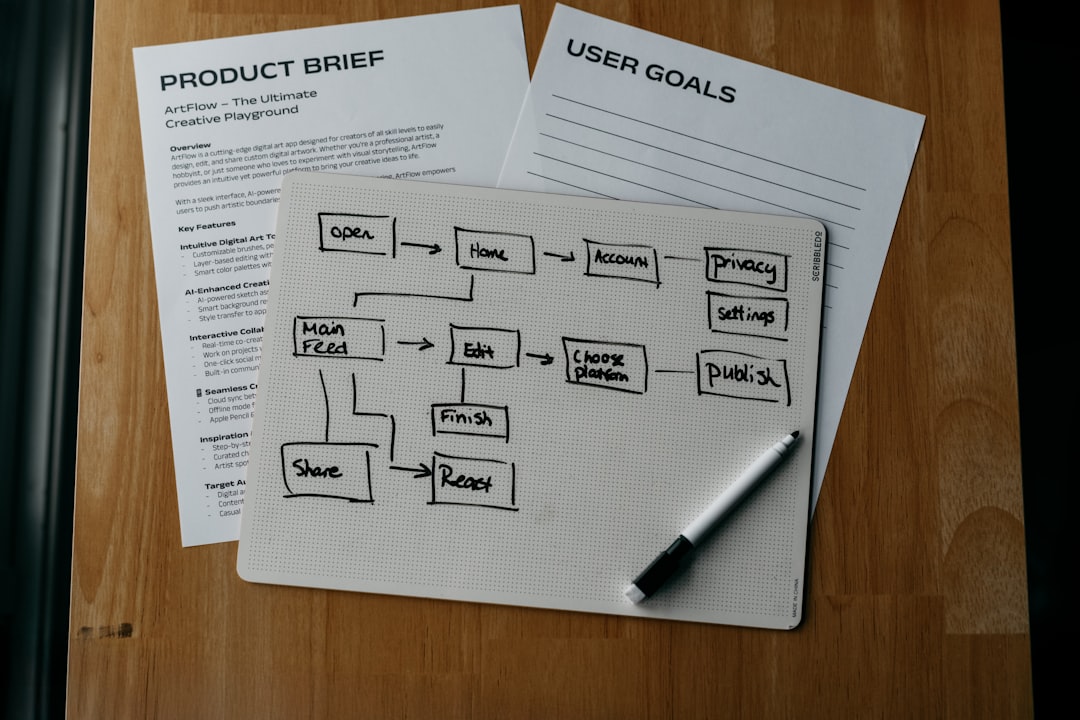
Building a product can feel like packing for a mystery vacation. You have ideas, tools, snacks, and maybe one sock. But where are you going? A product map helps you answer that. It turns messy product thinking into a clear visual plan that your team can actually follow.
TLDR: A product map is a simple visual guide that shows where your product is going and how it will get there. It connects goals, users, features, and timelines in one place. It helps teams stay focused, avoid random work, and build things people truly need. Think of it as a friendly GPS for your product journey.
What Is a Product Map?
A product map is a visual plan for a product. It shows the main parts of your product strategy. This can include user needs, product goals, features, priorities, timelines, and success metrics.
It is not just a pretty chart. It is a thinking tool. It helps teams answer big questions like:
- Who are we building this for?
- What problems are we solving?
- Which features matter most?
- What should we build first?
- How will we know if it worked?
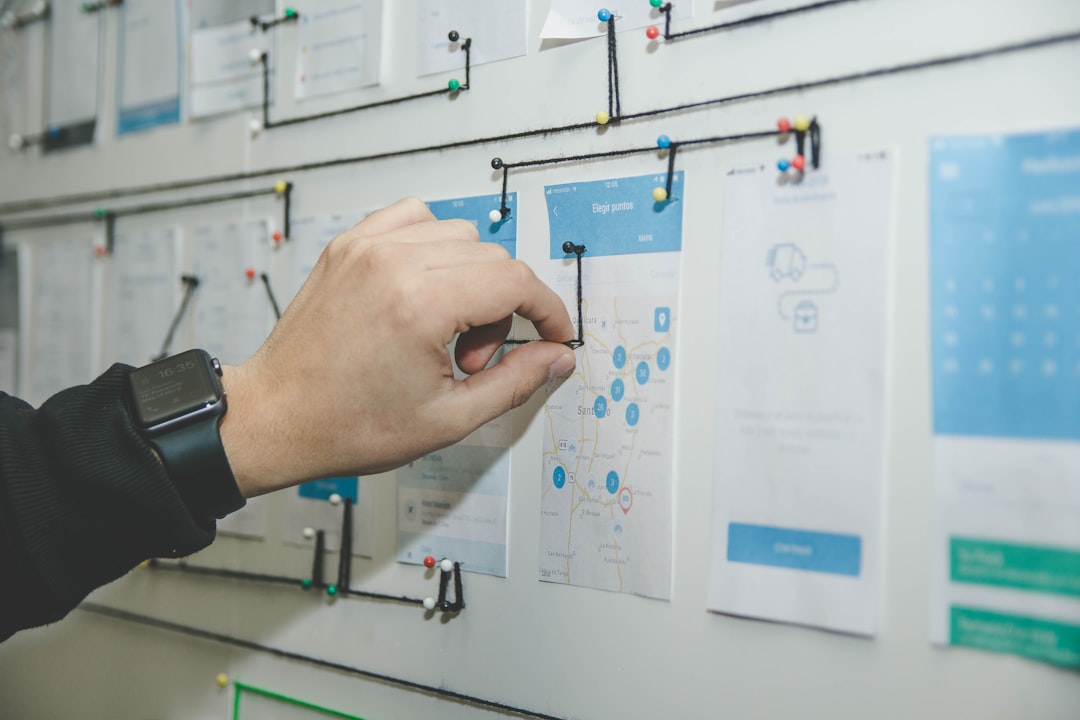
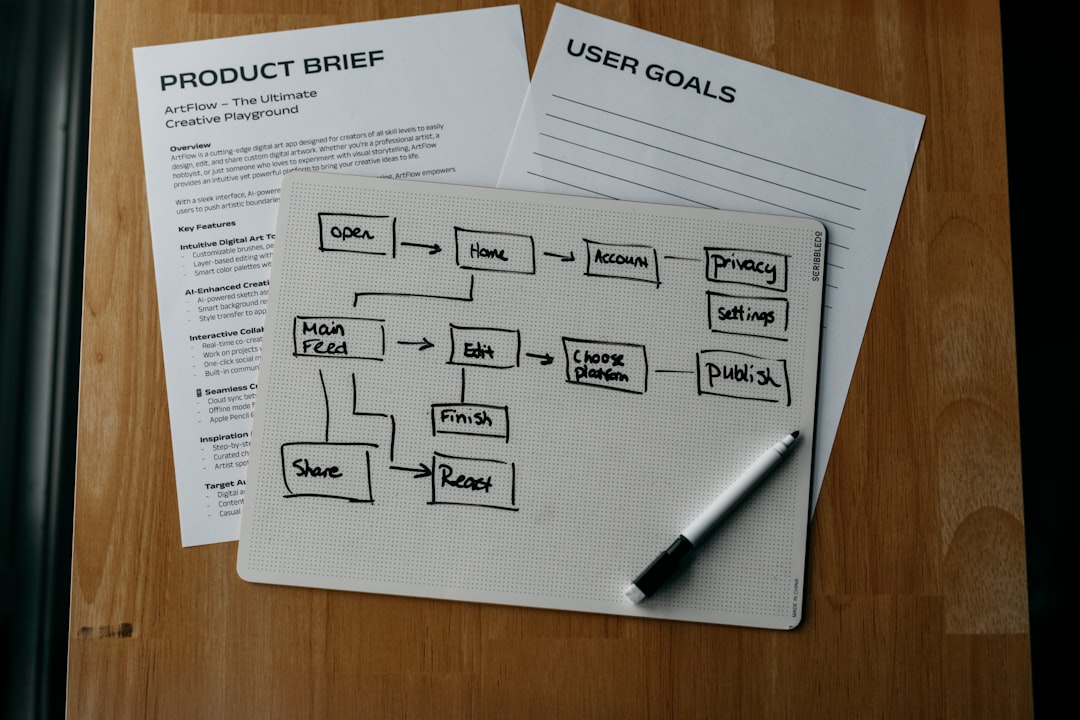
A product map can be simple or detailed. Some teams use sticky notes. Some use digital boards. Some use diagrams. The format matters less than the clarity.
If your team can look at it and understand the plan in five minutes, you are doing it right.
Product Map vs Product Roadmap
People often mix up a product map and a product roadmap. They are related, but they are not the same thing.
A product map is usually broader. It shows how everything connects. It may include users, problems, features, goals, and research. It helps you understand the product as a whole.
A product roadmap is more focused on time. It shows what will be built and when. It often includes quarters, releases, or milestones.
Here is the easy version:
- Product map: Why, what, and how it all connects.
- Product roadmap: What gets built and when.
Think of the product map as the treasure map. The roadmap is the walking schedule. Both are useful. But you do not want to start walking before you know where the treasure is.
Why Product Maps Matter
Without a product map, teams can drift. One person wants a chatbot. Another wants dark mode. Someone else wants a dancing llama animation. Fun? Yes. Useful? Maybe not.
A product map keeps everyone honest. It reminds the team what matters.
Here are the biggest benefits:
- Better focus: You can say no to random ideas more easily.
- Clear priorities: Everyone knows what comes first.
- Stronger teamwork: Designers, developers, marketers, and leaders share the same picture.
- Smarter decisions: Choices are based on goals and user needs.
- Less confusion: Fewer “Wait, why are we building this?” moments.
A product map also helps with communication. You can use it in meetings, planning sessions, investor chats, or product reviews. It turns abstract ideas into something people can see.
Common Types of Product Maps
There is no single perfect product map. Different teams use different styles. Here are a few common examples.
1. Feature Map
A feature map shows the features your product may include. It often groups them by user need or product area.
For example, a fitness app might group features like this:
- Workout tracking: Log exercises, track sets, save routines.
- Nutrition: Meal logs, calorie goals, recipe ideas.
- Progress: Charts, badges, weekly summaries.
- Community: Challenges, friend lists, group goals.
This map is great when you have many feature ideas and need to organize them.
2. User Journey Product Map
This map follows the user’s experience from start to finish. It shows each step the user takes and what the product should do at each point.
For example, an online course platform might map:
- User discovers a course.
- User reads reviews.
- User signs up.
- User starts lesson one.
- User tracks progress.
- User gets a certificate.
This type is helpful because it keeps the spotlight on the user. And the user is the person who decides if your product is brilliant or just digital soup.
3. Goal-Based Product Map
A goal-based map starts with business or user goals. Then it connects each goal to features or actions.
For example:
- Goal: Increase new user activation.
- Ideas: Better onboarding, welcome emails, sample templates.
- Metric: More users complete setup in the first day.
This is one of the most useful formats. It stops teams from building features just because they sound cool. Cool is nice. Useful is better.
Product Map Example
Let’s imagine you are building a meal planning app called SnackPath. Great name? Absolutely. Maybe.
Your product map may look like this:
- Target users: Busy people who want simple meals.
- Main problem: They do not know what to cook during the week.
- Product goal: Make weekly meal planning fast and stress-free.
- Core features: Recipe suggestions, grocery lists, meal calendar, dietary filters.
- Priority one: Build meal calendar and grocery list.
- Priority two: Add recipe suggestions.
- Success metrics: Weekly active users, saved meal plans, completed grocery lists.
See how simple that is? You now know who it is for, what it solves, what to build, and how to measure success. No crystal ball needed.
How to Create a Product Map
Now let’s build one. Do not worry. You will not need a cape. Though it may help morale.
Step 1: Define the Product Vision
Start with the big idea. What should this product become? Keep it short.
Try this format:
“We are building a product that helps [type of user] solve [problem] by [main solution].”
Example:
“We are building an app that helps freelancers manage invoices by making payment tracking simple.”
Step 2: Know Your Users
You cannot map a product well if you do not know who it serves. Talk to users. Read reviews. Study support tickets. Watch how people solve the problem today.
Write down:
- Who your users are
- What they want
- What annoys them
- What they already use
- What success looks like for them
Step 3: List the Main Problems
Next, write down the problems your product should solve. Do not start with features yet. Start with pain.
Instead of saying, “We need push notifications,” say, “Users forget to complete important tasks.”
This keeps your thinking flexible. Maybe push notifications are the answer. Maybe email reminders are better. Maybe the task is just too hard. The map helps you explore.
Step 4: Connect Problems to Features
Now you can add features. For each problem, list possible solutions.
Example:
- Problem: Users forget tasks.
- Possible features: Reminders, calendar sync, daily checklist.
Do this for each major problem. You will quickly see which features support real needs and which are just shiny distractions.

Step 5: Prioritize
Not everything can be first. This is sad but true. Prioritizing is where the product map becomes powerful.
Use simple labels like:
- Must have: Needed for the product to work.
- Should have: Important, but not urgent.
- Could have: Nice if there is time.
- Not now: Good idea, wrong moment.
You can also score ideas by impact and effort. High impact and low effort? Lovely. Low impact and high effort? Put it in the “maybe someday” cave.
Step 6: Add Metrics
A product map should show how success will be measured. Metrics keep the team grounded.
Useful metrics may include:
- Signup rate
- Activation rate
- Feature usage
- Retention
- Revenue
- Customer satisfaction
Pick only a few. Too many metrics can turn into alphabet soup.
Step 7: Keep It Updated
A product map is not carved into stone. It should change as you learn. Update it after user research, product launches, market shifts, or big strategy changes.
Set a review rhythm. Once a month is often enough for many teams. Fast-moving teams may review it more often.
Tips for a Better Product Map
- Keep it visual: Use boxes, groups, colors, and arrows.
- Use plain language: Avoid jargon when possible.
- Make it shareable: Everyone should be able to find it.
- Link features to goals: Every feature should have a reason.
- Invite feedback: A product map works best when the team trusts it.
Final Thoughts
A product map is a simple way to bring order to product chaos. It helps you see the big picture without losing the details. It connects users, problems, features, priorities, and goals in one clear place.
Most of all, it helps your team build with purpose. Because great products are not built by accident. They are built with clear thinking, smart choices, and maybe a few colorful sticky notes.