Figma Alternatives: Penpot vs Framer for Modern Product Design
Penpot is the better Figma alternative for teams that want open source control, design systems, and developer friendly files, while Framer is stronger for teams that want to design and publish polished marketing sites fast. The choice depends less on “which tool is better” and more on whether the product team needs a collaborative design workspace or a web publishing tool with visual editing.
TLDR: Penpot fits product teams that care about ownership, SVG based design, self hosting, and close designer developer handoff. Framer fits startups and marketing teams that need a live landing page, CMS, animations, and quick experiments without waiting on engineering. For example, a five person SaaS team could use Penpot to maintain a 120 component design system, while Framer could help launch three campaign pages in a week. If 70% of the work is interface design, Penpot makes more sense; if 70% is web pages and conversion testing, Framer wins.
Penpot vs Framer: the quick difference
Penpot is a browser based product design tool with an open source core. It focuses on UI design, prototyping, layout systems, components, and developer handoff. It feels closer to Figma in purpose, especially for teams building apps, dashboards, SaaS products, and internal tools.
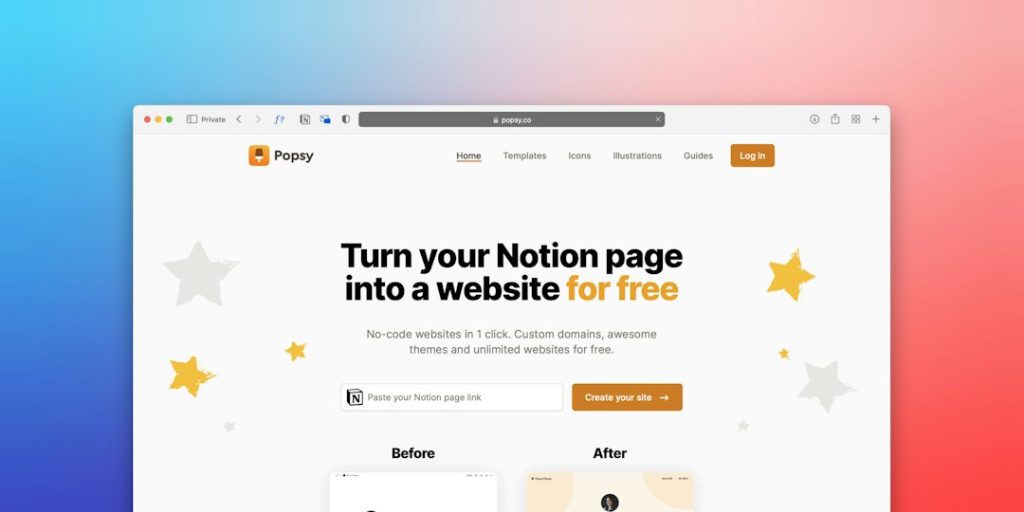
Framer started as a prototyping tool and has become a visual website builder. It is built around designing, animating, and publishing responsive websites. It can handle product mockups, but its main strength is turning design into a live site quickly.
That difference matters. A product manager comparing both tools may expect two direct Figma replacements. That is not quite right. Penpot replaces more of the core product design workflow. Framer replaces the “design, prototype, publish website” workflow.
Where Penpot stands out
Penpot’s biggest strength is openness. It is open source, supports self hosting, and uses standards such as SVG. For organizations with strict data policies, this is a serious advantage. A team can keep design files closer to its own infrastructure instead of relying fully on a vendor cloud.
Penpot also appeals to developers. Its file format and SVG first approach make design assets feel less trapped inside a black box. Designers can create layouts, components, and tokens, while developers inspect specs and export assets with fewer awkward steps.
It also handles design systems well. Teams can create shared libraries, repeatable components, grids, and interactive flows. The interface may feel familiar to anyone coming from Figma, though some shortcuts and patterns take time to relearn.
The annoying part is that Penpot can still feel less polished in small moments. Some interactions feel a bit heavier than Figma. Certain advanced workflows may take extra clicks. On complex files, users may notice slower loading or minor friction. It is usable, but not always silky.
Where Framer stands out
Framer shines when the goal is a public website. It combines visual design, responsive layout, animation, CMS collections, forms, and hosting. A landing page can go from rough idea to published URL without a front end sprint.
This is useful for founders, growth teams, agencies, and product marketers. They can build pages for launches, waitlists, feature announcements, or case studies. Framer also makes motion feel approachable. Animated sections, hover effects, scrolling effects, and page transitions can be created visually.
Framer is also strong for fast iteration. A marketing team can test copy, swap sections, and publish updates without filing tickets for engineering. That speed can matter more than perfect design structure.
Still, it has limits as a full product design hub. It is not always the best place to maintain a deep app design system with hundreds of components and complex product flows. Honestly, it feels like using a sports car to move office furniture when a team forces Framer into heavy app design work. It can do pieces of the job, but it is not built for that as its main purpose.
Collaboration and handoff
Penpot is better for classic product collaboration. Designers, developers, and product managers can review screens, inspect details, and work from shared files. Its open nature also helps technical teams feel more comfortable with long term use.
Framer collaboration is strongest around web production. Designers and marketers can work together on real pages. Stakeholders can review live previews instead of static mockups. That reduces guesswork. The page is not just a picture of a website. It becomes the website.
For developer handoff, Penpot usually has the edge. For marketing handoff, Framer often wins because less handoff is needed. The site can be published directly from the tool.
Design systems and components
Penpot is the stronger option for product design systems. It supports reusable components, shared assets, layout rules, and structured interface work. Teams building a dashboard, mobile app, or B2B platform will likely feel more at home there.
Framer has components too, and they are useful. But its component model serves websites more than application design systems. It is excellent for reusable website sections, pricing tables, headers, footers, blog layouts, and CMS driven templates.
- Choose Penpot for app screens, UI kits, design libraries, and developer specs.
- Choose Framer for landing pages, marketing sites, portfolios, and launch pages.
- Use both if the product app and the marketing site have separate teams.
Prototyping and interaction design
Penpot supports interactive prototypes for user flows, click paths, and product validation. It is useful for usability tests and stakeholder reviews. The prototypes are practical rather than flashy.
Framer is more expressive. It gives teams smoother motion, richer transitions, and a closer feel to a finished website. For a homepage, product tour, or investor demo, Framer can look more impressive with less engineering support.
That said, polished motion can become a distraction. A prototype may look finished before the product logic is settled. Product teams should avoid mistaking animation quality for UX quality.
Pricing and ownership
Penpot’s open source model is its major pricing and ownership advantage. Teams can use the cloud version or self host. This gives more control over files, data, and long term access. For schools, public institutions, startups, and privacy focused companies, that can be a deciding factor.
Framer usually makes financial sense when it replaces developer time for marketing websites. If a team publishes campaign pages often, the cost can be easy to justify. If it only needs static product mockups, Framer may feel expensive compared with a more focused design tool.

Which tool should a modern product team pick?
A product team should pick Penpot if it needs a true Figma alternative for interface design. It is the safer pick for product workflows, design systems, technical ownership, and structured collaboration. It also suits teams that dislike vendor lock in.
A team should pick Framer if the primary output is a live website. It is the stronger choice for marketing pages, startup launches, personal sites, and interactive web experiences. It reduces the gap between design and publishing.
For many companies, the best answer is not either or. Penpot can serve the product design team, while Framer can serve the marketing team. The key is to keep the source of truth clear. App components should not live in one tool while website sections live in another with no shared brand rules.
Final verdict
Penpot is the closer Figma alternative for modern product design. It matches the needs of UI teams, developers, and organizations that care about control. Framer is the better Figma alternative for web creation, especially when speed, motion, CMS features, and publishing matter most.
Teams should choose based on output. If the output is a product interface, Penpot is the practical pick. If the output is a live marketing site, Framer is hard to beat.
FAQ
Is Penpot a real replacement for Figma?
Yes, Penpot can replace Figma for many UI design workflows. It is strongest for teams that need open source software, design systems, SVG based files, and developer handoff.
Is Framer better than Penpot?
Framer is better for building and publishing websites. Penpot is better for product design, app interfaces, and structured design systems. The better tool depends on the job.
Can Framer be used for app design?
Framer can be used for app mockups and prototypes, but it is not the best fit for large app design systems. It works best when the end result is a website.
Can Penpot publish websites like Framer?
No. Penpot is mainly a design and prototyping tool. It does not replace Framer’s visual website publishing, hosting, CMS, and page building features.
Which tool is better for developers?
Penpot is usually better for developer handoff and technical ownership. Framer is better when developers want marketers or designers to publish web pages without extra coding work.
Should a team use both Penpot and Framer?
Yes, that can work well. Penpot can manage product UI design, while Framer can handle public websites and launch pages. Teams should keep shared brand styles aligned across both tools.