5 Monaco Editor Alternatives for Browser-Based Code Editing, Developer Tools, and Building Custom IDEs

Use CodeMirror 6 for most custom browser editors, Ace for older broad support, Sandpack for live playgrounds, Eclipse Theia for full IDE products, and CodeJar for small embedded snippets. Monaco is excellent, but it can feel heavy when you do not need a VS Code style experience. Monaco is the editor that powers VS Code, which explains its strong language features and its larger footprint [source: Microsoft].
TLDR: If you are building a SaaS SQL editor used by 5,000 analysts a week, start with CodeMirror 6. If you need a fast proof of concept in two days, Ace is still hard to beat. For documentation with 30 live examples, Sandpack saves time because editing, preview, and bundling are already connected. Pick Theia only when you need an IDE shell, not just a text box with syntax color.

1. CodeMirror 6
Best for: custom editors, SaaS tools, query builders, config editors, internal dev tools.
CodeMirror 6 is the strongest general Monaco alternative. It is modular, modern, and easier to shape around a product UI. You can add syntax highlighting, autocomplete, linting, folding, search, themes, and keymaps as separate extensions.
The big win is control. You do not have to ship features your users will never touch. A JSON editor for a settings page can stay lean. A SQL editor can add schema-aware completion. A Markdown editor can add preview logic without pretending to be VS Code.
The catch is… CodeMirror 6 has a learning curve. Its extension model is clean, but not obvious on day one. Expect to waste time reading examples before the design clicks. After that, it feels solid.
- Pros: modular design, good docs, strong ecosystem, excellent for product teams.
- Cons: less “ready made IDE” feeling than Monaco.
- Choose it when: you want serious editing without a full VS Code clone.
2. Ace Editor
Best for: quick embeds, legacy apps, admin panels, education tools.
Ace has been around for years. That is not a bad thing. It supports many languages and themes. It is simple to drop into a page. It also has familiar features such as multiple cursors, search, snippets, and commands.
Ace is a good fit when your team needs something reliable by Friday. It will not feel as modern as CodeMirror 6. Some APIs feel old. Still, it works, and that counts. Many teams do not need a perfect editor. They need one that does not break the release.
- Pros: mature, easy setup, broad language support.
- Cons: older architecture, less pleasant for deep customization.
- Choose it when: speed and stability matter more than fine-grained control.
3. Sandpack
Best for: live docs, tutorials, React examples, coding lessons.
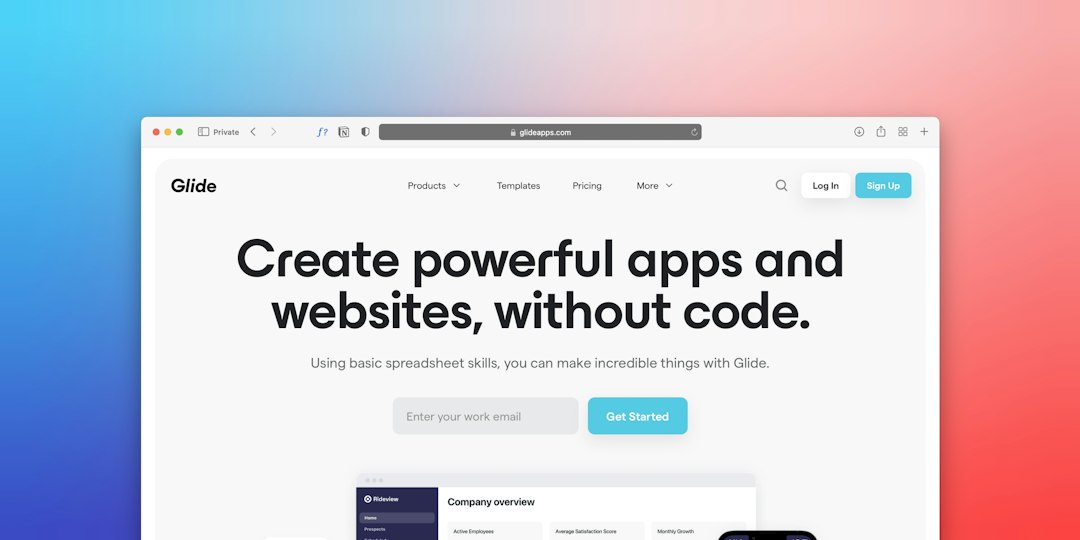
Sandpack, from CodeSandbox, is not just an editor. It gives you an editor, file tabs, dependencies, live preview, and runtime behavior in one package. That makes it useful when the user needs to edit code and see the result right away.
This is where Monaco can feel like the wrong tool. If you use Monaco alone, you still need to wire bundling, preview refresh, error display, file state, and dependency handling. Sandpack already solves much of that problem.
It is not ideal for every stack. It is strongest in JavaScript and React-centered use cases. If your product is a Python IDE or database client, use something else.
- Pros: fast playground setup, polished preview flow, good for docs.
- Cons: narrower use case than a raw editor component.
- Choose it when: your users need to run examples, not just edit text.
4. Eclipse Theia
Best for: browser IDEs, cloud development platforms, internal engineering workbenches.
Theia is different from the others. It is an IDE framework, not a small editor widget. Use it when you need file trees, terminals, commands, settings, extensions, panels, and workspace logic.
This matters for custom IDEs. Building those pieces from scratch is painful. Monaco gives you the editor. Theia gives you the product shell. That can save months if your goal is a hosted development environment.
Be careful here. Theia projects often use Monaco as the editor layer. So if your rule is “no Monaco in the stack,” check the editor plan early. If your real goal is “do not build an IDE shell from zero,” Theia deserves a close look.
- Pros: full IDE structure, extensible, strong for cloud workspaces.
- Cons: heavier than an editor, more setup, may still include Monaco.
- Choose it when: the editor is only one part of a larger IDE.

5. CodeJar
Best for: tiny editors, landing pages, docs snippets, simple demos.
CodeJar is small and direct. It works well when you need basic code editing with syntax highlighting from tools such as Prism or Highlight.js. It is not trying to be VS Code. That is the point.
Use it for short snippets, config examples, CSS demos, or tutorial blocks. It is pleasant when a full editor would be silly. Nobody wants a large editor bundle just to change five lines of HTML in a demo box.
The downside is clear. You will not get rich autocomplete, deep language services, or advanced project features without extra work. For serious coding tools, pick CodeMirror or Monaco instead.
- Pros: tiny, simple, easy to style.
- Cons: limited advanced editing features.
- Choose it when: you need editable code snippets, not an IDE.
How to choose
- Pick CodeMirror 6 for most serious custom browser editors.
- Pick Ace when you need quick setup in an older or mixed codebase.
- Pick Sandpack for live examples with preview and runtime behavior.
- Pick Theia for a full browser IDE or cloud workspace.
- Pick CodeJar for small editable snippets where size matters.
Monaco is still a strong choice for VS Code-like tools. But many products do not need that much editor. Start with the user task. If the task is “edit a query,” “fix a JSON setting,” or “try a React example,” a smaller or more focused option may ship faster and feel better.