LabVIEW Alternatives: 6 Engineering Development Environments for Test Automation, Instrument Control, and Data Acquisition
Try Python first if you want a LabVIEW alternative that is cheap, flexible, and easy to grow. Then test MATLAB if your team lives in math. For fast instrument work, try BenchVue, DewesoftX, DASYLab, or C# in Visual Studio. LabVIEW is still strong, and NI calls it a graphical programming environment for test systems [source: NI]. But sometimes you just want fewer license headaches and less block diagram spaghetti.
TLDR: The best LabVIEW alternatives are Python, MATLAB, Keysight BenchVue, DewesoftX, DASYLab, and C#/.NET. For example, a 24 channel thermal rig logging once per second creates 2,073,600 readings per day, so storage, plotting, and repeatable scripts matter fast. Python is great for low cost automation. MATLAB is great when the test is heavy on math, models, and signal work.
Why teams look for LabVIEW alternatives
LabVIEW is loved for a reason. It lets engineers wire logic like a circuit. That feels natural.
But it can also get messy. A simple test can turn into a giant screen of wires. It drives me crazy when finding one bad value means zooming, panning, and chasing a tiny wire for five minutes.
Teams also complain about cost, sharing code, version control, and hiring. Text code is easier to review. It works better with Git. It is also easier to paste into a chat, a ticket, or a design review.
1. Python: the low cost favorite
Best for: test automation, instrument control, data logging, reports.
Python is the obvious first stop. It talks to instruments with PyVISA. It controls DAQ devices with vendor libraries. It stores data with CSV, HDF5, SQLite, or Parquet. It plots with Matplotlib or Plotly.
It is also easy to test code. Use pytest. Use Git. Run scripts on a lab PC, a server, or a Raspberry Pi.
The good:
- Free and huge community.
- Great for SCPI instruments.
- Strong data tools.
- Easy to connect with web dashboards.
The annoying bit: package setup can bite you. One driver wants Python 3.10. Another wants 3.11. Suddenly your “quick test” becomes a tiny IT project.
2. MATLAB and Simulink: great for math heavy test work
Best for: signal processing, control systems, models, analysis.
MATLAB is a strong pick when your test includes math that must be trusted. Filters, FFTs, curve fits, image work, and control loops all feel clean here. Simulink helps when your test is tied to a model.
MATLAB also has toolboxes for instruments and data acquisition. The Data Acquisition Toolbox supports hardware from several vendors [source: MathWorks].
The good:
- Excellent math and plots.
- Good for prototypes.
- Easy reports and live scripts.
- Popular in universities and R&D teams.
The catch is: licenses add up. Toolboxes can feel like buying toppings one by one for a very expensive pizza.
3. Keysight PathWave BenchVue: fast instrument control
Best for: quick lab setups with Keysight gear.
BenchVue is not trying to be a full coding world. That is the point. It helps you connect instruments, set controls, log readings, and export data without writing much code.
If your bench has power supplies, DMMs, scopes, and signal generators, BenchVue can save a morning. Maybe a whole day.
The good:
- Fast setup for common instruments.
- Nice for simple logging.
- Good for engineers who hate boilerplate code.
Watch out: it shines brightest with Keysight hardware. Mixed labs may need extra work.
4. DewesoftX: serious data acquisition with nice visuals
Best for: physical testing, vibration, vehicles, acoustics, power, strain.
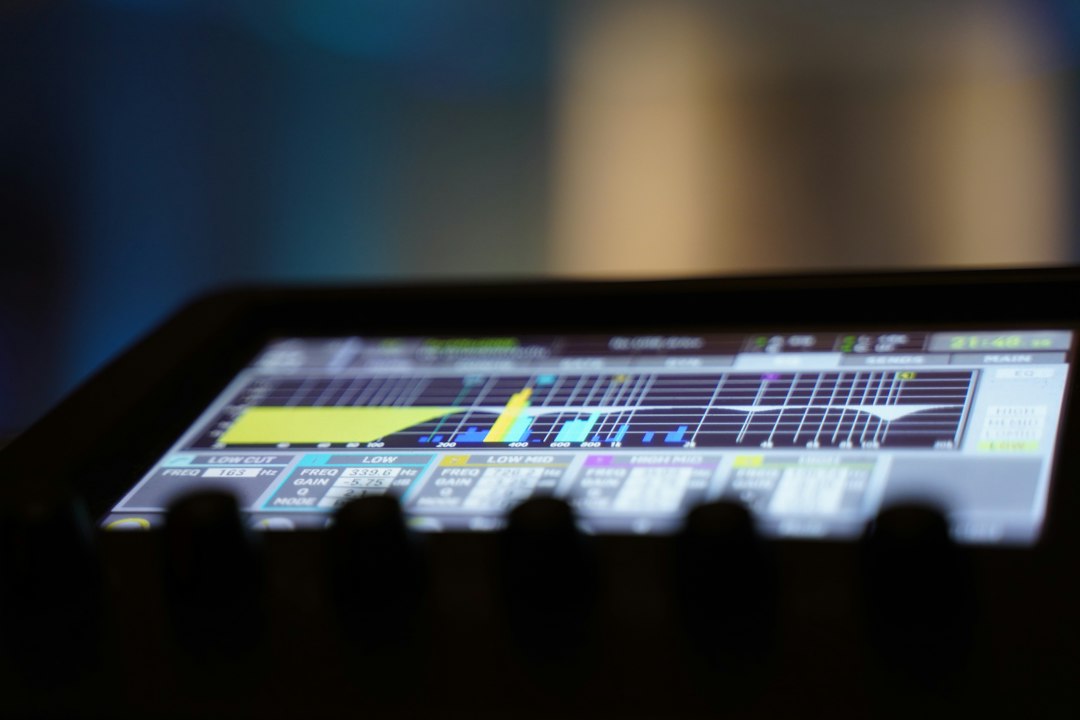
DewesoftX is built for data acquisition. It feels more like a polished test cockpit than a blank coding screen. You set channels. You build displays. You record. You analyze.
It is very strong when tests involve many sensors. Think accelerometers, strain gauges, thermocouples, microphones, GPS, CAN, and power meters.
The good:
- Great live displays.
- Strong sensor support.
- Good for field tests.
- Fast setup for repeatable measurements.
The tradeoff: it is less open than Python. If you want full custom logic, check scripting and integration options before you commit.
5. DASYLab: visual programming without LabVIEW
Best for: drag and drop DAQ systems.
DASYLab is for people who like visual flow diagrams but want something simpler than LabVIEW. You place modules. You connect them. You log, scale, filter, and display signals.
It is friendly for technicians too. A test screen can be made clean, with buttons and charts instead of scary code.
The good:
- Easy visual setup.
- Good for basic DAQ.
- Less code to maintain.
The weak spot: large custom apps can feel cramped. If the system grows every month, text code may age better.
6. C# and .NET in Visual Studio: strong for finished test apps
Best for: production test stations and polished operator screens.
C# is a smart pick when the test app must look clean and run every day. Visual Studio gives you debugging, forms, installers, databases, and strong Windows support.
You can talk to instruments with VISA, serial, USB, Ethernet, or vendor SDKs. You can also build nice dashboards for operators who just need a green light or a red light.
The good:
- Great for Windows test stations.
- Strong user interfaces.
- Good performance.
- Works well with databases and MES systems.
The pain: it takes more setup than Python. Expect to write more structure before the first reading shows up.
Image not found in postmetaQuick pick guide
- Cheapest start: Python.
- Best for math: MATLAB.
- Fastest bench logging: BenchVue.
- Best for sensor rich DAQ: DewesoftX.
- Closest visual style: DASYLab.
- Best finished Windows app: C#/.NET.
Pick based on the test, not the hype. A five minute power supply check does not need a giant framework. A 64 channel endurance test does. Start small. Log clean data. Save raw files. Make the boring parts automatic. Your future self will be less grumpy.