Receptify: Best Spotify Listening Statistics Tools Compared
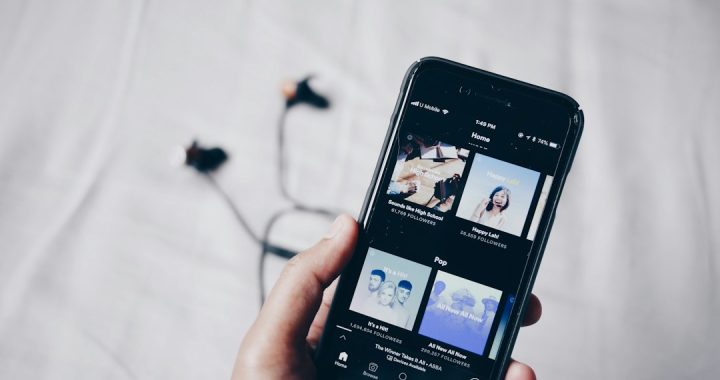
Use Receiptify first if you want fast, funny Spotify listening stats that are easy to share. It turns your top tracks into a fake shopping receipt in seconds. That matters because Spotify is huge, with 626 million monthly active users reported in Q2 2024 [source: Spotify]. More listeners means more tools, more screenshots, and yes, more confusion over which stats app is worth your login.
TLDR: Receiptify is best for quick social posts. Stats for Spotify is best for simple rankings over time. Last.fm is best if you want deep long-term tracking, but you must set it up first. For example, if Mia listened to 1,240 tracks in a month, Receiptify can show her top 10 in a cute receipt, while Last.fm can show repeat plays, historic artist streaks, and genre shifts.
What is Receptify?
Most people mean Receiptify when they search for Receptify. The name gets misspelled a lot. Fair enough. The tool makes your Spotify listening history look like a printed receipt.
You connect your Spotify account. You pick a time range. Then it prints your top tracks, artists, or genres in a receipt style. It is silly. It is neat. It is also very shareable.
Honestly, it feels like the perfect music stats tool for people who do not want a dashboard. You get the joke right away. No tutorial needed.
Quick comparison table
| Tool | Best for | Main strength | Main annoyance |
|---|---|---|---|
| Receiptify | Shareable stats | Fun receipt design | Not very deep |
| Stats for Spotify | Top tracks and artists | Clean time ranges | Plain design |
| Last.fm | Long-term tracking | Detailed history | Needs setup |
| Obscurify | Music taste scores | Compares your taste | Can feel vague |
| Volt.fm | Profile-style stats | Nice reports | Some features may feel limited |
1. Receiptify: best for instant fun
Receiptify wins for speed and style. It takes your Spotify data and turns it into a receipt. Your top song becomes item number one. Your other favorites line up beneath it.
You can usually choose between short-term, medium-term, and long-term listening. That makes it easy to answer different questions.
- Short-term: What am I playing right now?
- Medium-term: What has been stuck in my head lately?
- Long-term: What songs define my taste?
The best part is the format. It looks like something from a cafe, not a spreadsheet. That is why it spreads so well on Instagram Stories, TikTok, Reddit, and group chats.
The weak spot is depth. Receiptify is not built for serious music analysis. You do not get rich charts. You do not get play counts for every day. You get a cool snapshot.
Best pick if: you want a fun Spotify stats image in under a minute.
2. Stats for Spotify: best simple rankings
Stats for Spotify is less flashy. But it is very useful. It shows your top tracks, top artists, and top genres in a clean list.
You can view different time ranges. That makes it more practical than Receiptify for checking changes. Did one artist take over your month? Did your gym playlist ruin your top songs again? This tool makes it clear.
It drives me crazy that the design feels a bit dry. It works, sure. But it does not beg to be shared. It feels more like checking your bank balance, but with sad indie songs.
Still, it is quick. It is easy. It gives direct answers.
Best pick if: you want clear rankings without extra noise.
3. Last.fm: best for serious music tracking
Last.fm is the stats nerd option. It tracks what you play through something called scrobbling. Once connected, it builds a long-term record of your listening history.
This is where things get powerful. You can see top artists over years. You can count plays. You can compare weeks. You can spot strange phases in your taste.
Maybe you played one album 87 times during finals week. Maybe you listened to one breakup song for three months. Last.fm remembers. Rude, but helpful.
The setup is the main downside. It is not hard, but it is one more step. Also, it only becomes great after time passes. Day one will look empty. Month six looks much better.
Last.fm has been around for years and still supports Spotify scrobbling through connected apps [source: Last.fm].
Best pick if: you want real listening history, not just a pretty screenshot.

4. Obscurify: best for taste comparison
Obscurify asks a fun question. Is your music taste basic or strange?
It compares your listening habits with other users. Then it gives you scores. You may see how obscure your artists are. You may also get mood ratings, such as how happy, danceable, or energetic your music is.
This is fun because it feels personal. It can also be mildly insulting. Your “rare taste” may turn out to be very normal. Sorry.
The catch is that some scores can feel fuzzy. You may not always know why one artist changes your rating. Still, it is a great tool for quick self-roasting.
Best pick if: you want to compare your taste with other listeners.
5. Volt.fm: best all-around profile
Volt.fm feels more polished than many Spotify stats tools. It creates a music profile based on your listening. You can see top tracks, artists, genres, and other taste details.
It is a nice middle ground. It is prettier than Stats for Spotify. It is deeper than Receiptify. It is less intense than Last.fm.
That makes it good for people who want stats, but not homework. You can open it, scan your report, and understand your music habits fast.
Some parts may feel locked down or limited compared with full tracking tools. Expect to spend a few extra seconds finding the exact stat you want. Not awful. Just a bit annoying.
Best pick if: you want a polished Spotify stats page with more than one gimmick.
Which Spotify stats tool should you choose?
Pick based on your mood. That sounds lazy, but it is true.
- Want a cute share post? Use Receiptify.
- Want quick top songs? Use Stats for Spotify.
- Want years of data? Use Last.fm.
- Want to judge your taste? Use Obscurify.
- Want a polished profile? Use Volt.fm.
If you only try one, start with Receiptify. It gives the fastest reward. You log in, click once or twice, and get something worth sharing.
If you care about patterns, add Last.fm now. Future you will be thankful. Music history gets more interesting after 6 months, 12 months, and beyond.
Privacy basics before you connect
Most Spotify stats tools ask for account access. That can sound scary. In many cases, they only request listening data. Still, read the permission screen.
Look for what the app can see. Check if it can change anything. If you stop using a tool, remove access from your Spotify account settings.
Good rule: if a stats site looks broken, spammy, or stuffed with weird pop-ups, skip it. Your playlists are not worth that mess.
Final verdict
Receiptify is the best Receptify-style tool for most Spotify users. It is fast, funny, and easy to understand. It turns your listening habits into something people actually want to see.
But it is not the only good option. Stats for Spotify is better for simple lists. Last.fm is better for long-term tracking. Obscurify is better for taste scores. Volt.fm is better for a stylish overview.
The smart move is simple. Use Receiptify for the screenshot. Use Last.fm for the archive. Use the others when you want a quick music identity crisis on a Tuesday night.