Google Assistant vs Gemini: Features, Productivity, and AI Capabilities Compared
Gemini is the better choice for AI-heavy work, while Google Assistant is still the safer pick for fast device control and routine voice commands. Google now positions Gemini as a mobile assistant on Android, but some classic Assistant actions remain limited or handled through Assistant extensions [source: Google]. That split matters. If you expect one tool to do everything cleanly, you may hit gaps.
TLDR: Choose Google Assistant if you mostly set timers, control smart lights, make calls, send quick texts, or use Android Auto. Choose Gemini if you want help writing emails, summarizing long text, planning work, or asking complex follow-up questions. For example, a user who spends 70% of phone time on reminders, alarms, and smart home control will likely save more time with Assistant. A user who writes five emails per day and summarizes two documents may get better value from Gemini.
What They Are Built For
Google Assistant was built as a voice-first helper. Its strength is action. You say something, and it does the task. Start a timer. Turn off the bedroom lights. Call Mum. Play a song. Read a message. It works best when the request is short and clear.
Gemini is built around generative AI. It is better at language, reasoning, drafting, summarizing, and explaining. It can handle messy prompts better than Assistant. You can ask it to compare options, rewrite a message in a formal tone, or create a travel checklist from scattered details.
The difference is simple. Assistant is a command tool. Gemini is an AI thinking and creation tool. That may sound neat on paper, but the real experience is not always tidy.
Feature Comparison
- Voice commands: Google Assistant is still more reliable for basic commands.
- Writing help: Gemini is far stronger for emails, posts, summaries, and outlines.
- Smart home control: Assistant feels more mature and predictable.
- Search-style answers: Gemini gives richer responses, but users should still check facts.
- Device actions: Assistant is usually faster for calls, alarms, timers, and media.
- Contextual reasoning: Gemini handles follow-up questions better.
It drives me crazy that switching to Gemini can make some simple tasks feel slower. Asking for a quick timer should not feel like a small negotiation. Assistant often completes these jobs in a second or two. Gemini can pause, think, and respond with more wording than needed.
Productivity: Which One Saves More Time?
For office work, Gemini is the clear winner. It can draft a polite reply, shorten a long message, turn rough notes into a plan, and explain a complex topic in plain language. If you use Google Workspace, Gemini can also help inside Gmail, Docs, Sheets, and other Google apps, depending on your plan and region [source: Google Workspace].
Here is where Gemini performs well:
- Email drafting: Ask for a firm but friendly reply to a client.
- Meeting prep: Convert bullet points into an agenda.
- Research support: Get a first-pass explanation before checking sources.
- Creative work: Generate headlines, outlines, product descriptions, or scripts.
- Learning: Ask for examples, quizzes, or step-by-step explanations.
Assistant is more useful when productivity means speed, not depth. It shines during short interruptions. You are cooking and need a timer. You are driving and need directions. You are carrying bags and need to call someone. In those moments, Gemini’s richer answers may be overkill.

AI Capabilities: Gemini Pulls Ahead
Gemini is far more capable as an AI model. It can accept more open-ended prompts. It can understand tone. It can rework text for a specific audience. It can also compare ideas and explain trade-offs.
Ask Google Assistant, “Help me write a short apology to a customer whose order arrived late.” It may search the web or give a basic response. Ask Gemini the same thing, and you can get a usable draft. Then you can say, “Make it warmer,” or “Shorten it to three sentences.” That back-and-forth is where Gemini feels modern.
Gemini also handles multimodal input in supported versions. That means text, images, and other formats can become part of the prompt. For example, you can show it a photo of ingredients and ask for dinner ideas. Assistant was never designed for that level of reasoning.
Still, Gemini is not perfect. It can sound confident when wrong. It may miss local context. It may also provide a polished answer that needs checking. For serious work, treat it as a skilled assistant, not a final authority.
Smart Home and Device Control
This is where Google Assistant keeps its edge. Smart speakers, displays, lights, thermostats, cameras, and routines were built around Assistant for years. The experience is familiar. It is also consistent across many homes.
With Assistant, commands such as “turn off the kitchen lights” or “set the thermostat to 21 degrees” are quick. Routines are also one of its best features. You can say “good night” and trigger several actions at once: lights off, alarm set, phone silenced, and thermostat adjusted.
Gemini can use some Assistant features on Android, but it does not always feel like a full replacement. The catch is that users may not know which features are native to Gemini, which rely on Assistant, and which are missing. That creates friction. Expect to waste time on small checks if you move fully to Gemini too early.
Privacy and Trust
Both tools come from Google, so the trust question is not only about brand. It is about data use, settings, account controls, and comfort level. Voice commands, typed prompts, location, app activity, and connected services can all affect the experience.
Users should review activity controls, Gemini app settings, Assistant settings, and Workspace admin options if used at work. Businesses should be more careful. AI prompts can include sensitive client details, financial data, or internal plans. Staff need rules on what can be pasted into an AI assistant.
For personal use, avoid entering passwords, private medical details, financial account numbers, or confidential work material. That advice applies to both Assistant and Gemini.
Which One Should You Use?
Use Google Assistant if your needs are practical and voice-driven. It is still the better fit for:
- Timers and alarms
- Smart home commands
- Hands-free calls and messages
- Music control
- Simple questions
- Routines on speakers and displays
Use Gemini if you want stronger AI help. It is better for:
- Writing and editing
- Summarizing long content
- Brainstorming ideas
- Learning new topics
- Planning trips or projects
- Understanding images, where supported
Best Practical Setup
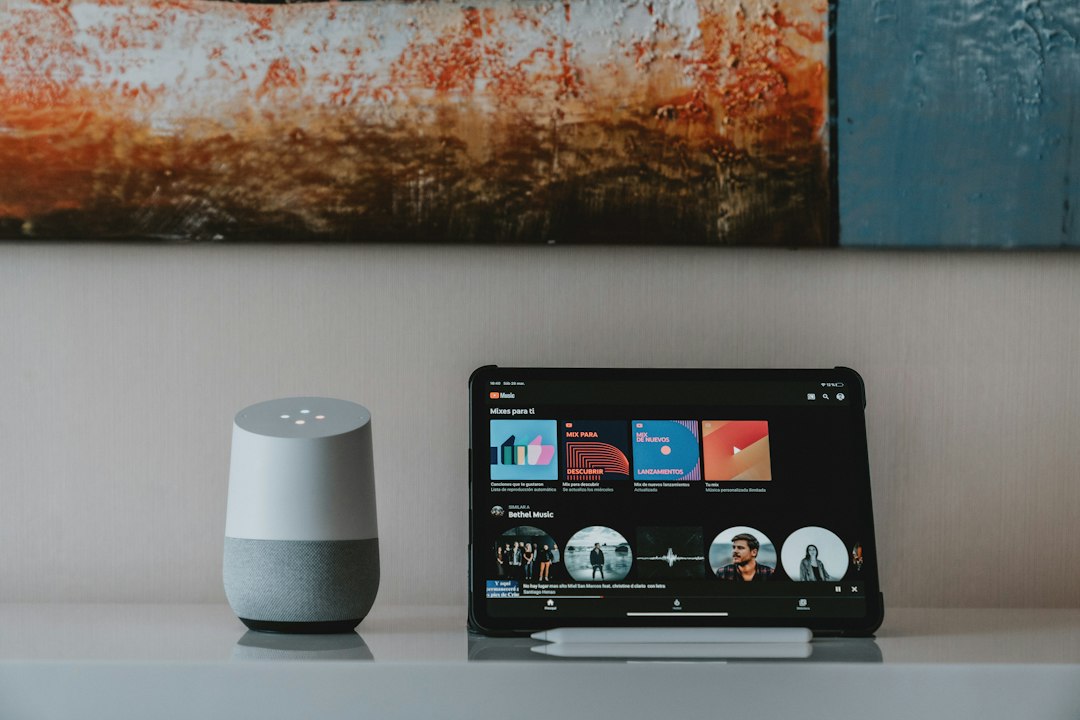
The best answer for many users is not either-or. Use both where they are strongest. Keep Assistant for home devices, routines, driving, and quick voice actions. Use Gemini for text work, planning, learning, and complex questions.
On Android, users who switch their default assistant to Gemini should test their most common tasks first. Try five daily commands: setting a timer, calling a contact, sending a message, controlling a light, and playing music. If two or more feel slower or fail, sticking with Assistant may be smarter for now.
Final verdict: Gemini is the future-facing AI tool, but Google Assistant remains the more dependable utility assistant. Gemini wins on intelligence. Assistant wins on speed and control. The right choice depends on whether you need a thinker, a doer, or both.