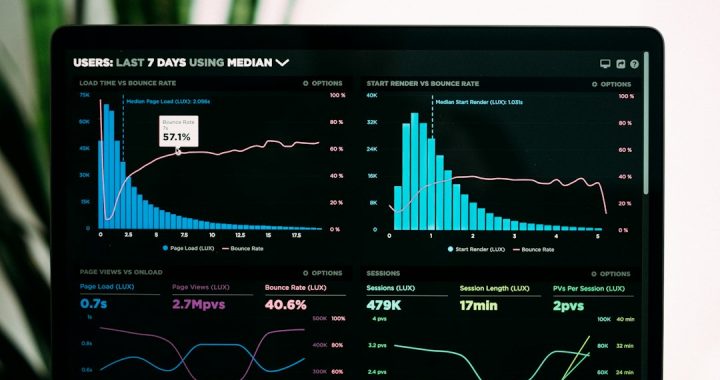
Top 7 Google Play Store Keyword Research Tools (2026)
Finding the right keywords for your Google Play app can feel like hunting for treasure with a tiny spoon. But good news. In 2026, you have better tools, smarter data, and fewer reasons to guess. The right keyword tool can help your app get seen, clicked, and downloaded.
TLDR: Google Play keyword research tools help you find the words people use when searching for apps. The best tools show keyword volume, difficulty, competitors, trends, and ranking changes. For 2026, the top picks include AppTweak, Sensor Tower, data.ai, MobileAction, AppFollow, App Radar, and ASOdesk. Use one main tool, then support it with a second tool for checks.
Why Google Play keyword research matters
Google Play is busy. Very busy. Millions of apps are fighting for attention. Your app title, short description, and long description all matter.
If you use the wrong keywords, your app may hide in the shadows. If you use the right ones, your app can move closer to the top. That means more eyeballs. More taps. More downloads. More happy dances.
Keyword research is not just about finding popular words. It is about finding useful words. A keyword should match your app, have search demand, and be possible to rank for.

What makes a great keyword research tool?
Before we jump into the list, let’s keep it simple. A good Google Play keyword tool should help you do these things:
- Find keywords people actually search for.
- Check search volume so you know what is popular.
- Measure difficulty so you do not fight impossible battles.
- Track rankings over time.
- Spy on competitors in a totally legal and useful way.
- Spot trends before they become crowded.
Now, let’s meet the top 7 tools for 2026.
1. AppTweak
AppTweak is one of the strongest ASO tools around. ASO means App Store Optimization. Fancy name. Simple job. It helps your app rank better.
AppTweak is great for keyword research because it gives clear keyword scores. You can see volume, difficulty, chance, and relevance. This makes it easier to pick smart keywords instead of random ones.
It also has strong competitor analysis. You can see which keywords your rivals rank for. You can also see where they are beating you. Annoying? Yes. Useful? Very.
Best for: app marketers who want powerful data and clean reports.
Fun tip: Use AppTweak to build a “maybe later” keyword list. Some keywords are too hard today. But they may be perfect after your app grows.
2. Sensor Tower
Sensor Tower is a big name in mobile intelligence. It is popular with larger teams, publishers, and serious growth marketers.
For Google Play keyword research, Sensor Tower helps you study search traffic, app rankings, and competitors. It is especially useful when you want to understand the wider market.
You can look at keyword rankings by country. This is important. A keyword that works in the United States may not work in Brazil, India, or Germany. Different markets behave in different ways.
Best for: teams that need deep market data and global tracking.
Simple win: Check your top keywords in several countries. You may find a hidden market that loves your app.
3. data.ai
data.ai is another major mobile data platform. It is not only for keyword research. It also gives app market insights, download estimates, revenue data, and category trends.
For keywords, data.ai helps you understand how apps perform in search and how competitors grow. It is useful when keyword research is part of a bigger strategy.
This tool is best when you want the full picture. Not just “which keyword should I use?” but also “where is this market going?”
Best for: businesses that want deep app market intelligence.
Keep it simple: Use data.ai to confirm whether a niche is growing before you spend months building new features.
4. MobileAction
MobileAction is a friendly and practical ASO tool. It is strong for keyword discovery, keyword tracking, and competitor research.
One nice thing about MobileAction is how easy it is to explore keyword ideas. You can start with one keyword and find related terms. This is great when your brain says, “I have no more ideas.”
It also helps you see what your competitors are doing. You can track their keyword rankings and compare them with yours. This makes your ASO work less mysterious.
Best for: ASO teams that want a balance of power and ease of use.
Fun tip: Look for keywords where competitors rank poorly but search volume is still decent. That is where the treasure may be hiding.
5. AppFollow
AppFollow is known for app reputation, reviews, and ASO tracking. But it is also useful for keyword research on Google Play.
Why? Because reviews and keywords are connected. Users often describe your app in their own words. Those words can become keyword ideas.
For example, you may call your app a “task manager.” But users may call it a “daily planner” or “to do list.” Guess what? Their words matter. A lot.
AppFollow helps you track keyword positions and watch competitor movement. It also helps you connect app store visibility with user feedback.
Best for: teams that care about both keywords and reviews.
Smart move: Read your 5-star reviews. They often contain the best keyword ideas. Read your 1-star reviews too. Bring snacks.
6. App Radar
App Radar is made to make ASO easier. It is clear, guided, and helpful for people who do not want to drown in data.
It offers keyword suggestions, keyword tracking, and app store listing optimization. It can help you improve your Google Play title, short description, and long description.
App Radar is a good choice if you want a more guided workflow. It feels less like a giant spreadsheet and more like a checklist. That is nice. Checklists are friendly.
Best for: small teams, indie developers, and ASO beginners.
Quick tip: Use App Radar to test different keyword groups. Keep the ones that move rankings. Drop the sleepy ones.
7. ASOdesk
ASOdesk is another strong tool for app keyword research and ASO. It helps you collect keywords, track rankings, study competitors, and manage app visibility.
One useful feature is keyword grouping. This helps when you have a big list of terms. You can group keywords by theme, feature, user type, or country.
For example, a fitness app may have groups like “home workout,” “weight loss,” “step counter,” and “meal plan.” This keeps your keyword work tidy. Tidy is good. Chaos is not a strategy.
Best for: marketers who want organized keyword lists and regular tracking.
Simple win: Group keywords by search intent. Some users want to learn. Some want to buy. Some want a quick fix. Match the keyword to the user mood.

How to choose the right tool
Do not pick a tool just because it looks fancy. Pick the one that fits your team, budget, and goals.
- Choose AppTweak if you want strong ASO data and keyword scoring.
- Choose Sensor Tower if you need big market insights.
- Choose data.ai if you want full mobile intelligence.
- Choose MobileAction if you want easy keyword discovery.
- Choose AppFollow if reviews matter a lot to your strategy.
- Choose App Radar if you want simple ASO guidance.
- Choose ASOdesk if you like organized keyword tracking.
Final thoughts
Google Play keyword research in 2026 is not about stuffing words everywhere. Please do not do that. The app store robots may notice. Users will notice too. Nobody likes awkward keyword soup.
Instead, use smart tools. Find the words your users already use. Check the competition. Track your rankings. Improve a little each week.
The best keyword tool is the one you will actually use. Start simple. Stay curious. And remember, even tiny keyword wins can grow into big download gains.