Business Cover Photo Ideas for Facebook, LinkedIn, and More

Your business cover photo is like a big welcome mat. It sits at the top of your profile. People see it fast. They judge it even faster. So let’s make it look sharp, friendly, and useful.
TLDR: A great business cover photo should show what you do, who you help, and why people should care. Keep it clean, bold, and easy to read. Use your brand colors, a clear message, and one strong image. Change it often for sales, seasons, events, and big updates.
Why Your Cover Photo Matters
Your cover photo is prime space. It is big. It is visual. It tells a story before anyone reads your posts.
On Facebook, it can make your page feel active and fun. On LinkedIn, it can make your brand look smart and trusted. On other platforms, it can help people remember you.
Think of it as your digital billboard. But nicer. And cheaper.
A good cover photo can:
- Show your brand style.
- Explain your services fast.
- Promote a deal or event.
- Build trust with new visitors.
- Make your page look alive.
The best part? You do not need to be a design wizard. You just need a clear idea.
Start With One Simple Goal
Before you choose a photo, ask one question.
What do I want people to do next?
Do you want them to call you? Visit your website? Book a demo? Learn about your team? Join an event?
Pick one goal. Just one. A cover photo with too many ideas becomes visual soup. Nobody wants soup at the top of a business page.
Here are a few easy goals:
- Build trust: Show your team, office, or happy customers.
- Sell a product: Feature your best product with a short line.
- Promote an event: Add the date, name, and simple call to action.
- Show expertise: Use a bold statement about what you do.
- Grow your audience: Invite people to follow, join, or subscribe.
Simple wins. Clear wins. Pretty is nice, but useful is better.
Idea 1: Show Your Team
People like people. It is that simple.
A team cover photo can make your business feel warm and real. This works well for local businesses, agencies, clinics, schools, nonprofits, and service companies.
Use a bright photo of your team smiling. Keep the background clean. Avoid crowded rooms. Avoid messy desks. Yes, even if that desk is “creative.”
Add a short message, such as:
- “Helping small businesses grow every day.”
- “Your local experts in home care.”
- “Real people. Real support. Real results.”
Make sure faces are not covered by profile photos or buttons. Each platform crops images in its own way. Always preview before posting.

Idea 2: Feature Your Product
If you sell something visual, show it. Let your product be the star.
This is great for restaurants, fashion brands, beauty shops, bakeries, fitness products, tech gadgets, furniture stores, and online shops.
Use a clean product photo. Add a short line. Keep the words big. Small text on a cover photo is like whispering in a stadium.
Try these simple text ideas:
- “Fresh arrivals are here.”
- “Made for busy mornings.”
- “Comfort you can feel.”
- “Your new favorite gift.”
Use one product if possible. Or show a small group of products with space around them. Clean space makes the image feel more expensive.
Idea 3: Promote a Special Offer
A cover photo is a great place to share a sale. But do not make it look like a loud coupon from 1998.
Use one offer. Make it bold. Add a deadline if needed.
Good examples include:
- “20% off this week only.”
- “Free consultation for new clients.”
- “Book by Friday and save.”
- “Holiday bundles now available.”
Keep the design simple. Use your brand colors. Add your website only if it is easy to read. Do not crowd the image with every detail. That is what your post or pinned update is for.
Idea 4: Share Your Brand Promise
Your brand promise is the main thing you want people to remember.
It should be short. It should feel confident. It should not sound like a robot wrote it in a basement.
Here are a few examples:
- “We make accounting less scary.”
- “Beautiful websites for growing brands.”
- “Healthy meals without the hassle.”
- “Legal help that feels human.”
- “Marketing that gets to the point.”
This style works well on LinkedIn. It looks smart and direct. It also works for consultants, coaches, software companies, agencies, and B2B brands.
Pair your line with a simple background. Use a clean gradient, office image, abstract shape, or calm brand pattern.
Idea 5: Highlight an Event
Running a webinar? Hosting a grand opening? Speaking at a conference? Put it in your cover photo.
People miss posts. They scroll fast. But a cover photo stays at the top.
An event cover photo should include:
- The event name.
- The date.
- A simple benefit.
- A clear next step.
For example:
“Free Webinar: Simple Sales Tips for 2026”
January 18 · Save your seat today
Use a speaker photo if the person is well known. Use a clean graphic if the topic is the main attraction.
Idea 6: Use Customer Success
Nothing builds trust like happy customers.
You can use your cover photo to show a result, a testimonial, or a real customer story. Make sure you have permission first. Always. No sneaky screenshots.
Try a simple layout:
- Customer photo on one side.
- Short quote on the other side.
- Your logo in a small corner.
Keep the quote short. Very short.
Good quote examples:
- “Our bookings doubled in three months.”
- “The whole process was easy.”
- “We finally got our evenings back.”
This idea is strong for service businesses. It is also great for software, education, fitness, real estate, and professional services.
Idea 7: Show Your Workspace
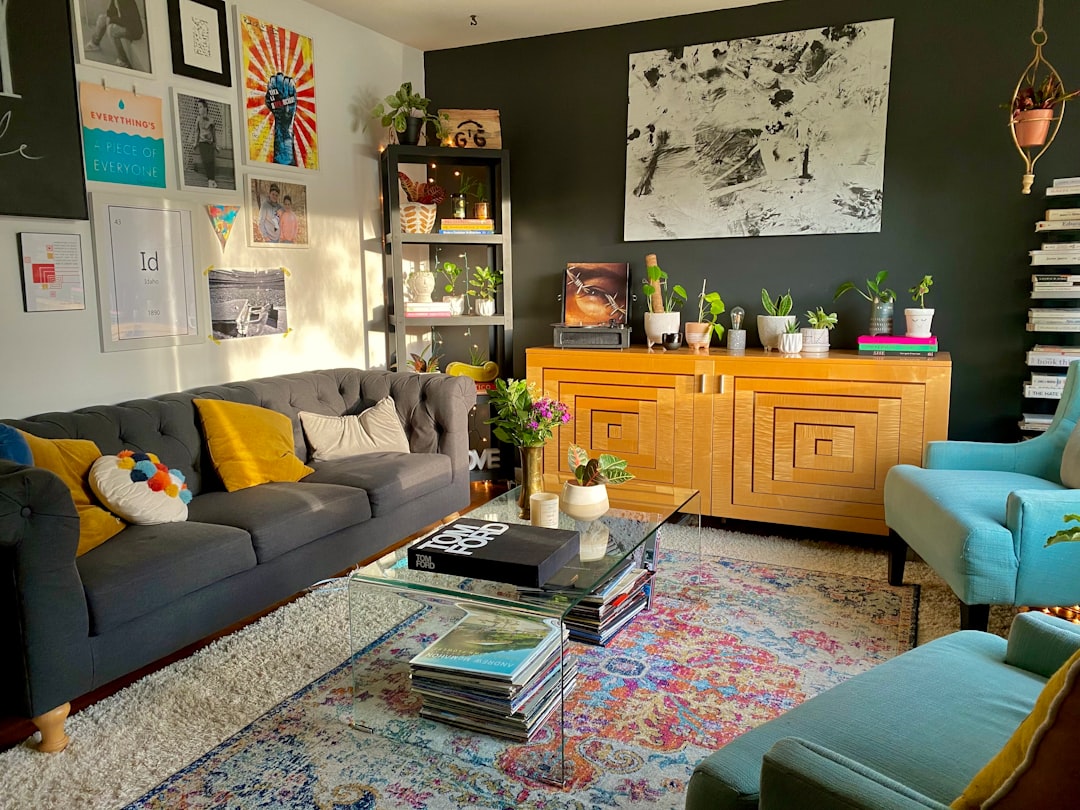
Your workspace can say a lot. A bakery counter feels cozy. A modern office feels professional. A workshop feels hands-on. A studio feels creative.
Use a real photo if your place looks good. Natural light helps. Clean surfaces help. Plants also help. Plants are the interns of interior design. They do a lot and ask for little.
This idea works well for:
- Cafes and restaurants.
- Salons and spas.
- Coworking spaces.
- Gyms and fitness studios.
- Retail shops.
- Creative studios.
Add a light text overlay if needed. Something like “Visit us in downtown Austin” or “Now open seven days a week.”
Idea 8: Celebrate Seasons and Holidays
Seasonal cover photos make your page feel fresh. They show that your business is active. They also give people a reason to look again.
You can update your cover for:
- New Year campaigns.
- Spring launches.
- Summer sales.
- Back to school offers.
- Black Friday deals.
- Winter holidays.
- Your business birthday.
Do not overdo the holiday decorations. A little sparkle is fun. Too much sparkle looks like a glitter storm attacked your brand.
Use seasonal colors, but keep your brand visible. Your page should still feel like you.
Idea 9: Create a Simple Graphic Banner
You do not always need a photo. A clean graphic can work very well.
This is especially useful for LinkedIn. Many professional pages use shapes, patterns, icons, and short copy. It can look polished and modern.
A simple graphic cover can include:
- Your logo.
- Your tagline.
- A few icons.
- Your brand colors.
- A short call to action.
For example:
“Smart HR support for growing teams.”
That is enough. You do not need to list every service. Save the novel for your website.
Idea 10: Show Before and After
Before and after images are powerful. They show proof fast.
This works for:
- Home renovation.
- Interior design.
- Landscaping.
- Fitness coaching.
- Beauty services.
- Branding and design.
- Cleaning services.
Make the layout clear. Put Before on one side and After on the other. Use equal image sizes. Add a short result line.
Try:
- “A brighter kitchen in just 10 days.”
- “From cluttered to calm.”
- “A fresh look for a growing brand.”
Facebook Cover Photo Tips
Facebook is more casual. People expect personality. You can be warm, fun, and direct.
Good Facebook cover photo ideas include:
- A team photo with a friendly message.
- A seasonal sale banner.
- A product launch image.
- A local event announcement.
- A customer testimonial.
Remember that Facebook cover images can crop on mobile. Keep important text near the center. Do not place key details at the edges.
Also, match your cover photo with your profile image. If your profile image is your logo, your cover can show people, products, or a message.
LinkedIn Cover Photo Tips
LinkedIn is more professional. But professional does not mean boring. Please do not use a gray rectangle and call it strategy.
A LinkedIn cover photo should show credibility. It should help people understand your business fast.
Good LinkedIn cover ideas include:
- Your value statement.
- A clean brand graphic.
- A speaker or event banner.
- A service promise.
- A strong industry image.
Use fewer words here. Make them count.
Try lines like:
- “Helping SaaS teams reduce churn.”
- “Leadership coaching for modern managers.”
- “Cybersecurity made simple.”
LinkedIn users are busy. Give them clarity in three seconds.
Ideas for Other Platforms
Some platforms use banners too. These may include YouTube, X, Etsy, Pinterest, or community pages.
Each platform has a different mood.
- YouTube: Show your channel topic and posting theme.
- X: Use a bold message or campaign image.
- Etsy: Feature best sellers or a seasonal collection.
- Pinterest: Show your style, niche, or top content themes.
Do not use the exact same cover everywhere without checking the crop. One size rarely fits all. It may fit none. That is rude, but true.
Design Rules That Always Help
Now let’s keep your cover photo clean and easy to read.
- Use big text. Tiny words vanish on phones.
- Choose one main idea. More ideas create chaos.
- Use strong contrast. Dark text on a dark photo is a secret message.
- Leave empty space. Space makes design look calm.
- Stay on brand. Use your colors, fonts, and tone.
- Check mobile view. Most people will see it there.
- Update often. A dusty cover photo feels forgotten.
If you use text over a photo, add a dark or light overlay. This makes words easier to read. Your audience should not need detective skills.
Common Mistakes to Avoid
Even good businesses make odd cover photo choices. Let’s avoid the big ones.
- Too much text: People will not read a paragraph in a banner.
- Blurry images: They make your brand look careless.
- Old promotions: A “Summer Sale” in December is not cute.
- Bad cropping: Do not hide faces, dates, or phone numbers.
- Random stock photos: Use images that feel connected to your business.
- No call to action: Tell people what to do next, when it makes sense.
A cover photo should help visitors. It should not confuse them.
Quick Cover Photo Formula
Here is a simple formula you can use today.
Image + Message + Action = Strong Cover Photo
For example:
- Image: A smiling fitness coach.
- Message: “Build strength at any age.”
- Action: “Book your free intro session.”
Another example:
- Image: A clean software dashboard.
- Message: “Project tracking without the mess.”
- Action: “See how it works.”
This keeps your design focused. It also makes content planning easier.
Final Thoughts
Your business cover photo does not need to be fancy. It needs to be clear. It needs to feel like your brand. It needs to give visitors a reason to stay.
Use your cover photo to show your team, product, promise, event, offer, or customer success. Change it when your business changes. Keep it fresh. Keep it readable. Keep it simple.
And remember this: your cover photo is not just decoration. It is a tiny stage. Put your best message on it, give it good lighting, and let it say hello.